
Why Your Home Office Furniture Matters More Than Ever
For many UK professionals, the home office has transitioned from a temporary arrangement to a permanent workspace. Relying on inadequate setups like sofas or dining tables often leads to persistent physical discomfort and long-term health risks.
Investing in high-quality office furniture is a strategic business decision that directly supports employee wellbeing and daily output. By integrating a dedicated standing desk or ergonomic seating, you can foster a professional environment that promotes focus and prevents repetitive strain. This guide outlines how to select the essential components that turn any room into a productive, comfortable workspace.
Start with the Desk: Your Workstation Foundation
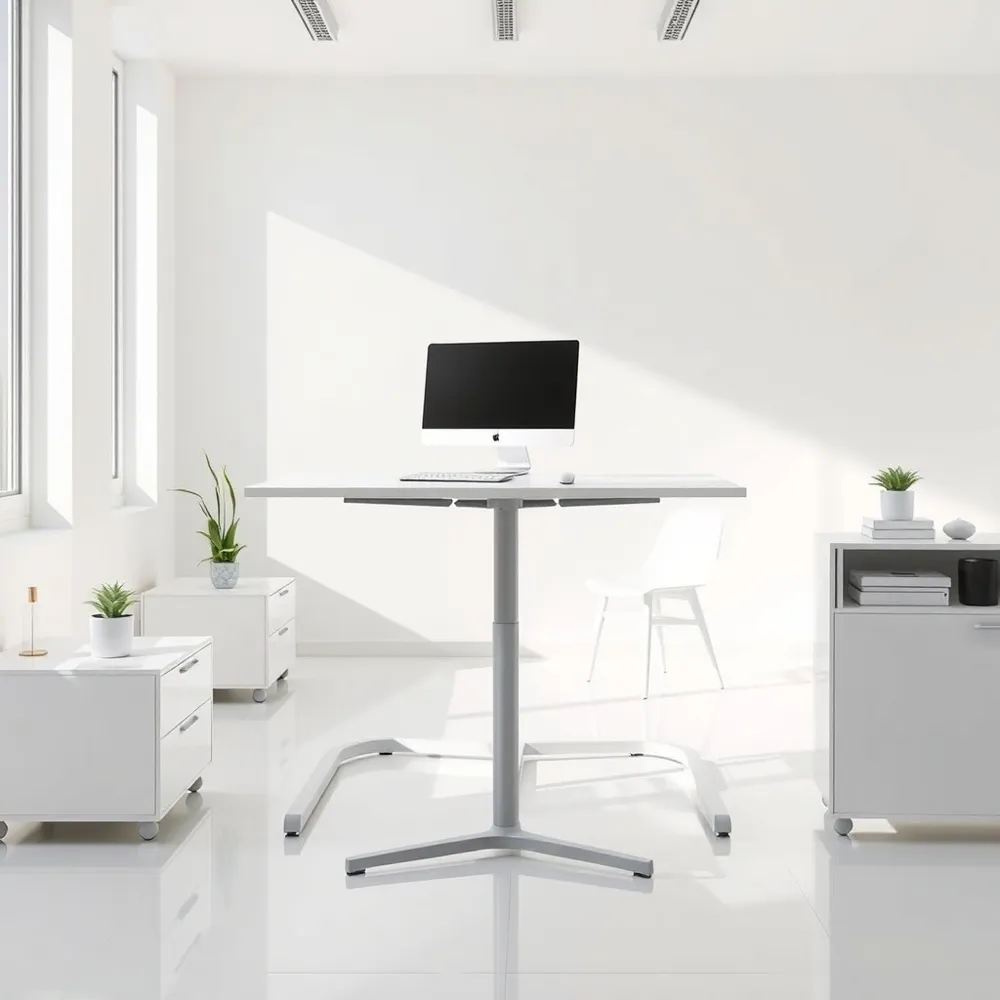
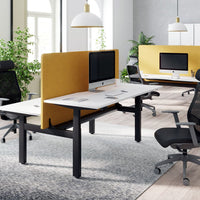
The desk serves as the primary anchor for any productive environment, acting as the foundation upon which your daily workflow rests. Selecting the right office furniture begins with evaluating how much space you have available and identifying whether your routine demands constant flexibility. For those needing adaptability, a height-adjustable standing desk is an excellent choice, as it allows users to alternate positions throughout the day to reduce sedentary strain, as highlighted in studies on office ergonomics.
- Standard desks typically range between 73cm and 76cm in height, so ensure your chosen chair fits comfortably underneath with enough remaining legroom to prevent discomfort.
- Consider material durability against your budget: while laminated particle board or MDF provides an affordable solution, solid wood or high-quality veneers offer greater longevity for a premium setup.
- For constrained environments, an L-shaped or corner desk can effectively maximise a room's footprint, or you may opt for a folding design if the space must serve multiple purposes.
What factors should facilities managers consider when choosing desk types for a home-style or small office setup? Prioritising modularity is essential. That's My Office provides a range of sit-stand workstations that cater to diverse user requirements, helping organisations maintain consistency in quality even in distributed work environments. By matching the aesthetic style and physical dimensions of your standing desk with standard ergonomic chair heights, you create a more cohesive workspace that reduces the risk of long-term physical issues like back or neck pain.
Why a Standing Desk Is a Smart Investment
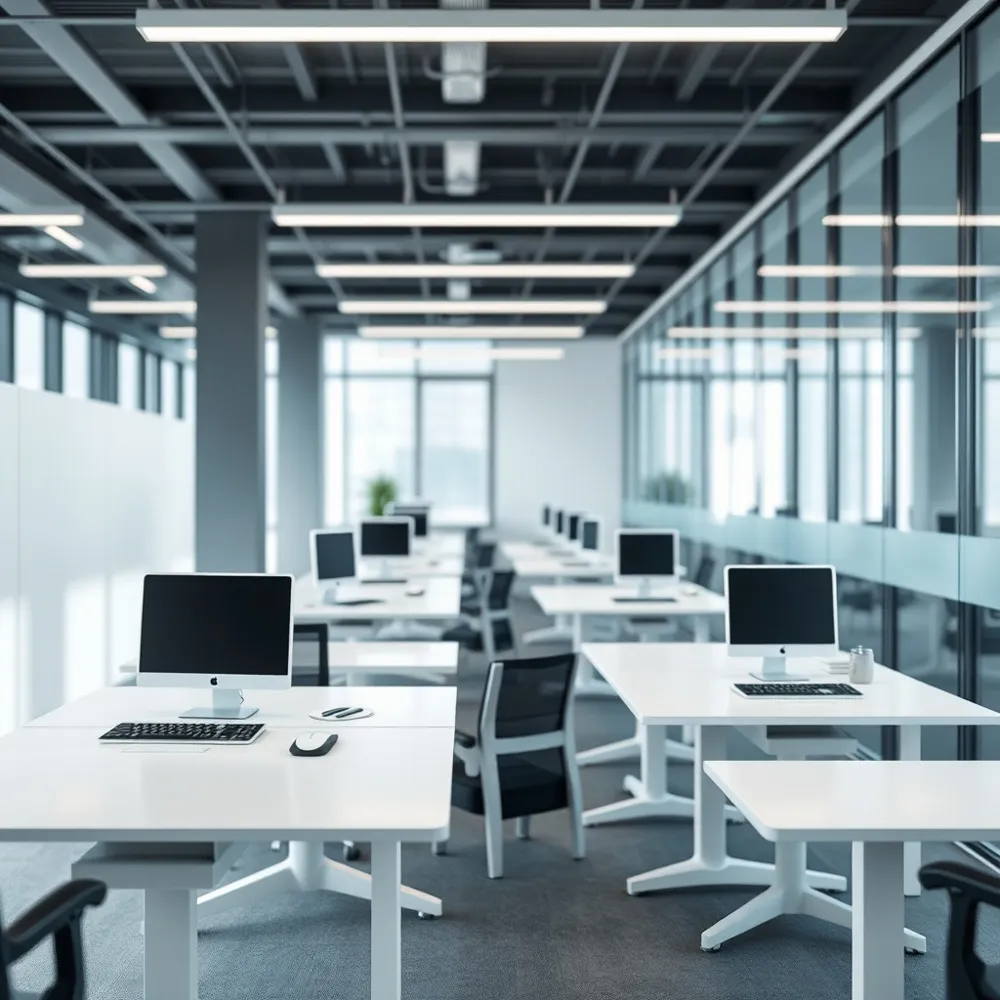
The transition toward active workspaces has made the standing desk a standard requirement for UK businesses. By allowing professionals to alternate between sitting and standing, these workstations mitigate the health risks tied to sedentary routines, such as poor circulation and back discomfort. Unlike static desks that lock users into a single position, a height-adjustable model encourages movement, which The Guardian notes can significantly boost daily energy and output.
Why are standing desks increasingly considered a standard requirement for UK offices?
Standing desks have become essential in UK offices as employers move away from sedentary work patterns to prioritize long-term employee wellbeing. By offering immediate flexibility to switch postures, these desks help mitigate common workplace issues like chronic neck and back pain while promoting better spinal alignment. Research indicates that this dynamic range of movement not only improves circulation but also enhances cognitive efficiency and perceived productivity per Healthline. With broader workplace standards now advocating for active environments, businesses are increasingly investing in this office furniture to future-proof their operations. Ultimately, incorporating a high-quality standing desk demonstrates a clear commitment to fostering a healthier and more agile workforce.
When selecting your hardware, consider the mechanism that best suits your team. Electronic models provide effortless adjustment at the touch of a button, ideal for high-traffic or hybrid environments where users frequently change seats. In contrast, manual crank-operated versions provide a more affordable alternative that remains highly reliable and easy to maintain over time. To ensure a clean aesthetic and optimal functionality, we recommend pairing your desk with wireless peripherals, which drastically reduce cable clutter and allow for a more professional, flexible workspace setup. That's My Office supports this transition by offering professional space planning and 3D design assistance to ensure your new workstations fit perfectly into your office layout.
Choosing the Right Ergonomic Office Chair
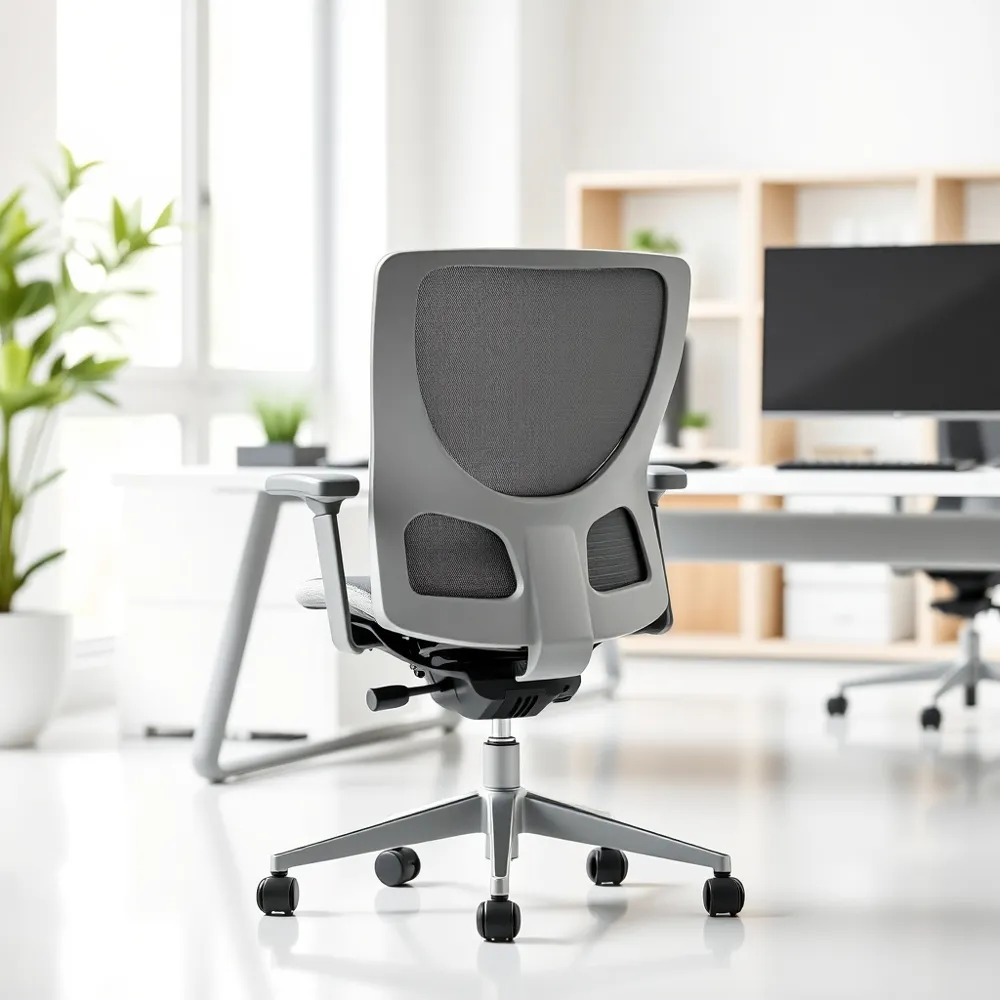
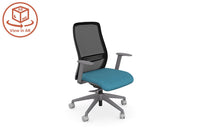
Selecting the right ergonomic office chair is more than a simple equipment purchase. It is a long-term investment in your physical wellbeing that supports the natural curve of the spine and prevents slouching during long hours of focus. A quality chair provides the adjustability needed to reduce strain on the neck, shoulders, and back, helping you maintain good posture throughout the day.
When building a productive setup, look for chairs featuring adjustable seat height, back support, tilt, and armrest positioning. These adjustments ensure the user can maintain an ideal posture where knees are bent at a 90-degree angle, thighs remain parallel to the floor, and feet stay flat on the ground or a supportive footrest. If your feet do not reach the floor comfortably, adding a footrest is a straightforward way to protect your posture and circulation.
At That's My Office, we emphasize that the most effective workstations pair these chairs with a versatile standing desk to allow for frequent movement throughout the day. Our approach focuses on flexibility that fits your specific body type. A chair with dedicated lumbar support is particularly important, as it helps maintain the lower back's natural inward curve, reducing pressure that often leads to fatigue.
Investing in quality office furniture is a strategic decision that boosts productivity by reducing the physical strain and fatigue associated with prolonged desk work. By introducing ergonomic solutions, businesses can help reduce the risk of musculoskeletal issues and absenteeism. Beyond health benefits, well-designed furniture can support talent retention, as modern employees increasingly prioritise comfort and wellness in their work environment. These investments also lead to long-term cost savings by reducing the risks of workplace injuries and associated health-related expenses. Ultimately, upgrading your equipment creates a professional, supportive space that fosters engagement.
Perfecting Monitor and Screen Placement
Proper screen placement is a foundational element of effective office furniture strategy, as it directly reduces risks like neck strain, eye fatigue, and slumping posture. The top line of your monitor should rest at or slightly below eye level, roughly an arm's length away. Using monitor arms allows for easy height and angle adjustments while freeing up valuable desk space.
For those relying on laptops, integrating a dedicated stand is essential to simulate a standard desktop experience. By elevating the screen and pairing it with an external keyboard and mouse, you maintain a neutral body position that prevents the discomfort often caused by cramped laptop layouts. When planning your layout, That's My Office provides resources to help configure these zones for maximum productivity.
Using Augmented Reality (AR) to finalise office design
Augmented Reality (AR) enhances office design by allowing businesses to overlay 3D models of potential furniture and layouts directly into their existing workspace. By using a smartphone or tablet to view these items virtually, facilities managers can accurately assess how a new standing desk or collaborative zone will fit within the actual floor plan. This practical approach removes the guesswork from traditional 2D planning, enabling teams to evaluate comfort, flow, and aesthetics before making a commitment. This means businesses can finalise their office furniture selections with confidence, knowing each piece is well suited to their unique environment. This technology ensures that design decisions are informed and aligned with the needs of the modern workplace.
Essential Desk Accessories for Comfort and Health
Good office furniture helps reduce physical strain and fatigue from long hours at a desk. Ergonomic options like a standing desk can lower the risk of back pain and time off work. Comfortable furniture also helps keep employees happy and can reduce costs from workplace injuries and health expenses. A well-designed workspace supports focus and productivity.
Getting a comfortable, healthy posture requires more than just your main furniture. Accessories help your workspace fit you, not the other way around. A footrest helps keep your legs at a comfortable angle if your feet don't reach the floor. Similarly, lumbar support pillows help maintain your spine's natural curve.
If you use a standing desk, a standing mat with varied surfaces helps you shift your weight naturally. This reduces pressure on your heels, legs, and back when standing for longer periods. For your upper body, use an external mouse instead of a laptop trackpad. This helps keep your arm in a comfortable position and reduces strain. Wrist rests on hard desks help keep your wrists straight and prevent strain injuries.
- Footrests for comfortable leg positioning.
- Standing mats to reduce fatigue.
- External mouse and keyboard for better arm position.
- Accessories that reduce reaching and slouching.
Optimising Your Workspace Layout and Lighting
Creating a professional office furniture layout requires careful thought regarding placement and illumination to support sustained focus. Position your desk away from high-traffic zones and ensure your screen is situated to avoid direct glare from windows, which can significantly mitigate eye fatigue. That's My Office assists with these layouts by providing professional CAD visualisations to ensure every inch of your space is effectively utilised.
Effective lighting should combine natural light with adjustable options to maintain a comfortable environment throughout the day. Where overhead lighting is insufficient, adding a free-standing lamp or an adjustable LED desk lamp provides focused illumination directly where you need it according to Wirecutter. This prevents the unnatural neck postures often adopted when leaning into dim workspaces.
Clutter management is equally vital to preventing physical strain. Incorporating accessories like the desk-power-module-round provides integrated cable management that keeps surfaces clear and tidy. Using document holders and dedicated storage further ensures that required items remain within easy reach, discouraging the awkward reaching and stretching that leads to repetitive strain.
When planning an office refurbishment, facilities managers should audit current space usage to shift from reactive maintenance to future-proofed planning. Prioritising flexible, high-quality standing desk solutions ensures the area adapts to shifting team needs. It is essential to integrate professional space planning early to stress-test layouts against operational goals before committing to permanent changes.
Power Management: Protecting Your Equipment
Effective power management is a critical but often overlooked aspect of a functional workspace. While high-quality office furniture supports your team's physical health, protecting the electronic devices that drive your workflow is equally essential for operational continuity.
Surge protectors safeguard expensive electronics from sudden power spikes. Replace them every few years to keep your workstation fully protected.
For added security, a backup power supply provides a vital buffer during unexpected power outages. This allows time to safely save active tasks and keeps essential networking gear, such as routers, running during short-term blackouts.
To keep surfaces clear and professional, That's My Office offers integrated desk power modules that streamline cable management. Unlike standard tangle-prone extensions, these solutions integrate directly into your workspace to maintain a tidy and hazard-free environment.
Adding Acoustic Solutions for Focus and Privacy
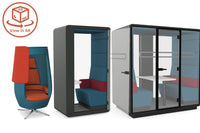
Effective office furniture strategy includes more than desks and chairs. Acoustic pods and privacy dividers are essential for creating quiet zones that support deep focus and ensure confidentiality during sensitive calls.
How can acoustic pods improve the functionality of an open-plan office?
Acoustic pods significantly enhance open-plan functionality by providing essential zones for focused, individual work and private conversations that would otherwise disrupt a busy environment. By integrating these sound-dampened spaces, businesses can facilitate video conferences and sensitive meetings without the high cost of permanent construction. That's My Office helps facilities managers reclaim space once reserved for underused meeting rooms, converting them into adaptable work areas. Combining these pods with a versatile standing desk ensures employees have the right tools for every task. These solutions strike a balance between open collaboration and the quiet concentration required in a modern professional setting.
Acoustic wall panels can be easily added to a home office to dampen sound and reduce external distractions. When combined with smart spatial planning, these additions prevent the noise fatigue often found in shared working environments.
Incorporating Technology for Smarter Choices
Selecting the right office furniture is a significant investment that requires high levels of precision. By leveraging 360-degree product views and interactive tools, decision-makers can evaluate the size, finish, and footprint of a potential standing desk or storage unit before finalising an order.
How can businesses utilise technology like Augmented Reality (AR) to finalise their office design?
Augmented Reality (AR) revolutionises space planning by allowing users to overlay realistic 3D models of potential furniture directly into their existing environment. Facilities managers can use a tablet or smartphone to view these virtual items in real-time to assess how a new configuration will impact flow, ergonomics, and daily usability. This immersive approach removes the uncertainty inherent in traditional 2D floor plans, ensuring that every piece of furniture fits perfectly within the allocated area.
Specialists like That's My Office assist with this process by providing professional CAD layouts and detailed 3D visualisations. These technical tools allow teams to identify potential spatial constraints early, ensuring that the chosen office furniture supports long-term productivity and adheres to modern workplace standards.
Creating a Cohesive and Productive Environment
Achieving a professional workspace requires more than just functional equipment. A cohesive design using a consistent material palette, such as pairing wood, glass, or steel accents across your office furniture, contributes to a more focused and intentional work environment. Selecting finishes that align with your personal aesthetic makes your daily workstation more inviting and helps to maintain the distinction between professional and personal life, particularly when you designate a specific room or area solely for business tasks.
Efficiency also depends on the layout of your tools. By keeping frequently used items within arm's reach, you minimise unnecessary movement and help maintain proper posture throughout the day per Mayo Clinic recommendations. This approach prevents the strain often caused by repetitive reaching and awkward body angles.
How can businesses utilise technology like Augmented Reality (AR) to finalise their office design?
Augmented Reality (AR) revolutionises office design by allowing businesses to overlay 3D models of potential furniture and layouts directly into their existing workspace. By using a smartphone or tablet to view these virtual items in real-time, facilities managers can accurately assess how a new standing desk or collaborative zone will fit within the actual floor plan. This immersive approach removes the guesswork from traditional 2D planning, enabling teams to evaluate ergonomics, flow, and aesthetics before making a commitment. Consequently, businesses can finalise their office furniture selections with confidence, knowing each piece is perfectly suited to their unique environment. Ultimately, this technology ensures that design decisions are informed, precise, and aligned with the functional needs of the modern workplace.
Moving Beyond the Setup: Daily Habits for Lasting Health
A high-quality standing desk serves as the foundation for an active workplace, but your physical comfort also relies on consistent daily habits. Even the most advanced office furniture cannot replace the necessity of movement, so integrate short walking breaks and regular stretching into your routine to maintain steady focus and energy levels.
Practical strategies for sustained wellbeing
Experts recommend a balanced approach to your daily schedule. A common, effective pattern involves alternating positions, such as standing for one hour for every two hours spent sitting. This cadence encourages blood circulation and helps manage pressure on the lower back, though you should always listen to your body signals to avoid fatigue.
- Adopt the 20–20–20 rule: gaze at an object 20 feet away for 20 seconds every 20 minutes to reduce digital eye strain.
- Adjust your posture or height settings every 30 minutes to minimize discomfort, as noted in research by Wirecutter.
- Use your standing desk to alternate roles frequently, as The Guardian reports that dynamic movement improves energy and productivity.
Why are standing desks increasingly considered a standard requirement for UK offices? These workstations prioritize long-term wellbeing and productivity, helping mitigate issues like chronic neck pain while keeping employees engaged. By combining these ergonomic tools with movement-based habits, you create a workspace that supports both physical health and mental alertness throughout the day.
Building a Workspace That Works for You
Selecting the right office furniture is a strategic investment in your health, productivity, and long-term comfort. Every choice, from a high-quality standing desk to a supportive ergonomic chair, serves as a foundation for your professional performance.
Beyond the equipment, you can That's My Office services to finalise your layout with precision. We use advanced Augmented Reality visualisations and professional space planning to ensure your specific environment supports your workflow, helping you avoid the common mistakes often found with unbranded, off-the-shelf alternatives.
True wellbeing requires combining these quality elements with mindful daily habits. By alternating positions throughout the day, you can mitigate the health risks of prolonged sedentary behaviour and create a truly sustainable home workspace.



0 comments