Prices shown

Frequently asked questions for Office Furniture
Office Chair FAQs: How to Choose the Right Office Chair
Choosing the right office chair is essential for creating a comfortable and practical workstation. A chair may be used for several hours each working day, so it should suit the user’s body, working pattern, desk and intended environment.
The best office chair is not necessarily the chair with the most features or the highest price. It is the chair that provides the right combination of dimensions, adjustment, support, durability and comfort for the person using it.
At That’s My Office, you can compare office chairs for home and commercial workplaces , including ergonomic task chairs, mesh chairs, executive seating, heavy-duty chairs, meeting chairs and visitor seating.
What Is the Best Office Chair?
The best office chair is one that fits the user, supports the intended length of use and can be adjusted to work comfortably with the desk. For regular desk work, look for a chair with a supportive backrest, suitable seat dimensions and straightforward controls that can be operated while seated.
Useful office chair features may include:
- Pneumatic seat-height adjustment
- Adjustable lumbar support
- Seat-depth adjustment
- Adjustable armrests
- A reclining or synchronised movement mechanism
- Backrest tilt or locking positions
- Weight or tension adjustment
- A breathable or supportive seat and backrest
- A stable five-star base
- Castors suitable for the floor surface
Users who sit for most of the working day will generally benefit from more adjustment than someone who only uses the chair occasionally. The overall chair dimensions and recommended usage are just as important as the number of controls.
Start by exploring the complete office chair collection .
What Is an Ergonomic Office Chair?
An ergonomic office chair is designed to be adjusted around the user rather than forcing every person into the same fixed sitting position. Ergonomic seating should support comfortable working postures while allowing the user to move and change position during the day.
An ergonomic chair will normally provide several adjustable features. These may include seat height, seat depth, lumbar support, armrest position, recline tension and backrest movement.
However, the word ergonomic should not be considered a guarantee that a chair will suit every user. Always compare the seat width, seat depth, backrest height, adjustment range and recommended weight capacity against the person who will use the chair.
An ergonomic office chair should:
- Allow the user’s feet to be supported
- Support the thighs without excessive pressure behind the knees
- Provide appropriate lower-back support
- Allow the shoulders to remain relaxed
- Make it easy to reach the keyboard and mouse
- Support more than one comfortable working position
- Allow regular movement rather than holding the body rigidly
What Is the Best Office Chair for Long Working Hours?
For long working days, choose a chair designed for regular or intensive use with sufficient adjustment to fit the user correctly. Seat height alone is unlikely to provide enough flexibility for someone sitting for six, eight or more hours each day.
For extended use, consider a chair with:
- Adjustable lumbar support
- Seat-depth adjustment
- A supportive, appropriately sized seat
- Adjustable armrests
- A synchronised mechanism that moves with the user
- Controllable recline tension
- A breathable backrest or upholstery
- A commercial guarantee suitable for the intended use
Even a well-designed chair should not be used as a substitute for movement. Users should change position, stand, stretch and move regularly during the working day.
Workplaces operating continuously or across several shifts should consider 24-hour office chairs for intensive working environments .
How Do You Adjust an Office Chair Correctly?
Begin by adjusting the chair around the user before changing the monitor, keyboard or other equipment. Make one adjustment at a time and test the position before moving to the next control.
- Adjust the seat height. Position the seat so the feet are supported and the thighs feel comfortable.
- Check the seat depth. The seat should support the thighs without pressing firmly into the back of the knees.
- Position the lumbar support. Adjust it so it supports the inward curve of the lower back without feeling intrusive.
- Adjust the backrest or recline. The user should be able to sit back into the chair and change position comfortably.
- Set the armrests. They should support the forearms without lifting the shoulders or preventing access to the desk.
- Adjust the desk and monitor. Once the chair is correct, position the working equipment around the user.
If the user’s feet cannot be supported after the chair has been adjusted to the correct working height, a suitable footrest may be required.
What Office Chair Is Best for Back Pain?
There is no single office chair that is guaranteed to resolve back pain. The most suitable chair will depend on the user, their working position, the cause of their discomfort and any advice provided by a qualified health professional.
A chair with adjustable lumbar support, seat depth, armrests and backrest movement can make it easier to create a supported workstation. It should also allow the user to change position rather than remaining fixed in one posture.
When comparing chairs for a user experiencing back discomfort, consider:
- Whether the lumbar support can be adjusted in height or depth
- Whether the seat depth suits the user’s leg length
- Whether the backrest supports the user without restricting movement
- Whether the armrests allow relaxed shoulders
- Whether the chair can be adjusted while the user is seated
- Whether the workstation itself is contributing to the problem
Persistent or severe back pain should be assessed by an appropriate healthcare professional. A chair can help support a suitable workstation, but it should not be presented as a medical treatment.
What Is Lumbar Support on an Office Chair?
Lumbar support is the part of the backrest designed to support the lower region of the back. It may be built into the shape of the chair or adjusted using a pad, panel, strap or mechanical control.
Common types of lumbar support include:
- Fixed lumbar support: shaped into the backrest and not independently adjustable
- Height-adjustable lumbar support: moves vertically to suit users of different heights
- Depth-adjustable lumbar support: changes the amount of support applied to the lower back
- Self-adjusting lumbar support: responds to the user’s movement or sitting position
- Inflatable lumbar support: allows the support depth to be increased or reduced
More lumbar pressure is not always better. The support should feel comfortable and help the user maintain contact with the backrest without pushing them too far forward.
What Is Seat-Depth Adjustment?
Seat-depth adjustment changes the distance between the front edge of the seat and the backrest. It is sometimes described as a seat slide.
A seat that is too deep may press behind the knees or prevent the user from sitting fully against the backrest. A seat that is too shallow may provide insufficient thigh support.
Seat-depth adjustment is particularly useful where the same chair model will be supplied to users of different heights. It can also make a substantial difference for people who have longer or shorter legs than the average user.
Do You Need Armrests on an Office Chair?
Armrests can support the forearms and help reduce tension in the shoulders, but they must be positioned correctly. Fixed armrests may not suit every user or desk, particularly if they prevent the chair from moving close enough to the working surface.
Office chair armrests may offer:
- Height adjustment
- Width adjustment
- Forward and backward movement
- Inward and outward rotation
- Pivoting or folding functions
Chairs described as having 2D, 3D or 4D armrests normally offer increasing directions of adjustment. The exact movements vary between manufacturers, so check the individual product specification.
Armrests should allow the shoulders to remain relaxed and should not force the elbows away from the body. Where the chair must fit beneath a desk, check the minimum armrest height against the underside of the desktop.
What Is a Synchronised Office Chair Mechanism?
A synchronised mechanism allows the seat and backrest to move together in a coordinated ratio as the user reclines. This encourages movement while helping the feet remain supported and the body stay in contact with the chair.
Some synchronised chairs can be locked in several positions, while others are designed to remain free-moving. Many also include a weight-tension control that adjusts the resistance of the recline.
The mechanism should be set so the user can recline without being pushed forwards or falling backwards too easily. A correctly adjusted dynamic mechanism can provide more movement than a chair that remains locked upright all day.
What Is Tilt Tension on an Office Chair?
Tilt tension controls how much resistance the chair provides when the user leans backwards. A lighter user may need less resistance, while a heavier user may require more resistance.
When correctly adjusted, the chair should support controlled reclining without requiring excessive effort. The user should not feel as though the backrest is pushing them forwards or allowing them to recline unexpectedly.
Tilt tension is different from a backrest lock. Tension changes the resistance of the movement, while a lock holds the backrest or mechanism in a chosen position.
Are Mesh Office Chairs Better Than Fabric Chairs?
Mesh and fabric chairs each offer different advantages. Neither material is automatically better for every user. The best option depends on comfort preferences, appearance, environment and the construction of the individual chair.
Advantages of Mesh Office Chairs
- Air can circulate through the backrest
- They often have a contemporary appearance
- The flexible back can respond to movement
- Mesh can be practical in warm offices
Advantages of Upholstered Fabric Chairs
- They may provide a softer sitting experience
- A wide range of fabric colours may be available
- Fabric can help coordinate seating with an interior scheme
- Different foam densities and seat shapes can be specified
Mesh quality varies. A well-made mesh back should retain its shape and support, while lower-quality material may stretch or feel unsupportive over time.
Explore our dedicated mesh-back office chair collection .
Should You Choose a Leather or Leather-Style Office Chair?
Leather and leather-style office chairs are commonly selected for executive offices, boardrooms and traditional interiors. They often provide a more formal appearance and may be easier to wipe clean than some woven fabrics.
Before purchasing, check whether the upholstery is:
- Genuine leather
- Bonded leather
- Polyurethane leather-style upholstery
- Vinyl
- A combination of leather-facing and synthetic materials
These materials differ in feel, durability, cleaning requirements and price. Product descriptions should be read carefully rather than assuming every chair described as leather-style is upholstered in full genuine leather.
What Is the Difference Between a Task Chair and an Executive Chair?
A task chair is primarily designed for practical desk-based work. It will commonly prioritise adjustment, movement and compatibility with a workstation.
An executive chair is often larger, higher-backed and more visually substantial. It may include deeper padding, a headrest or leather-style upholstery.
The categories can overlap. Some executive chairs provide extensive ergonomic adjustment, while some task chairs have a premium appearance. Always compare the actual features and dimensions rather than choosing based on the product category alone.
Choose a task chair when:
- The chair will be used for regular computer work
- Adjustment and movement are the main priorities
- Several employees may use the same chair model
- The chair needs to fit efficiently beneath a desk
Choose an executive chair when:
- A larger or more formal appearance is preferred
- The chair will be used in a private office
- A high back or headrest is required
- The dimensions are appropriate for the user and workspace
How Much Weight Can an Office Chair Support?
Office chair weight capacities vary by model. Standard commercial office chairs frequently specify maximum user weights in the region of 110kg to 150kg, while heavy-duty and specialist chairs may accommodate higher weights.
Always check the manufacturer’s stated maximum user weight. Do not assume that a large-looking chair has a higher weight capacity.
For a heavier user, the maximum capacity is only one consideration. Also review:
- Seat width and depth
- Distance between the armrests
- Backrest width and height
- Gas lift specification
- Base and mechanism construction
- Recommended daily usage
- Commercial guarantee conditions
Heavy-duty options can be found within the main office chair range and our intensive-use chair collection .
How Do You Choose the Correct Office Chair Size?
Chair sizing is often overlooked when buying online. Two chairs with similar features can feel very different because of their seat width, seat depth, backrest height and armrest spacing.
Check the following product measurements:
- Minimum and maximum seat height
- Seat width
- Seat depth
- Backrest width
- Backrest height
- Height and spacing of the armrests
- Overall chair width
- Overall chair depth
- Base diameter
The user should be able to sit against the backrest without pressure behind the knees. The seat should feel supportive without being restrictive, and the armrests should not press against the body.
Also check the chair’s total width if it needs to fit between pedestal units, beside storage or beneath a compact desk.
What Is the Best Office Chair for Working from Home?
A home office chair should be selected according to how frequently the workstation is used. Someone working from home full-time may need the same level of support and adjustment as an employee in a commercial office.
For a home office, consider:
- The number of hours the chair will be used each day
- Available room and desk space
- Whether the chair must fit beneath the desk
- Flooring and the appropriate type of castor
- Fabric and frame colours
- Whether assembly is required
- Whether the chair can move through the access route
Avoid selecting a chair solely because it is compact or visually suitable for the room. A dining chair or basic occasional chair may not provide sufficient support for full-time computer work.
Should Every Employee Have the Same Office Chair?
Using the same chair model can create a consistent workplace appearance and simplify maintenance, replacement and staff training. However, the selected chair must accommodate a sufficiently broad range of users.
Some employees may need an alternative chair due to their body dimensions, role, working pattern or workstation assessment. It is usually better to provide a suitable alternative than to insist that one chair must fit everyone.
For larger projects, consider trialling a small number of chairs with representative users before placing the final order.
Are Colourful Office Chairs Suitable for Commercial Workplaces?
Yes. Colourful office chairs can help identify workplace zones, complement branding or create a less formal and more engaging interior.
Colour does not need to compromise ergonomics. Many modern task and meeting chairs combine colourful seats, backs or frames with commercial adjustments and durable materials.
Browse colourful office chairs for home offices, collaborative areas, education environments and modern commercial workplaces.
What Is the Difference Between an Office Chair and a Meeting Chair?
A task or operator chair is designed for workstation use and will normally include height adjustment, castors and a swivel base. A meeting chair is generally intended for shorter periods of use and may have a four-leg, cantilever or sled base.
Meeting chairs can still provide supportive backs, armrests and comfortable upholstery, but they may not include the adjustments required for full-day computer work.
Explore our meeting and visitor office chairs .
What Should You Look for in a Visitor Chair?
Visitor chairs should be comfortable, stable and suitable for the expected users. The right design will depend on whether the chair is being used in reception, beside a desk, in a meeting room or in a waiting area.
Consider:
- Maximum user weight
- Seat width and height
- Whether armrests are required
- Ease of standing up from the chair
- Upholstery durability and cleaning
- Whether the chairs can be stacked
- Floor-protection requirements
- Available space between chairs
In public-facing settings, it may be helpful to provide a mixture of seating, including some chairs with arms and suitable seat heights.
Are Kneeling Chairs and Saddle Stools Good for Office Work?
Kneeling chairs and saddle stools encourage a different sitting position from a conventional office chair. Some users find them helpful for short periods or particular tasks, but they may not be suitable as the only seating option for an entire working day.
Alternative seating is best used as part of a varied workstation that allows the user to change position. It should not be assumed that a kneeling chair, balance stool or saddle seat will suit every user or resolve an existing postural problem.
Are Headrests Necessary on Office Chairs?
A headrest is not essential for every office chair. During upright computer work, many users will not remain in contact with the headrest.
A headrest may be useful when reclining, reading, taking calls or completing tasks that allow the user to lean backwards. For the best fit, it should ideally adjust in height or angle.
The quality of the seat, backrest, lumbar support and mechanism will normally have a greater influence on working comfort than the presence of a headrest alone.
Do Office Chairs Need Brakes or Special Castors?
The standard castors supplied with an office chair may be intended for carpeted floors. Hard-floor castors are often softer and designed to reduce marking or uncontrolled movement on timber, vinyl or other smooth surfaces.
Depending on the environment, options may include:
- Castors for carpeted floors
- Soft castors for hard floors
- Brake-loaded castors
- Brake-unloaded castors
- Fixed glides instead of wheels
Check the product options and floor surface before ordering. A suitable chair mat may also be helpful on some flooring.
How Long Should an Office Chair Last?
The lifespan of an office chair depends on the quality of its construction, daily usage, user weight, maintenance and working environment. A chair used occasionally at home will experience very different wear from one used continuously in a control room or shift-based workplace.
Factors that may extend chair life include:
- Choosing a chair rated for the intended daily use
- Remaining within the stated maximum user weight
- Keeping controls correctly adjusted
- Tightening fixings where the instructions require it
- Using suitable castors for the floor
- Cleaning upholstery according to the manufacturer’s guidance
- Replacing worn components where spare parts are available
Commercial warranties vary considerably. Review the duration, permitted usage and any exclusions before comparing two chairs solely by price.
Are Expensive Office Chairs Worth It?
A higher price can reflect better mechanisms, broader adjustment, more durable materials, replaceable components, longer warranties or more extensive product testing. However, price alone does not guarantee that a chair will fit a particular user.
A well-selected mid-priced chair may provide better value than a premium chair that is the wrong size or cannot be adjusted correctly.
Compare chairs using:
- Intended daily usage
- Adjustment range
- Seat and back dimensions
- Maximum user weight
- Mechanism quality
- Warranty duration and conditions
- Replacement-part availability
- Delivery and assembly requirements
Are Budget Ergonomic Office Chairs Any Good?
Some lower-cost chairs offer useful basic adjustment and may be suitable for occasional or moderate use. The important question is whether the chair matches the user and intended working pattern.
Budget chairs may offer fewer adjustments, shorter warranties or components designed for lighter use. For a chair used every working day, investing more in the correct size, adjustment and construction can provide better long-term value.
For seating available on shorter lead times, review our fast-delivery and special-offer office chairs .
Do Office Chairs Arrive Assembled?
Some office chairs are supplied boxed and require assembly, while others may be available with professional assembly or pre-assembled delivery options.
Typical chair assembly can include:
- Fitting the castors to the base
- Installing the gas lift
- Attaching the mechanism to the seat
- Fitting the backrest
- Attaching the armrests
- Checking and testing the controls
Always follow the manufacturer’s instructions and use the correct fixings. Professional assembly can be useful for larger orders because it ensures the chairs are assembled consistently and ready for employees to use.
Can You View an Office Chair from Every Angle Before Buying?
Selected That’s My Office products include interactive 360-degree viewing, allowing customers to rotate the product and inspect its shape, frame, backrest and upholstery from different angles.
Selected products may also offer augmented-reality tools that help users visualise the furniture within their own workspace using a compatible mobile device.
Browse our office chairs with 360-degree viewing and augmented-reality features .
How Should You Clean and Maintain an Office Chair?
Follow the manufacturer’s cleaning guidance for the chair’s fabric, mesh, leather, vinyl or plastic components. Avoid using harsh chemicals unless they are specifically approved for the material.
General maintenance may include:
- Removing dust with a soft brush or vacuum attachment
- Cleaning spills promptly
- Checking visible fixings periodically
- Keeping castors clear of hair and debris
- Inspecting upholstery for wear
- Testing the mechanism and gas lift
- Replacing damaged components where available
A chair that feels unstable, has damaged structural components or no longer operates correctly should be taken out of use until it has been inspected.
What Information Should You Check Before Ordering an Office Chair?
Before adding a chair to your order, confirm:
- Seat-height range
- Seat width and depth
- Overall chair dimensions
- Maximum user weight
- Recommended daily usage
- Available adjustments
- Armrest type
- Upholstery material and colour
- Castor or glide type
- Product guarantee
- Delivery lead time
- Whether assembly is included or optional
Where several chairs are being purchased, check that colours, finishes and specifications will remain consistent across the complete order.
Can That’s My Office Help You Choose an Office Chair?
Yes. That’s My Office can help you compare office chairs according to intended usage, required adjustments, user dimensions, budget, appearance and delivery timescale.
We supply chairs for home offices, commercial workplaces, meeting rooms, receptions, education environments, healthcare administration areas and intensive-use settings.
For larger requirements, quotations can include multiple chair types, volume pricing, delivery and assembly. Providing the approximate number of users, expected daily usage and any specific requirements will help identify appropriate options.
Browse the complete office chair collection or contact That’s My Office for help selecting suitable workplace seating.
I verified the main live storage collections for office storage, filing cabinets, under-desk pedestals, lockers, multidrawers, wooden storage, tambour cupboards, home filing and sustainable storage. ([THATSMYOFFICE][1])
Paste this directly beneath the Office Desks section in Shopify’s **HTML editor**.
```html
```
[1]: https://www.thatsmyoffice.co.uk/collections/office-storage/tambour?utm_source=chatgpt.com "Office Storage Filing, Lockers, Cupboards Wood Metal"
Office Storage and Filing FAQs
Effective office storage helps keep documents, stationery, equipment and personal belongings organised, secure and easy to access. The right storage solution can also make better use of available floor space and support a cleaner, more efficient workplace.
Office storage includes far more than traditional filing cabinets. Depending on your requirements, you may need under-desk pedestals, office cupboards, tambour units, lockers, bookcases, side filers, multidrawer cabinets or mobile personal storage for hybrid working.
At That’s My Office, you can compare office storage and filing furniture , including metal and wooden filing cabinets, cupboards, pedestals, lockers and sliding-door storage.
How Do You Choose the Right Office Storage?
Start by identifying exactly what needs to be stored. Documents, stationery, personal belongings, archive files, equipment and confidential records may all require different storage solutions.
Before selecting office storage, consider:
- The type and quantity of items being stored
- The available floor and wall space
- Whether locking storage is required
- How frequently the contents will be accessed
- Whether shelves need to be adjustable
- Whether suspension filing is required
- The number of employees using the storage
- Whether the furniture needs to match existing desks
- Delivery access and installation requirements
- Future expansion and changing workplace needs
Frequently used items should be easy to reach, while archive material can usually be stored further away from individual workstations. Shared storage should be positioned so employees can access it without disturbing colleagues or blocking circulation routes.
Browse the complete office storage and filing collection .
What Is an Office Filing Cabinet?
An office filing cabinet is designed to store documents in drawers, normally using suspension files. Filing cabinets are commonly available with two, three or four drawers and may be manufactured from metal or wood.
Filing cabinets are suitable for:
- Personnel records
- Customer and supplier documents
- Accounts and financial records
- Project files
- Property documents
- Legal and contractual paperwork
- Medical or administrative records where appropriate
- Archive material requiring regular access
Many commercial filing cabinets include central locking, drawer labels and anti-tilt mechanisms designed to prevent more than one drawer opening at the same time.
Should You Choose a Two, Three or Four-Drawer Filing Cabinet?
The correct filing cabinet size depends on the volume of documents, available floor space and how frequently the files are accessed.
Two-Drawer Filing Cabinets
Two-drawer cabinets are suitable for smaller offices, home offices and departments with limited filing needs. Their lower height may also allow them to be positioned beneath some windows or beside desks.
Three-Drawer Filing Cabinets
Three-drawer cabinets offer additional capacity while remaining lower than many four-drawer models. They can be useful where wall space or sight lines need to remain relatively open.
Four-Drawer Filing Cabinets
Four-drawer cabinets provide greater filing capacity without using substantially more floor space than lower models. They are commonly selected for busy commercial offices and central records areas.
Taller cabinets should be positioned on a level floor and used in accordance with the manufacturer’s instructions. Anti-tilt mechanisms should never be disabled.
What Is the Difference Between A4 and Foolscap Filing?
A4 and foolscap describe different document and suspension-file formats. Foolscap files are larger than standard A4 files and are widely used in UK office filing systems.
Some filing cabinets are designed specifically for one format, while others include adjustable rails that can accommodate more than one filing direction or size.
Before ordering, check:
- The size of your existing suspension files
- The internal drawer dimensions
- The direction in which the files hang
- Whether filing rails are included
- Whether additional filing accessories are required
Do not assume that every cabinet described as a filing cabinet will accept your existing files. Confirm the manufacturer’s specification before ordering.
What Is a Lateral Filing Cabinet or Side Filer?
A lateral filing cabinet is wider and generally shallower than a traditional vertical filing cabinet. Files are arranged side by side across a broad drawer or pull-out filing frame.
Lateral and side filers can be useful when:
- A wide wall is available
- Lower-level storage is preferred
- Large quantities of files need to be accessed quickly
- The cabinet will also be used as a display or equipment surface
- A vertical filing cabinet would be too tall for the location
Side filers may be available in widths of approximately 800mm or 1000mm, depending on the range. Check the drawer opening clearance because wide filing drawers require clear space in front of the cabinet.
What Is the Difference Between a Pedestal and a Filing Cabinet?
A pedestal is a compact storage unit intended to sit beneath or beside an office desk. A filing cabinet is normally a larger standalone unit designed primarily for higher-volume document storage.
Choose a desk pedestal when you need:
- Personal storage close to the workstation
- Small stationery drawers
- A limited number of suspension files
- A compact unit beneath the desk
- Storage that moves with the employee or workstation
Choose a filing cabinet when you need:
- Greater document capacity
- Central departmental filing
- Several full-depth suspension-file drawers
- Standalone locking records storage
- Regular access to a larger filing system
What Is an Office Desk Pedestal?
An office desk pedestal is a compact drawer unit used for personal belongings, stationery and filing. Pedestals are commonly available as mobile, fixed or desk-high models.
Typical drawer configurations include:
- Three equal box drawers
- Two box drawers and one filing drawer
- One box drawer and one filing drawer
- Personal storage with a lockable top drawer
Mobile pedestals normally include castors so they can be moved beneath or beside a desk. They should not be used as seating unless the manufacturer specifically states that the product is designed for that purpose.
What Is a Desk-High Pedestal?
A desk-high pedestal is designed to align approximately with the height of the desk. It can provide additional storage and extend the usable work surface beside the main desktop.
Desk-high pedestals can be useful for:
- Supporting a desk return
- Creating additional working space
- Storing files close to the user
- Supporting printers or equipment
- Creating a defined boundary around a workstation
Check the exact pedestal height against the desk, as products from different manufacturers may not align perfectly. Desktop and pedestal finishes may also vary slightly.
What Office Storage Is Best for Hybrid Working?
Hybrid workplaces often need less fixed personal storage at individual desks and more shared or mobile storage. Employees may use lockers, mobile personal boxes or shared filing areas instead of having an assigned pedestal.
Useful hybrid-working storage includes:
- Personal office lockers
- Electronic-lock lockers
- Mobile storage caddies
- Portable work boxes
- Shared stationery cupboards
- Team filing cabinets
- Hotbox-style mobile personal storage
- Lockers with letter slots or charging options
Storage policies should explain whether lockers are permanently assigned or cleared after each use. Public-use locker systems may require different locks from lockers allocated to named employees.
What Is an Office Cupboard?
An office cupboard is a versatile storage unit with hinged, sliding or tambour doors. Adjustable shelves can be used for lever-arch files, stationery, archive boxes, equipment and general workplace supplies.
Office cupboards are available in:
- Low-level units
- Desk-height cupboards
- Medium-height cupboards
- Tall storage cabinets
- Wooden finishes
- Metal finishes
- Locking and non-locking designs
- Display cupboards with glazed doors
Shelf quantity and shelf capacity should be checked before ordering. A tall cupboard may provide good capacity, but it must also be stable, level and positioned in accordance with the manufacturer’s instructions.
What Is a Tambour Cupboard?
A tambour cupboard uses flexible slatted doors that slide sideways into the cabinet. Unlike hinged doors, tambour doors do not project into the room when opened.
Tambour cupboards are particularly useful:
- Beside walkways
- In narrow offices
- Behind workstations
- Where hinged doors would obstruct chairs
- For shared departmental storage
- In open-plan environments
Internal fittings may include shelves, filing frames, lateral filing rails, pull-out drawers or wardrobe accessories. Confirm which fittings are included because empty cupboard shells and internal accessories may be priced separately.
Should You Choose an Open Bookcase or a Closed Cupboard?
Open bookcases provide quick access and make it easy to see stored items. Closed cupboards conceal clutter and can provide locking security.
Choose an open bookcase for:
- Frequently used manuals and books
- Display materials
- Shared reference documents
- Decorative items
- Open, accessible team storage
Choose a closed cupboard for:
- Confidential or valuable items
- Stationery and office supplies
- Equipment that would otherwise look untidy
- Documents requiring controlled access
- Areas where a cleaner visual appearance is preferred
A combination of open and closed storage often works best, allowing frequently used materials to remain visible while less attractive or sensitive items are concealed.
When Should You Use Office Lockers?
Office lockers provide secure personal storage for employees, visitors, contractors and hybrid workers. They are particularly useful where employees do not have permanently assigned desks.
Office lockers can store:
- Bags and coats
- Laptops and accessories
- Personal belongings
- Work equipment
- Documents and files
- Helmets or protective clothing
- Parcels and internal deliveries
Locker sizes range from tall single-door compartments to smaller multi-door personal storage. The number and size of compartments should reflect what users need to store.
Which Lock Is Best for an Office Locker?
The right locker lock depends on whether compartments are permanently assigned, shared by different users or managed centrally.
Common locker locks include:
- Key locks: straightforward locks supplied with individual keys
- Mechanical combination locks: keyless access using a numerical code
- Digital keypad locks: electronic access using a PIN
- RFID locks: access using compatible cards, fobs or credentials
- Coin-return locks: commonly used in public or shared facilities
- Padlock fittings: allow users to supply their own compatible padlock
Some electronic locks can operate in private mode for an assigned user or public mode where each new user creates a temporary code. Management procedures should cover lost keys, forgotten codes, master access and battery replacement.
What Is a Multidrawer Office Cabinet?
A multidrawer cabinet contains several shallow drawers and is commonly used for stationery, drawings, forms, samples, artwork, tools and small components.
Multidrawer cabinets may be useful in:
- Design studios
- Schools and colleges
- Healthcare administration
- Workshops
- Postal and document rooms
- Architectural and engineering offices
- Creative workplaces
Options may include five, ten or fifteen drawers. Check the internal drawer height and dimensions to ensure the items will fit.
Is Metal or Wooden Office Storage Better?
Metal and wooden office storage each offer practical advantages. The right choice depends on the workplace, required appearance, storage type and expected level of use.
Advantages of Metal Office Storage
- Durable commercial construction
- Wide choice of painted colours
- Suitable for high-use filing and storage
- Commonly available with locks
- Can be easier to coordinate across filing cabinets, lockers and cupboards
- Many products are manufactured using recyclable steel
Advantages of Wooden Office Storage
- Can match wooden office desks
- Creates a warmer workplace appearance
- Available in contemporary and traditional finishes
- Suitable for executive, meeting and home-office environments
- Can combine open shelving with closed storage
Explore wooden office storage, filing cabinets and pedestals .
Is Locking Office Storage Secure?
Locking office storage can help control access and discourage casual interference, but the security level varies considerably between products.
A standard office cabinet lock may be suitable for routine documents and personal belongings, but it should not automatically be considered suitable for cash, controlled items, highly sensitive records or high-value equipment.
When security is important, check:
- The cabinet construction
- Lock type and locking points
- Whether replacement keys are controlled
- Whether drawers or doors can be individually locked
- Whether the unit can be fixed to a wall or floor
- The manufacturer’s intended security classification
- Insurance or organisational requirements
Access to keys and master credentials should be managed carefully. A cabinet is only as secure as the procedures used to control access.
Are Standard Filing Cabinets Fireproof?
No. A standard metal filing cabinet should not be assumed to be fireproof or fire-resistant. Steel construction alone does not provide certified protection for documents during a fire.
Fire-resistant document cabinets are specialist products tested to specific standards for defined periods and contents. Requirements may differ for paper documents, digital media and other stored materials.
Where fire protection is required, confirm:
- The relevant test standard
- The certified protection period
- The type of contents protected
- The complete cabinet weight
- Floor-loading requirements
- Delivery and positioning arrangements
- Whether specialist installation is required
How Do You Calculate How Much Office Storage You Need?
Begin by auditing the documents and items currently stored. Remove duplicated, obsolete or securely disposable material before calculating the required capacity.
A storage audit should record:
- The number of suspension files
- The number of lever-arch files
- Archive box quantities
- Stationery stock
- Equipment dimensions
- Personal storage requirements
- Retention periods
- Expected future growth
Allow some spare capacity rather than filling every drawer and shelf immediately. Overfilled filing systems are harder to use and may place excessive loads on components.
What Office Storage Is Best for a Small Office?
Small offices benefit from storage that uses vertical space and performs more than one function.
Useful options include:
- Tall cupboards with adjustable shelves
- Under-desk pedestals
- Desk-high side storage
- Two-drawer filing cabinets
- Wall-mounted shelving where appropriate
- Narrow bookcases
- Tambour cupboards beside walkways
- Combination storage with shelves and filing drawers
Check the opening space required by doors and drawers. A hinged-door cupboard may fit into a narrow room but become difficult to use once desks and chairs are installed.
Compact options can also be found in our home-office filing cabinet collection .
Where Should Office Storage Be Positioned?
Storage should be positioned according to how frequently it is used and who needs access. Personal storage can sit close to individual workstations, while shared supplies and archive files may be located centrally.
Avoid positioning storage where it:
- Blocks a fire exit or circulation route
- Reduces access to electrical equipment
- Obstructs a radiator, window or ventilation outlet
- Prevents a nearby door from opening
- Creates a collision risk behind a chair
- Blocks sight lines or workplace supervision
- Overloads a raised floor or unsuitable surface
Tall storage should stand on a level surface. Where appropriate, follow the manufacturer’s instructions regarding wall fixing or anti-topple restraints.
Can Office Storage Be Used to Divide a Workspace?
Yes. Medium-height cupboards, lockers and bookcases can help define departments, walkways and collaborative zones. They can create visual separation while also providing useful storage.
When using storage as a divider, consider:
- The appearance of the back panel
- Overall height and sight lines
- Stability and fixing requirements
- Access from one or both sides
- Whether doors or drawers open into a walkway
- Acoustic treatment above or behind the unit
- Access to lighting and ventilation
Storage can also be combined with planters or acoustic screens to create softer workplace zones.
Which Office Storage Colour Should You Choose?
Office storage is available in neutral, wood-effect and colourful finishes. The best option depends on the workplace interior, existing furniture and how visible the storage will be.
Popular finishes include:
- White
- Light grey
- Silver
- Graphite
- Black
- Oak
- Maple
- Beech
- Walnut
- Bright feature colours
Coloured lockers and filing cabinets can support workplace branding, identify departments or create a more distinctive interior.
Browse colourful filing cabinets .
Can Office Storage Match Existing Desks?
Many wooden storage ranges are available in finishes designed to coordinate with commercial desks. However, names such as oak, walnut, maple or white do not guarantee an exact match between different manufacturers.
Where matching is important, check:
- The manufacturer and product range
- The exact finish code
- Whether the furniture was made at a similar time
- The direction and pattern of the wood grain
- Handle and frame colours
- Whether a physical sample is available
Natural light, ageing and screen displays can make finishes appear different. A complementary contrast may be preferable where an exact match cannot be guaranteed.
Is Sustainable Office Storage Available?
Yes. Many modern office storage products use recyclable steel, responsibly sourced timber-based boards, recycled content and low-emission finishes.
When comparing environmental credentials, consider:
- Recycled material content
- Product recyclability
- Responsible timber certification
- Local or UK manufacture
- Replaceable locks, shelves and components
- Product durability and expected lifespan
- Packaging materials
- Manufacturer environmental certification
- Availability of environmental product information
A durable storage unit that can be repaired, reused or reconfigured may provide a lower whole-life impact than a cheaper product that needs frequent replacement.
How Is Office Storage Delivered?
Delivery arrangements vary by product. Metal filing cabinets, cupboards and lockers are often delivered assembled, while some wooden storage may be flat-packed or require on-site assembly.
Before delivery, confirm:
- Whether the product is assembled or flat-packed
- The packaged and assembled dimensions
- The delivery floor and room
- Door, corridor, stair and lift dimensions
- Parking and loading restrictions
- Whether wall fixing is required
- Whether shelves and internal fittings are included
- Whether packaging removal is included
Filing cabinets and metal cupboards can be heavy and difficult to move safely. Professional delivery to the point of use is recommended for larger units and multi-item installations.
Do Office Cupboards and Filing Cabinets Arrive with Keys?
Locking office storage is normally supplied with keys, but the number provided varies by manufacturer. Many standard office cabinets include two keys.
Record key numbers when furniture is installed and store spare keys securely. Replacement keys may be available using the number stamped on the key or lock barrel.
For larger installations, consider whether keyed-alike locks, master keys or electronic access would simplify management.
Can Shelves and Filing Accessories Be Added Later?
Additional shelves, filing frames and internal accessories may be available for selected office cupboards and tambour units. Compatibility depends on the manufacturer, cabinet range, width and production date.
Accessories may include:
- Additional shelves
- Lateral filing frames
- Pull-out filing cradles
- Divider plates
- Wardrobe rails
- Pull-out drawers
- Mail-sorting fittings
- Planter tops
Keep the product name and order details so compatible accessories can be identified later.
How Should Office Storage Be Cleaned and Maintained?
Office storage should be cleaned according to the material and manufacturer’s instructions. Avoid abrasive products that may damage painted steel, laminate surfaces, locks or decorative finishes.
Routine maintenance may include:
- Removing dust with a soft cloth
- Cleaning spills promptly
- Keeping drawer runners free from debris
- Checking locks and handles
- Inspecting shelves for overloading
- Checking levelling feet
- Ensuring anti-tilt systems operate correctly
- Replacing damaged keys or lock barrels
Do not overload drawers or shelves beyond the manufacturer’s stated limits. Heavy items should generally be stored lower down to help maintain stability.
How Long Should Office Storage Last?
Quality commercial office storage can provide many years of service when used correctly. Lifespan depends on the construction, loading, frequency of use, working environment and maintenance.
Products are more likely to provide long-term value when they include:
- Robust metal or engineered-board construction
- Replaceable locks and handles
- Adjustable shelves
- Durable drawer runners
- Commercial guarantees
- Spare-part availability
- Flexible internal fittings
Select storage according to expected daily use rather than price alone. A domestic cabinet may not withstand the demands of a high-use commercial filing area.
Can That’s My Office Help Plan Office Storage?
Yes. That’s My Office can help customers compare filing cabinets, cupboards, lockers, pedestals and storage layouts according to available space, capacity, finish, security and budget.
Depending on the project, support may include:
- Storage-capacity recommendations
- Metal and wooden product comparisons
- Filing-format guidance
- Locker compartment and lock selection
- Internal shelf and fitting options
- Colour and finish coordination
- Office layouts and storage positioning
- Delivery and installation planning
- Volume pricing for larger projects
- 360-degree product views on selected storage
- Augmented-reality viewing on compatible products
Browse the complete office storage collection or contact That’s My Office for help selecting suitable workplace storage.
Office Desk FAQs: Office Desks and Height Adjustable Desks
Choosing the right office desk is essential for creating a practical, comfortable and well-organised workspace. The desk must provide enough room for the user’s equipment while fitting safely within the available floor space.
The most suitable desk will depend on the room dimensions, type of work, number of monitors, storage requirements and whether the workstation will be used by one person or shared by several employees.
At That’s My Office, you can compare a wide selection of office desks for home and commercial workspaces , including straight desks, corner desks, bench systems and electric height adjustable desks.
What Is the Best Office Desk?
The best office desk is one that fits the available space, provides an appropriate working surface and supports the equipment used throughout the day. It should also offer sufficient legroom and allow the chair to be positioned comfortably.
The main factors to consider are:
- Desktop width and depth
- Available floor space
- Number and size of monitors
- Laptop, docking-station and keyboard requirements
- Storage and pedestal requirements
- Cable-management options
- Power and data connections
- Whether the desk will be used sitting or standing
- Whether the furniture may need to be reconfigured later
- Delivery and access restrictions
A desk intended for occasional laptop use may be smaller than a commercial workstation used for two monitors, paperwork and other equipment. Choose the desk according to the actual work being completed rather than appearance alone.
Browse the complete office desk collection .
What Size Office Desk Do You Need?
For many home and commercial workstations, a desk between 1200mm and 1600mm wide provides a useful working area. However, the correct size depends on the equipment being used and the available room.
Common office desk widths include:
- 800mm to 1000mm: compact desks for occasional laptop work or very small spaces
- 1200mm: a practical compact workstation for a laptop or single monitor
- 1400mm: a versatile size for many home and commercial offices
- 1600mm: additional room for multiple monitors, paperwork and accessories
- 1800mm or wider: larger workstations, executive offices or equipment-intensive roles
Always allow additional clearance around the desk for the office chair, drawers, cupboards and circulation routes. A desk may physically fit into a room but still be impractical if the chair cannot move freely.
How Deep Should an Office Desk Be?
Many commercial office desks are between 700mm and 800mm deep. This usually provides room for a monitor, keyboard and working area while maintaining a practical viewing distance.
Desks with depths of approximately 600mm can be useful in smaller home offices, but they may provide less space for large monitors, monitor stands and desktop accessories.
When selecting desk depth, consider:
- The size and number of monitors
- Whether monitor arms will be fitted
- The depth of the monitor base
- Keyboard and mouse space
- Whether paperwork is used beside the computer
- Available room depth
- Clearance behind the desk for cables and plugs
A deeper desk is not always better if it restricts movement within the room. The aim is to balance a comfortable working area with sufficient surrounding space.
What Size Desk Is Best for Two Monitors?
A desk between 1400mm and 1600mm wide is suitable for many dual-monitor workstations. A width of 1600mm may provide more flexibility where the monitors are large or additional equipment is required.
Desk depth should normally be considered alongside width. A depth of approximately 700mm to 800mm can help position the screens at a practical viewing distance.
A monitor arm can reduce the amount of desktop space occupied by monitor stands and make it easier to adjust the screen height, depth and angle.
Before ordering a desk for multiple monitors, check:
- The combined monitor width
- The size of the monitor stands
- Monitor-arm clamp requirements
- Desktop thickness
- Cable routing
- The weight of all desktop equipment
What Is the Best Desk for a Small Office or Home Office?
A compact straight desk is often the simplest option for a small room. A desk measuring approximately 1000mm to 1200mm wide may provide sufficient room for a laptop or single-monitor setup while leaving space for circulation.
Useful options for small offices include:
- Compact straight desks
- Small height adjustable desks
- Desks with integrated storage
- Corner desks that use otherwise empty space
- Wall-facing workstations
- Desks with monitor arms to release desktop space
- Narrow pedestals positioned beneath the desk
Avoid buying a desk solely because it fits between two walls. Allow room for the chair, user movement, plugs, cable trays and drawers.
Explore small height adjustable desks for compact sit-stand workstations.
Should You Choose a Straight Desk or a Corner Desk?
A straight desk is versatile and easy to position against a wall, within a row of workstations or as part of an open-plan layout. It may also be easier to move and reconfigure as the workplace changes.
A corner desk provides a larger wraparound working surface and can make effective use of a corner. It may suit users who require separate areas for computer work, paperwork or additional equipment.
Choose a straight desk when:
- Floor space is limited
- The furniture may be moved regularly
- A simple workstation layout is preferred
- Desks will be arranged in rows or banks
- The user mainly works with a laptop or one monitor
Choose a corner desk when:
- A larger working surface is required
- The desk will be positioned in a corner
- The user works with several screens or documents
- Separate task areas would be useful
- The room can accommodate the return section
Browse corner and crescent office desks .
What Is a Corner or Crescent Office Desk?
A corner desk normally includes a main working surface and a return section that creates an L-shaped workstation. A crescent desk uses a curved front edge that wraps partially around the user.
Crescent desks can place more of the working surface within easy reach and create a defined workstation. They are often available in left-hand and right-hand configurations.
The handing describes the position of the deeper return section when the user is seated at the desk. Always check the product diagram and room layout before ordering.
Before buying a corner or crescent desk, confirm:
- Whether a left-hand or right-hand desk is required
- The maximum width and depth
- The shape of the front edge
- The position of pedestals and storage
- Door, radiator and window clearances
- Whether the desk can be dismantled for future relocation
What Is a Bench Desk?
A bench desk is a shared desk system in which several workstations are connected using a common frame or repeated modular components. Bench desks are frequently used in open-plan offices because they can create an efficient, coordinated layout.
Bench desk systems may be configured for:
- One person
- Two people facing each other
- Four-person workstation groups
- Six- or eight-person desk runs
- Longer modular office layouts
Potential advantages of bench desks include:
- Efficient use of floor space
- A consistent office appearance
- Shared central frames and components
- Integrated screens and cable management
- The ability to extend some systems later
- Flexible arrangements for teams
Bench layouts should still provide appropriate personal space, acoustic control and access to power. Desk screens can be added to increase visual separation and provide a level of acoustic absorption.
Are Bench Desks Suitable for Hybrid Working?
Yes. Bench desks can work well in hybrid offices where several employees share a flexible bank of workstations. A consistent desk system can make it easier to create standardised hot-desking positions.
Hybrid workstations may benefit from:
- Universal docking stations
- Monitor arms
- Desk power with USB-A and USB-C charging
- Accessible cable management
- Adjustable office chairs
- Personal lockers rather than fixed pedestals
- Clear desk-booking or workstation-numbering systems
Consider whether fixed-height desks will suit a wide range of employees or whether shared height adjustable desks would provide greater flexibility.
What Is a Call Centre or Cluster Desk?
A call centre or cluster desk groups several users around a central structure. Configurations may include three, six, nine or more workstations arranged in pods.
Cluster desks can provide an efficient layout for customer-service teams, control rooms and collaborative groups. They may be supplied with screens to improve visual separation and reduce distraction.
Which Office Desk Materials Are Most Durable?
Many commercial office desks combine a metal frame with an MFC desktop. This construction provides a practical balance of durability, finish options and value.
Common desktop materials include:
- MFC: melamine-faced chipboard commonly used for durable commercial desk tops
- MDF: a smooth engineered board often used for painted or shaped components
- Veneer: a thin layer of real wood applied to an engineered core
- Solid wood: a premium natural material requiring appropriate care
- Laminate: a hard-wearing decorative surface available in numerous finishes
- Bamboo: a distinctive natural-looking option used on selected desk ranges
Desktop durability also depends on edge protection, thickness, fixings and how the desk is used. A quality commercial top with robust edging may provide excellent performance for everyday office work.
Which Office Desk Colour Should You Choose?
Office desks are available in a wide range of wood, neutral and coloured finishes. The right choice depends on the interior, lighting, brand identity and whether the furniture must match existing items.
Popular desktop finishes include:
- White
- Light oak
- Urban oak
- Maple
- Beech
- Walnut
- Grey oak
- Black
Lighter tops can create a bright, contemporary appearance, while darker wood finishes may provide a more traditional or premium look.
When matching existing furniture, request a physical sample where colour consistency is critical. Screen colours and photographs may vary according to lighting and display settings.
How Do You Keep Office Desk Cables Tidy?
Effective cable management keeps cables off the floor, reduces clutter and makes equipment easier to maintain. It should be considered before desks are installed, particularly where several workstations share power and data connections.
Useful cable-management products include:
- Under-desk cable trays
- Vertical cable spines or cable risers
- Desktop cable ports
- Scalloped rear desktop edges
- Desk-mounted power modules
- Floor cable protectors
- Monitor arms with integrated cable clips
- Frame-mounted cable channels
Height adjustable desks need flexible cable routing because the desktop moves. Leave sufficient cable length for the desk to reach its highest position without pulling plugs or connections.
Can Power Sockets Be Installed in an Office Desk?
Yes. Desk power modules can provide mains sockets, USB-A charging, USB-C charging and, on selected modules, data or audiovisual connections.
Desk power can be:
- Clamped to the rear or side of the desk
- Mounted through an existing cable port
- Inset into a cut-out in the desktop
- Installed beneath the desk
- Integrated into a meeting table or bench desk system
Check whether cutting or drilling is required and whether this may affect the desktop guarantee. Electrical equipment should be installed and tested appropriately.
What Is a Height Adjustable Desk?
A height adjustable desk allows the working surface to be raised or lowered. Electric models use one or more motors, while manual desks may use a crank, spring or gas-assisted mechanism.
Height adjustable desks are also commonly described as standing desks, sit-stand desks or electric adjustable desks.
Their main advantage is the ability to change the workstation height for different users and working positions. They can be used while sitting, standing or moving between the two.
Browse the complete height adjustable desk collection .
What Are the Benefits of a Height Adjustable Standing Desk?
A height adjustable desk makes it easier for users to vary their working position throughout the day. This can reduce the amount of time spent in one static posture and may help create a more flexible workstation.
Potential practical benefits include:
- Easy adjustment for users of different heights
- The ability to alternate between sitting and standing
- More movement during the working day
- Improved compatibility with different chairs and equipment
- Flexible hot-desking workstations
- Programmable working heights on selected models
- Greater adaptability for changing workplace needs
A standing desk should not be used as an instruction to stand continuously. The aim is to create opportunities to change position regularly and work comfortably.
Explore our wider standing desk range .
How Often Should You Switch Between Sitting and Standing?
There is no single schedule that suits every user. A practical approach is to change position regularly rather than remaining seated or standing for prolonged, uninterrupted periods.
Some users prefer shorter, more frequent standing periods, while others may stand during calls, reading or informal meetings. The desk should be adjusted to a comfortable height in each position.
Useful ways to introduce movement include:
- Standing during telephone calls
- Changing position between tasks
- Taking regular short walking breaks
- Using memory settings for easy desk adjustment
- Alternating between seated and standing meetings
- Avoiding prolonged periods in any fixed posture
What Is the Correct Height for a Standing Desk?
When standing, the desk should normally allow the user to work with relaxed shoulders and their forearms positioned comfortably. The keyboard and mouse should remain within easy reach.
The correct height will vary according to the user, footwear, task and equipment. This is why electric adjustment is useful: the user can make small changes until the position feels comfortable.
The monitor should also be adjusted independently where necessary. Raising the desktop does not automatically position the screen at the correct viewing height.
What Is the Difference Between a Single-Motor and Dual-Motor Standing Desk?
A single-motor desk uses one motor to raise and lower the frame. A dual-motor desk usually has a motor associated with each lifting leg or column.
Depending on the model, a dual-motor desk may offer:
- Higher lifting capacity
- Faster adjustment
- Smoother movement
- Improved suitability for larger desktops
- Greater stability under heavier equipment loads
However, motor count alone does not determine quality. Also compare the frame construction, lifting capacity, speed, noise level, control system and guarantee.
How Much Weight Can a Height Adjustable Desk Hold?
Lifting capacities vary considerably. Some compact desks are intended for light computer equipment, while larger commercial frames may support substantially heavier loads.
The stated capacity normally includes everything placed on the moving frame, including:
- The desktop
- Monitors and monitor arms
- Computers and docking stations
- Desk-mounted power units
- Speakers and accessories
- Items stored on or attached to the desktop
Check whether the manufacturer states a dynamic lifting capacity or a static load. Do not exceed the specified limit, and distribute equipment evenly across the desktop.
What Are Memory Controls on a Standing Desk?
A memory controller allows users to save preferred desk heights. The desk can then return to a saved sitting or standing position without the user manually adjusting it each time.
Controllers may provide two, three or four memory positions. Some also include:
- A digital height display
- USB charging
- A reminder to change position
- Child-lock or control-lock functions
- Bluetooth or app connectivity
- Anti-collision sensitivity settings
Memory settings are particularly useful in shared workstations because each user can quickly adjust the desk to a suitable height.
What Is Anti-Collision Protection on a Standing Desk?
Anti-collision protection is designed to detect resistance while the desktop is moving. Depending on the model, the desk may stop or reverse slightly when it encounters an obstruction.
This can help reduce the risk of the desk trapping an item against a window sill, pedestal, chair arm or other object.
Anti-collision systems vary in sensitivity and operation. They should not replace careful use, appropriate clearances or supervision where required.
Can a Height Adjustable Desk Support Two or Three Monitors?
Yes, provided the desk has sufficient width, depth and lifting capacity. The combined weight of the monitors, arms and other equipment must remain within the manufacturer’s specification.
For a multi-monitor standing desk, consider:
- A desktop at least 1400mm or 1600mm wide
- A stable commercial desk frame
- A suitable lifting capacity
- Monitor arms designed for the screen sizes and weights
- Flexible cables with sufficient movement
- A large under-desk cable tray
- Balanced equipment positioning
Monitor arms should be fixed to a suitable part of the desktop and must not interfere with rear crossbars, screens or cable trays.
What Is a Corner Height Adjustable Desk?
A corner height adjustable desk combines a larger L-shaped or curved working surface with a powered adjustable frame. It allows the complete workstation to move between seated and standing heights.
These desks may suit users who require a larger working area for several monitors, drawings, documents or specialist equipment.
Before ordering, confirm:
- Whether the desk is left- or right-handed
- The complete footprint
- The number of lifting columns
- Maximum lifting capacity
- Cable-management arrangements
- Access for delivery and installation
- Clearance from walls, windows and storage
Browse corner height adjustable desks .
Are Height Adjustable Bench Desks Available?
Yes. Height adjustable desk systems can be configured as pairs or larger bench-style workstation groups. Individual desktops may adjust independently, allowing each employee to choose their own working height.
Adjustable bench systems require careful planning for power, cable management and screens because each desktop moves separately.
Consider:
- Independent power for each desk
- Flexible vertical cable management
- Desk screens that move with the desktop
- Clearance between adjacent moving surfaces
- Accessible controls for each user
- Floor boxes and electrical connection locations
Are Standing Desks Suitable for Wheelchair Users?
Some height adjustable desks can provide useful flexibility for wheelchair users because the desktop can be set to an appropriate height. However, suitability depends on the frame design, minimum height, leg clearance and the individual user’s requirements.
Check the clearance beneath the desktop, including any central crossbars, control boxes and cable trays. A desk should be assessed against the user’s actual chair, equipment and working position.
Specialist educational options can be viewed within the education and inclusive sit-stand desk collection .
Are Standing Desks Suitable for Home Offices?
Yes. Compact electric desks can provide the benefits of adjustable working height without requiring a large commercial office.
For a home office, check:
- The desk’s minimum and maximum width
- Desktop depth
- Motor noise
- Nearby power sockets
- Cable routing
- Floor protection
- Delivery access
- Whether professional assembly is required
A smaller desk can still accommodate two monitors where appropriately sized screens and monitor arms are used, but equipment weights and overall width should be checked carefully.
Can You Buy a Standing Desk Frame Without a Desktop?
Yes. Some height adjustable frames are available separately, allowing customers to reuse a suitable existing desktop or select a different top.
Before fitting an existing top, check:
- The permitted desktop width and depth
- Desktop thickness
- Desktop weight
- Whether the material will securely hold the fixings
- The position of pre-existing holes and cut-outs
- Frame warranty requirements
Reusing a suitable desktop may reduce waste, but the top must be structurally sound and compatible with the new frame.
How Stable Are Height Adjustable Desks?
A quality standing desk should remain stable throughout its intended height range when correctly assembled and used within its load limit.
Stability can be affected by:
- Frame construction
- Number and shape of lifting columns
- Desktop width
- Uneven flooring
- Equipment distribution
- Incorrect assembly
- Extending the desk beyond its specified desktop size
A small amount of movement may be more noticeable when any desk is positioned at maximum height. Commercial frame quality, correct installation and appropriate desktop sizing are therefore important.
How Fast Does an Electric Standing Desk Move?
Adjustment speed varies by model. Commercial desks commonly move smoothly enough to change between sitting and standing positions within a short period.
Speed should be considered alongside motor noise, stability, control responsiveness and lifting capacity. The fastest desk is not necessarily the best option if other aspects of the frame are unsuitable.
Check the individual product specification for the stated movement speed, which may be shown in millimetres per second.
How Much Electricity Does a Standing Desk Use?
An electric standing desk only draws significant power while the motors are raising or lowering the desktop. Standby consumption varies by model and control system.
The desk requires access to a suitable mains socket. Power leads and extension arrangements should be planned so they remain safe throughout the desk’s full movement range.
Do not attach cables so tightly that they are stretched when the desk rises.
Do Office Desks Require Professional Assembly?
Many desks require assembly, including fitting the frame, securing the desktop, levelling the feet and installing cable-management accessories.
Professional assembly is particularly useful for:
- Height adjustable desks
- Corner and crescent desks
- Bench desk systems
- Large meeting tables
- Desks with integrated power
- Multi-desk commercial installations
Correct assembly helps ensure that the desk is level, stable and configured according to the manufacturer’s instructions.
What Should You Check Before Office Desk Delivery?
Before delivery, confirm:
- Door, corridor and stair dimensions
- Lift dimensions and weight limits
- Parking and loading arrangements
- The delivery floor and room
- Whether the installation area will be clear
- Whether existing desks must be removed
- Power availability for electric desks
- The final desk layout
- Any building-management requirements
Large desktops and corner desks may be difficult to move through restricted access routes. Accurate access information should therefore be provided before delivery.
How Long Should an Office Desk Last?
The lifespan of an office desk depends on the materials, construction, daily usage and whether it is moved or reconfigured regularly.
Quality commercial desks can provide many years of use when correctly assembled and maintained. Replaceable desktops can also allow a frame to remain in service when a top becomes damaged or the office finish changes.
To extend desk life:
- Remain within stated load limits
- Avoid dragging assembled desks across the floor
- Use appropriate cleaning products
- Prevent liquids entering electric components
- Keep moving components clear
- Inspect fixings after relocation
- Use professional installers when reconfiguring bench systems
Are Cheap Office Desks Good Value?
A lower-cost desk may be suitable for light or occasional use, but it may have a thinner desktop, simpler frame, shorter warranty or fewer configuration options.
For daily commercial use, consider the total cost over the expected lifespan. A stronger desk that can be reconfigured, repaired or fitted with a replacement desktop may provide better long-term value.
Review clearance and special-offer office desks for reduced-price products and available stock.
Can That’s My Office Help Plan a Desk Layout?
Yes. That’s My Office can help customers select desk sizes, layouts and configurations for home offices, small businesses and larger commercial projects.
Depending on the project, support may include:
- Desk and workstation recommendations
- Scaled furniture layouts
- CAD plans
- 3D workplace visualisations
- Desktop and frame finish advice
- Cable-management recommendations
- Power and monitor-arm options
- Delivery and installation quotations
- Volume pricing for larger quantities
Providing a floor plan, room measurements, photographs and the required number of employees will help identify suitable options.
Browse the complete office desk collection or contact That’s My Office for help planning your workstations.
Explore Office Desk Collections
Office Phone Booth and Acoustic Pod FAQs
Office phone booths and acoustic pods provide enclosed spaces for telephone calls, video meetings, confidential conversations and focused individual work. They are particularly useful in open-plan offices, hybrid workplaces, shared commercial buildings, education settings and administrative environments where conventional meeting rooms are limited.
Unlike permanent meeting rooms, most office pods are freestanding structures that can be installed within an existing workplace with less disruption. Depending on the model, they may include acoustic wall construction, ventilation, lighting, power sockets, USB charging, desks, seating and occupancy indicators.
At That’s My Office, you can compare office phone booths and acoustic privacy pods for one person, two people and larger meetings. UK-wide delivery and professional installation are available across selected ranges.
What Is an Office Phone Booth?
An office phone booth is a self-contained acoustic workspace designed to provide a quieter and more private place for calls, online meetings and concentrated work. It is usually installed inside an existing office as a freestanding furniture structure rather than constructed as a permanent room.
A typical office phone booth may include:
- Acoustic wall and ceiling panels
- A glazed or partially glazed door
- Integrated ventilation
- Interior lighting
- A work surface or shelf
- Mains and USB power connections
- Occupancy or status lighting
- Acoustic flooring
- Optional seating
Single-person phone booths are primarily intended for calls and focused work. Larger acoustic pods can accommodate two or more people for meetings, interviews and collaborative tasks.
Browse all office phone booths .
What Are the Benefits of an Office Phone Booth?
Office phone booths create dedicated spaces for activities that can be difficult to complete in a busy open-plan workplace. They can reduce disruption to surrounding employees while giving the person inside a more controlled environment.
Common uses include:
- Telephone calls
- Microsoft Teams and Zoom meetings
- Confidential conversations
- Video interviews
- Employee wellbeing discussions
- Human resources meetings
- Focused computer work
- Reading and report writing
- Small internal meetings
- Online training sessions
Potential workplace benefits include:
- More places for calls and virtual meetings
- Reduced disturbance in open-plan areas
- Improved speech privacy
- Better use of underused floor space
- Less disruption than constructing a permanent room
- Flexibility to relocate selected pod designs
- A consistent space for hybrid meetings
Are Office Phone Booths Completely Soundproof?
Office phone booths are generally sound-reducing rather than completely soundproof. They are designed to lower the transmission of speech and surrounding workplace noise, but some sound may still be audible inside or outside the booth.
Acoustic performance depends on the complete construction, including:
- Wall and ceiling materials
- Door seals
- Glazing
- Floor construction
- Ventilation openings
- Installation quality
- The frequency and volume of the sound
- Background noise within the surrounding office
Avoid relying only on descriptions such as soundproof, quiet or acoustic. Compare recognised test information and ask what the stated rating means in practical workplace use.
How Is Office Pod Acoustic Performance Measured?
Manufacturers may provide acoustic test results showing how much speech or other sound is reduced by the pod. The test method, rating and laboratory standard should be reviewed carefully because different measurements are not always directly comparable.
One recognised classification used for office pods is ISO 23351-1, which assesses the reduction of speech level provided by enclosures intended for office use. Products may be placed into performance classes according to their measured speech-level reduction.
When comparing acoustic information, ask:
- Was the complete assembled booth tested?
- Which test standard was used?
- Is the figure a laboratory result or an estimated value?
- Does the result relate specifically to speech?
- Is a test certificate or report available?
- Are products being compared using the same method?
A higher numerical figure does not automatically mean a better product unless the ratings were obtained using comparable test methods.
Do Office Phone Booths Provide Speech Privacy?
A good-quality office booth can significantly improve speech privacy by reducing how clearly a conversation can be understood outside the enclosure. However, privacy requirements vary according to the workplace and the sensitivity of the discussion.
A booth suitable for routine video calls may not necessarily meet the requirements of highly sensitive legal, clinical or commercial conversations.
For greater speech privacy:
- Select a pod with independently verified acoustic performance
- Position the pod away from very quiet waiting or working areas
- Keep the door fully closed during use
- Ensure door seals and panels are correctly fitted
- Use appropriate background sound within the wider office
- Avoid placing several booths directly beside quiet concentration zones
What Sizes of Office Phone Booth Are Available?
Office booths are available in several capacities, from compact standing call booths to larger enclosed meeting rooms.
Common formats include:
- Single-person phone booths: for calls, video meetings and individual focus
- Enlarged single-person pods: with more space for a desk and office chair
- Two-person pods: for interviews and short face-to-face meetings
- Four-person meeting pods: for small team meetings
- Six-person pods: for collaborative meetings and video conferencing
- Larger meeting rooms: for boardroom-style or project meetings
The stated occupancy should not be used as the only selection criterion. Check the internal dimensions, table size, seating arrangement, door position and ventilation capacity.
What Is a Single-Person Office Phone Booth?
A single-person phone booth is a compact acoustic enclosure intended for one user. Depending on the design, it may be used while standing or with a stool or office chair.
A single-person booth is commonly used for:
- Telephone calls
- Video calls
- Online interviews
- Concentrated laptop work
- Private conversations
- Short online training sessions
Browse single-person acoustic office pods and one-person office phone booths .
What Is a Two-Person Acoustic Office Pod?
A two-person pod is designed for one-to-one meetings, interviews, reviews and collaborative work. It normally contains two seats positioned around an integrated or freestanding table.
Two-person pods are useful for:
- Employee reviews
- Recruitment interviews
- One-to-one meetings
- Mentoring sessions
- Small video conferences
- Private discussions
Check whether the internal table and seating are included, optional or purchased separately. Also check the available legroom, power connections and camera position for video calls.
Explore two-person acoustic meeting pods .
What Is an Acoustic Meeting Pod?
An acoustic meeting pod is a larger enclosed room designed for several people. It combines the function of a meeting space with a modular freestanding structure.
Meeting pods may include a table, upholstered seating, task chairs, monitor mounting, ventilation, power and lighting. Some models are designed for face-to-face meetings, while others are configured around video conferencing.
Browse small acoustic meeting pod rooms or large acoustic office meeting pods .
How Much Space Is Needed for an Office Phone Booth?
Compact single-person booths often occupy approximately one square metre of floor space, but the complete installation area must also allow for door opening, ventilation, electrical connections and safe access.
Measure:
- The booth’s full external width, depth and height
- The door swing or sliding-door clearance
- Space required around ventilation outlets
- Distance from nearby desks and walkways
- Ceiling clearance for assembly
- Space needed by installers during construction
- Access to an electrical socket
- Maintenance access around the booth
Do not plan using the booth footprint alone. A unit that fits on a floor plan may still obstruct a circulation route or prevent a neighbouring cupboard from opening.
Do Office Phone Booths Require Electricity?
Most enclosed office booths require a standard electrical connection to power ventilation, lighting and integrated sockets. Some booths are supplied with a plug for connection to a nearby mains outlet, while others may require a different electrical arrangement.
Electrical features may include:
- Internal LED lighting
- Ventilation fans
- UK mains sockets
- USB-A charging
- USB-C charging
- Occupancy indicators
- Motion sensors
- Lighting and ventilation controls
- Power for monitors or video-conferencing equipment
Confirm the location of the booth’s power lead and the nearest suitable socket before installation. Cables should not be routed across a walkway without suitable protection.
How Are Office Phone Booths Ventilated?
Enclosed office pods normally use electrically powered fans to draw fresh air into the booth and remove warm or stale air. Ventilation may activate automatically when the booth is occupied or be controlled manually.
When comparing ventilation systems, consider:
- The number and position of fans
- Airflow rate
- Noise generated by the ventilation system
- How quickly air is refreshed
- Whether the fans remain active briefly after use
- Filter maintenance requirements
- Clearance around external vents
Ventilation is particularly important in larger meeting pods because several people produce more heat and carbon dioxide than a single occupant.
What Lighting Is Included in an Office Pod?
Most enclosed office pods include integrated LED lighting. The light may operate using an occupancy sensor, door sensor, manual switch or adjustable control.
For video calls, the position and brightness of the light can affect how clearly the user appears on camera. Check whether the light is directed onto the work surface, the user’s face or both.
Useful lighting features include:
- Automatic occupancy detection
- Adjustable brightness
- Low-glare illumination
- Even facial lighting for video calls
- Energy-efficient LED fittings
- Automatic switch-off after use
Are Office Phone Booths Suitable for Teams and Zoom Calls?
Yes. Office phone booths are frequently used for Microsoft Teams, Zoom, Google Meet and other online meeting platforms. The enclosed space can reduce surrounding distractions and help prevent the user’s conversation from disturbing nearby colleagues.
For effective video calls, check:
- The position of the internal work surface
- Available space for a laptop or monitor
- Camera height and viewing angle
- Lighting on the user’s face
- Internal acoustic treatment
- Power and charging connections
- Ventilation noise
- Internet or Wi-Fi coverage in the proposed location
A test call from the proposed booth location can help confirm wireless signal quality before installation.
Do Office Phone Booths Need Planning Permission in the UK?
Internal freestanding office booths will not normally require planning permission in the same way as an external building or permanent extension. However, requirements can vary according to the property, lease, landlord and nature of the installation.
Before ordering, check:
- Landlord or freeholder approval
- Building-management rules
- Listed-building restrictions
- Fire strategy and escape routes
- Electrical requirements
- Floor loading
- Sprinkler and detector positions
- Whether the pod affects mechanical ventilation
Where there is uncertainty, consult the landlord, building manager, fire-risk assessor or other appropriate professional before installation.
Do Office Pods Need Building-Regulation Approval?
A freestanding pod is commonly treated as furniture rather than a newly constructed room. However, this does not remove the need to consider fire safety, electrical safety, accessibility and the building’s existing systems.
Larger pods or installations that involve fixed electrical work, changes to sprinklers, structural alterations or other building services may require additional professional review.
The responsible person for the workplace should ensure that the proposed installation is compatible with the building’s fire-risk assessment and management procedures.
What Fire-Safety Information Should Be Checked for an Office Pod?
Fire-safety requirements depend on the pod materials, location and building. Ask the supplier for relevant product information and ensure it is reviewed as part of the workplace fire-risk assessment.
Points to consider include:
- Reaction-to-fire information for internal and external materials
- Electrical component certification
- Location relative to escape routes
- Whether the booth blocks signs, detectors or sprinklers
- Door operation from inside the booth
- Maximum occupancy
- Emergency procedures
- Clearance around fire-safety equipment
A pod should never be positioned where it narrows or obstructs a required escape route.
What Access Measurements Are Needed Before Ordering an Office Pod?
Office booths are usually delivered as panels, frames and components for assembly on site. Even so, every part must pass through the complete access route.
Measure and report:
- External entrance width and height
- Internal doorway dimensions
- Corridor widths and turning points
- Stair width, height and landings
- Lift door and internal dimensions
- Lift weight limit
- Loading-bay and parking restrictions
- Distance from the unloading point to the installation area
- Ceiling height in the final room
- Any security or induction requirements
Where access is restricted, provide photographs or arrange a site survey before placing the order.
How Are Office Phone Booths Delivered and Installed?
Most office pods are delivered in modular components and assembled in the intended room by trained installers. Installation can include building the frame, fitting acoustic panels, installing glazing, connecting internal components and checking the ventilation, lighting and power.
A professional installation service may include:
- Delivery to the required workplace
- Movement of components to the installation area
- Assembly of the booth or meeting pod
- Installation of furniture and accessories
- Connection to an available power socket
- Testing of lights, fans and controls
- Levelling and door adjustment
- Removal of packaging
- Handover and basic user guidance
Installation times vary according to the booth size, product design, access conditions and number of units. Confirm whether electrical connection is included or whether a qualified electrician is required separately.
Can an Office Phone Booth Be Moved?
Many office pods can be dismantled and reassembled in another location, although the process should normally be completed by trained installers. Selected pods may include castors or levelling feet designed to simplify movement over short distances.
Before relocating a booth, check:
- Whether the manufacturer permits relocation
- Whether dismantling affects the warranty
- The new location’s dimensions and ceiling height
- Floor level and loading
- Power availability
- Access and escape routes
- Whether new door handing is required
- Whether seals or fixings need replacement
Avoid dragging a fully assembled booth unless the product is specifically designed to be moved in that way.
How Much Does an Office Phone Booth Cost?
Office phone booth prices vary according to size, acoustic construction, materials, ventilation, power, furniture, custom finishes and installation requirements.
Compact or simplified work pods can cost less than fully enclosed high-performance acoustic booths. Larger meeting pods cost more because they use additional glazing, structural components, ventilation and furniture.
The complete project budget should include:
- The booth or pod
- Internal desk or table
- Seating where required
- Power and USB options
- Delivery
- Professional installation
- Restricted-access charges
- Electrical work where required
- Future relocation or dismantling
For lower-cost options, browse acoustic office pods under £3,000 .
Are Office Phone Booths Worth Buying?
An office phone booth can provide good value where employees regularly struggle to find space for calls, online meetings or private discussions. It may also be more flexible and less disruptive than constructing a permanent meeting room.
A pod is most likely to provide value where:
- Meeting rooms are frequently unavailable
- Employees make regular video or telephone calls
- Open-plan noise causes disruption
- Private conversations are difficult to accommodate
- The lease discourages permanent building alterations
- The office layout may change in future
- Several departments can share the booth
Before purchasing, consider likely utilisation. A booth positioned in the correct area and supported by clear booking or usage arrangements is more likely to deliver value than one placed away from the teams that need it.
Are Acoustic Pods Suitable for Hybrid Workplaces?
Yes. Hybrid workplaces often have increased demand for online calls, video meetings and short periods of focused work. Acoustic pods can provide dedicated spaces without using every conventional meeting room for one person.
For hybrid working, consider providing:
- Single-person call booths
- Two-person interview pods
- Four- or six-person meeting pods
- Monitor or screen mounting
- USB-C charging
- Clear booking arrangements
- Occupancy indicators
- Reliable Wi-Fi coverage
A mixture of pod sizes is often more useful than purchasing several identical units.
Are Office Pods Suitable for NHS and Healthcare Workplaces?
Acoustic pods can be used in healthcare administration areas, staff offices and other appropriate non-clinical environments to provide spaces for calls, online meetings and private discussions.
Suitability should be assessed according to the specific location. Healthcare buyers may need to consider:
- Cleaning and infection-control requirements
- Fabric and surface specifications
- Accessibility
- Fire-safety documentation
- Electrical compliance
- Confidentiality requirements
- Ventilation
- Procurement and installation procedures
A standard office booth should not automatically be assumed suitable for a clinical or treatment environment. Confirm the intended use and local requirements before ordering.
Are Acoustic Pods Suitable for Schools and Education?
Acoustic pods can create quieter spaces for staff calls, online learning, small-group work, meetings and supervised breakout activities. They may be useful in schools, colleges, universities, libraries and specialist education settings.
Education buyers should consider:
- Supervision and visibility
- Door and glazing design
- Accessibility
- Ventilation capacity
- Material durability
- Cleaning requirements
- Fire performance
- Age and behaviour of intended users
- Location within the building
- Power and data safety
What Is the Difference Between an Acoustic Pod and an Acoustic Panel?
An acoustic pod is an enclosed or partially enclosed space intended for calls, meetings or focused work. Acoustic panels absorb reflected sound within a room but do not normally create a fully enclosed private space.
Choose an acoustic pod when you need:
- A dedicated call or meeting space
- Improved speech privacy
- An enclosed area for focused work
- Integrated ventilation and lighting
- A flexible alternative to constructing a room
Choose acoustic panels when you need:
- Reduced echo or reverberation
- Better speech clarity across a room
- Sound absorption without enclosing the space
- Decorative wall or ceiling treatments
- Desk separation or movable room divisions
Many workplaces use both solutions: acoustic panels to improve the wider room and office pods to provide enclosed spaces for calls and meetings.
Browse acoustic wall panels , acoustic desk screens and freestanding acoustic panels and room dividers .
Do Acoustic Wall Panels Soundproof an Office?
Acoustic wall panels primarily absorb reflected sound within a room. They can reduce echo and improve speech clarity, but they do not normally stop sound passing through a wall in the same way as structural sound insulation.
Wall panels can be particularly useful in meeting rooms, open-plan offices, classrooms and spaces with hard surfaces. Their performance depends on the panel material, thickness, coverage area and placement.
Decorative and branded options are also available through custom-printed acoustic wall panels .
Are Office Phone Booths Accessible?
Accessibility varies considerably between pod designs. Many compact single-person booths have a raised threshold or limited internal turning space and may not be suitable for every wheelchair user.
Larger accessible pods may provide:
- Wider door openings
- Low or level thresholds
- Greater internal turning space
- Height-appropriate work surfaces
- Accessible switches and sockets
- Doors that are easier to operate
Accessibility should be assessed against the intended users and relevant workplace requirements rather than assumed from the pod’s external size.
Can a Monitor Be Installed Inside an Office Pod?
Many meeting pods can accommodate a wall-mounted monitor or video-conferencing screen. Some products include a reinforced mounting point, cable route and power supply.
Before installing a screen, confirm:
- Maximum permitted screen size and weight
- Approved mounting position
- Availability of a reinforcing plate or bracket
- Power and data cable routes
- Camera and microphone positions
- Whether drilling affects the product warranty
- Whether installation must be completed by an approved contractor
Avoid fixing equipment directly to an acoustic panel unless the pod manufacturer confirms that it is suitable.
How Should an Office Phone Booth Be Cleaned and Maintained?
Follow the manufacturer’s instructions for cleaning fabric, PET panels, glass, laminate, metal and electrical components.
Routine maintenance may include:
- Cleaning internal and external glazing
- Vacuuming fabric and acoustic surfaces
- Wiping the table and high-contact surfaces
- Checking door alignment and seals
- Keeping ventilation openings clear
- Cleaning or replacing filters where applicable
- Testing lights, sockets and occupancy sensors
- Checking visible fixings
- Inspecting power leads for damage
Electrical faults, damaged glazing or structural movement should be reported and assessed before the pod continues to be used.
How Do You Choose the Right Office Phone Booth or Acoustic Pod?
Start with the intended use rather than selecting a pod based only on its appearance. A standing call booth, individual work pod and six-person meeting room solve different workplace problems.
Before requesting a quotation, confirm:
- The number of users
- The main activities that will take place inside
- Required acoustic performance
- External and internal dimensions
- Door position and handing
- Ventilation and lighting specification
- Power and USB requirements
- Table, desk and seating requirements
- Monitor or video-conferencing requirements
- Colours and finishes
- Accessibility requirements
- Delivery access
- Installation and lead time
- Warranty and relocation options
For larger projects, a floor plan or site survey can help identify the correct pod size and position. It can also confirm that the proposed unit will not obstruct walkways, storage, doors or building services.
Can That’s My Office Help Plan an Office Pod Installation?
Yes. That’s My Office can help you compare pod sizes, acoustic specifications, finishes, lead times, installation requirements and project costs.
Depending on the project, support may include:
- Product and size recommendations
- Comparison of single and multi-person pods
- Space-planning advice
- CAD and 3D files on selected products
- 360-degree product configuration
- Augmented-reality viewing on selected ranges
- Colour and interior-finish selection
- Delivery and access planning
- Professional on-site installation
- Packaging removal
- Multiple-pod and project quotations
Browse the complete office phone booth collection or contact That’s My Office for a tailored quotation.
Explore Office Phone Booth and Acoustic Collections
- All Office Phone Booths
- Office Phone Booths and Meeting Pods
- Single-Person Acoustic Pods
- One-Person Office Phone Booths
- Two-Person Meeting Pods
- Small Acoustic Meeting Pods
- Large Acoustic Meeting Pods
- Acoustic Office Pods Under £3,000
- Education Acoustic Pods and Quiet Spaces
- Acoustic Wall Panels
- Acoustic Desk Screens
- Freestanding Acoustic Panels and Dividers
- Custom-Printed Acoustic Wall Panels
Workspace Planning and Office Ergonomics FAQs
Effective workspace planning brings together office furniture, technology, storage, acoustics, lighting and circulation to create an environment that supports the people using it. A successful office layout should provide comfortable workstations while also allowing employees to collaborate, make private calls, attend meetings and move safely around the workplace.
Office ergonomics focuses on adapting the workstation to the user rather than expecting every employee to work in the same fixed position. This may involve selecting an adjustable office chair, choosing the correct desk size, positioning monitors appropriately and encouraging regular changes in posture.
At That’s My Office, we can help customers plan complete workspaces using office desks , ergonomic office chairs , office storage , acoustic products and office phone booths and acoustic pods .
What Is Workspace Planning?
Workspace planning is the process of arranging desks, chairs, storage, meeting furniture, acoustic products and technology within an available space. The objective is to create a practical layout that supports the organisation’s employees, activities and future requirements.
A workspace plan should consider:
- The number of employees using the office
- Permanent, hybrid and visiting workers
- Individual and shared workstations
- Meeting and collaboration requirements
- Private calls and confidential discussions
- Personal and departmental storage
- Electrical and data connections
- Lighting and natural daylight
- Acoustics and noise control
- Accessibility and circulation
- Fire exits and building services
- Future expansion or reconfiguration
Good workspace planning is not simply about placing the greatest possible number of desks into a room. It should balance workstation capacity with comfort, movement, privacy, storage and collaboration.
How Do You Plan an Office Layout?
Begin by establishing how the organisation works. Identify which teams need to sit together, how frequently meeting rooms are used, how many employees attend the office each day and which activities require privacy.
A practical office-planning process may include:
- Measure the complete workplace accurately.
- Record doors, windows, columns, radiators and fixed building services.
- Confirm the number and types of workstations required.
- Identify power, data and technology requirements.
- Allocate space for meetings, calls and focused work.
- Plan personal and shared storage.
- Create clear circulation and access routes.
- Select furniture sizes and configurations.
- Review the plan with employees and decision-makers.
- Confirm delivery access and installation arrangements.
A scaled furniture plan makes it easier to compare different layouts before products are ordered. It can also identify where doors, drawers, chairs or storage units may conflict.
How Should You Measure an Office Before Ordering Furniture?
Measure the full length and width of each room and record the position of every permanent feature. Do not assume that walls are completely straight or that opposite sides of a room are identical.
Record:
- Overall room dimensions
- Ceiling height
- Door width, height and opening direction
- Window positions and sill heights
- Radiators and heating equipment
- Columns, alcoves and sloping walls
- Floor boxes and wall sockets
- Data points and communications equipment
- Air-conditioning and ventilation outlets
- Fire extinguishers, detectors and escape routes
- Built-in cupboards and fixed equipment
Photographs can help explain unusual room features, but they should not replace accurate measurements. For larger projects, a professional site survey may be appropriate.
How Much Office Space Is Needed Per Employee?
The space required per employee varies according to desk size, layout, storage, meeting facilities and the type of work being carried out. A densely planned call centre will have different requirements from a professional office with private meeting rooms and collaboration areas.
A frequently used initial planning allowance is approximately four to six square metres per workstation, but this should not be treated as a fixed rule or a substitute for a detailed layout.
The total calculation should include:
- The desk and chair footprint
- Space for the chair to move backwards
- Access routes between workstations
- Office storage
- Meeting and breakout areas
- Phone booths and quiet rooms
- Reception and visitor space
- Printing, refreshment and support areas
The relevant workplace, building and fire-safety requirements should always be reviewed when confirming occupancy.
How Much Clearance Is Needed Around an Office Desk?
Sufficient clearance should be provided for the employee to sit down, move their chair and leave the workstation without disturbing nearby users.
When planning clearances, allow for:
- The complete depth of the desk
- The office chair in both working and pulled-back positions
- Pedestal drawers opening beneath the desk
- Storage doors and drawers behind the chair
- People passing behind seated employees
- Monitor arms projecting beyond the desktop
- Power cables and floor boxes
- Wheelchair and mobility access where required
A desk may fit physically against a wall while still leaving insufficient room for the chair. Always plan the workstation as a complete unit rather than using the desktop dimensions alone.
Should You Maximise the Number of Desks in an Office?
Maximising desk numbers is not always the best way to use an office. A layout that accommodates more employees but provides inadequate circulation, storage, meeting space or acoustic privacy may reduce the effectiveness of the workplace.
A balanced plan should provide:
- Enough workstations for expected attendance
- Clear access routes
- Private spaces for calls and meetings
- Shared storage
- Areas for collaboration
- Appropriate space between teams
- Access to daylight where possible
- Flexibility for future changes
In a hybrid office, daily attendance data may show that fewer fixed desks and more shared work settings would provide a better overall solution.
How Do You Plan an Open-Plan Office?
Open-plan offices should be divided into functional areas rather than treated as one uniform room. Teams that collaborate regularly may sit together, while employees who complete concentrated work may need quieter zones.
Open-plan workspace elements may include:
- Bench desk systems
- Individual height adjustable workstations
- Desk screens and acoustic dividers
- Team storage
- Personal lockers
- Small meeting tables
- Informal collaboration areas
- Phone booths and focus pods
- Printing and refreshment points
- Quiet work areas
Noisy activities such as group discussions, telephone work and printing should be considered when allocating zones. Placing every activity together can lead to distraction and reduced speech privacy.
How Do You Plan an Office for Hybrid Working?
Hybrid offices need to support employees who divide their working time between the workplace and other locations. This may reduce the need for permanently allocated desks while increasing demand for video-call spaces, collaboration areas and personal lockers.
A hybrid office may include:
- Shared or bookable desks
- Height adjustable hot desks
- Universal monitors and docking stations
- USB-A and USB-C charging
- Personal lockers
- Small meeting pods
- Single-person phone booths
- Informal collaboration furniture
- Quiet concentration areas
- Team neighbourhoods
Attendance patterns should be reviewed before reducing desk numbers. Peak days may require significantly more workstations than the weekly average.
Where several users share desks, furniture should be easy to adjust. Consider height adjustable desks for flexible and hybrid workplaces .
What Zones Should a Modern Office Include?
Modern offices often support several different working styles. Creating defined zones can help employees choose the most appropriate setting for each task.
Common office zones include:
- Individual work zones: for routine computer and administrative work
- Quiet zones: for reading, analysis and concentrated tasks
- Collaboration zones: for informal team discussions
- Meeting areas: for structured internal and client meetings
- Call zones: for telephone and video calls
- Breakout areas: for informal work and employee breaks
- Project areas: for temporary team-based activities
- Support zones: for printing, storage and office supplies
- Reception areas: for visitors and waiting
Furniture, lighting, colour, flooring and acoustic treatment can help distinguish one zone from another without constructing permanent walls.
How Do You Create a Quiet Focus Area in an Office?
Quiet zones should be positioned away from entrances, collaboration areas, kitchens, printers and frequently used walkways. Employees should understand that conversations and telephone calls are restricted within the area.
Quiet focus areas may include:
- Individual desks with high acoustic screens
- Study-style workstations
- Enclosed individual work pods
- Acoustic wall panels
- Soft flooring and sound-absorbing finishes
- Task lighting
- Limited visual distraction
- Clear behavioural guidance
For fully enclosed call or concentration spaces, explore office phone booths and acoustic focus pods .
How Do You Create an Effective Collaboration Space?
Collaboration spaces should support short discussions, project work and informal meetings without unnecessarily disturbing employees working nearby.
Useful collaboration furniture may include:
- Small round meeting tables
- High tables and stools
- Modular soft seating
- Mobile whiteboards
- Project tables
- Moveable screens
- Integrated power and charging
- Acoustic booths for enclosed team discussions
The furniture should reflect the intended meeting length. Stools and high tables may work well for brief discussions, while longer meetings generally require supportive seating and sufficient table space.
Browse office meeting tables for formal and informal collaboration areas.
How Much Meeting Space Does an Office Need?
Meeting-space requirements depend on the number of employees, type of work and frequency of external visitors. Review room-booking information and employee feedback before deciding how many formal meeting rooms are required.
A balanced mix may include:
- One-person phone booths
- Two-person interview pods
- Four-person meeting rooms
- Six- to eight-person team rooms
- A larger boardroom or presentation room
- Open collaboration tables
- Informal breakout seating
Several small rooms may be more useful than one large boardroom if most meetings involve only two or three people.
How Do You Reduce Noise in an Open-Plan Office?
Office noise can be managed through a combination of layout, sound-absorbing materials, enclosed spaces and workplace behaviour. No single acoustic product will solve every noise issue.
Noise-control measures may include:
- Separating noisy and quiet activities
- Installing acoustic desk screens
- Adding wall or ceiling acoustic panels
- Using soft flooring and upholstered furniture
- Providing phone booths for calls
- Using enclosed meeting pods
- Relocating printers away from quiet desks
- Creating behavioural guidelines for shared areas
- Introducing appropriate background sound where professionally specified
Acoustic panels mainly reduce reflected sound and reverberation. Enclosed pods are more appropriate where speech privacy and separation are required.
Explore acoustic desk screens and panels .
Do Office Desk Screens Improve Privacy and Concentration?
Desk screens can provide visual separation between workstations and may also absorb some sound when manufactured using suitable acoustic materials.
Desk screens can help:
- Define individual work areas
- Reduce direct visual distraction
- Provide a degree of speech absorption
- Separate employees facing one another
- Support colour zoning
- Provide a mounting surface for selected accessories
A screen should not be assumed to make a conversation private. Its acoustic effect depends on the height, thickness, material, position and wider room conditions.
On height adjustable desks, select screens designed to move with the desktop or confirm that a fixed screen will not restrict desk movement.
What Is Office Ergonomics?
Office ergonomics is the process of adapting the workstation, equipment and working environment to the person using them. The objective is to support comfortable working positions, reduce unnecessary reaching and allow regular movement.
Office ergonomics includes:
- Chair selection and adjustment
- Desk height and dimensions
- Monitor positioning
- Keyboard and mouse placement
- Foot support
- Lighting and glare control
- Access to frequently used equipment
- Regular posture changes
- Work organisation and task variation
Ergonomics is not achieved by purchasing one product labelled as ergonomic. The complete workstation must be adjusted and used appropriately.
How Do You Create an Ergonomic Office Workstation?
Begin with an adjustable chair that fits the user. Once the chair has been set correctly, position the desk, monitor, keyboard and mouse around the employee.
An ergonomic workstation commonly includes:
- An adjustable task chair
- A desk at a suitable working height
- Sufficient legroom beneath the desktop
- A monitor positioned at a comfortable height and distance
- A keyboard and mouse within easy reach
- A footrest where the feet cannot otherwise be supported
- A document holder where extensive copying or data entry is required
- A headset for frequent telephone work
- Appropriate lighting
- Regular opportunities to change position
Browse adjustable office chairs and height adjustable desks for flexible workstation options.
Should You Adjust the Office Chair or Desk First?
Adjust the chair first so the user is supported in a comfortable position. The desk and computer equipment can then be positioned around that seated posture.
- Set the chair height so the feet are supported.
- Adjust the seat depth.
- Position the lumbar support.
- Adjust the armrests.
- Set the backrest or recline tension.
- Position the desk or adjust its height.
- Set the monitor, keyboard and mouse.
If the desk is fixed too high for the user, the chair may need to be raised to achieve a comfortable arm position. A suitable footrest may then be required.
What Is the Correct Posture for Desk Work?
There is no single posture that should be maintained rigidly throughout the day. A good starting position should feel supported while allowing the user to change position regularly.
The user should generally aim to:
- Sit back into the chair
- Keep the lower back supported
- Keep the feet supported by the floor or a footrest
- Allow the shoulders to remain relaxed
- Keep the elbows close to the body
- Place the keyboard and mouse within easy reach
- Avoid twisting repeatedly to view documents or screens
- Change position throughout the working day
Movement is an important part of ergonomic working. Even a comfortable posture may become tiring if it is held for too long.
How Should an Office Monitor Be Positioned?
The monitor should be placed directly in front of the user where possible, at a comfortable viewing distance. The top area of the screen is commonly positioned around or slightly below eye level, although the correct position may vary according to the user and eyewear.
Monitor-positioning considerations include:
- Screen size and resolution
- Viewing distance
- Text size
- Screen height and tilt
- Glare from windows and lighting
- Whether the user wears bifocal or varifocal lenses
- Camera position for video meetings
A monitor arm can make it easier to adjust screen height, depth and angle while releasing desktop space.
How Should Two Monitors Be Positioned?
If both monitors are used equally, position them side by side with the join between the screens directly in front of the user. If one screen is used more frequently, place the primary monitor directly in front and the secondary screen beside it.
For multiple monitors:
- Keep the screens at a similar height
- Angle them slightly towards the user
- Position frequently used information closest to the centre
- Avoid repeated excessive neck rotation
- Use compatible monitor arms where appropriate
- Ensure the desk is deep enough for the screen size
Larger multi-screen arrangements may require a desk of 1400mm, 1600mm or greater width, depending on screen size and other equipment.
Where Should the Keyboard and Mouse Be Positioned?
The keyboard and mouse should be positioned close enough that the user does not need to stretch forwards. The shoulders should remain relaxed and the wrists should not be forced into an uncomfortable angle.
Good practice includes:
- Keeping the keyboard directly in front of the user
- Positioning the mouse close to the keyboard
- Avoiding unnecessary reaching
- Keeping frequently used devices on the same level
- Using keyboard shortcuts to reduce repetitive mouse use
- Providing alternative input devices where individually required
Laptop users working for extended periods may benefit from a separate keyboard and mouse with the laptop raised on a suitable stand.
How Should You Use a Height Adjustable Sit-Stand Desk?
A sit-stand desk should be used to create variation rather than replacing prolonged sitting with prolonged standing. Users should adjust the desk to a comfortable height in each position and change posture regularly.
When seated:
- Adjust the chair first
- Set the desk so the shoulders remain relaxed
- Keep the feet supported
- Position the screen independently where necessary
When standing:
- Keep the keyboard and mouse within easy reach
- Avoid locking the knees rigidly
- Wear suitable footwear
- Distribute weight comfortably
- Return to sitting or move when standing becomes tiring
Electric memory controls can make it easier to return to preferred sitting and standing heights.
How Often Should Office Workers Move?
Employees should avoid remaining in one fixed position for prolonged periods. Regular, brief changes in posture are often easier to maintain than occasional long exercise breaks.
Movement can be encouraged by:
- Alternating between sitting and standing
- Standing during selected telephone calls
- Walking to speak to a colleague
- Taking short screen breaks
- Changing tasks during the day
- Using centrally located printers or refreshments
- Holding short standing meetings
Workplace furniture should support movement, but working practices and management culture also influence whether employees feel able to change position.
What Is a DSE Workstation Assessment?
A display screen equipment assessment reviews how an employee uses their workstation and identifies changes that may improve comfort or reduce avoidable strain.
A DSE assessment may consider:
- The chair and its adjustment
- Desk height and legroom
- Monitor position
- Keyboard and mouse use
- Laptop equipment
- Lighting and reflections
- Work patterns and breaks
- Employee-reported discomfort
- Any individual requirements
An assessment should not automatically result in purchasing a specialist chair. Existing equipment should first be adjusted correctly, with replacement or specialist products considered where appropriate.
How Do You Plan an Accessible Office Workspace?
Accessible workspace planning should consider the actual employees and visitors who will use the environment. Requirements may relate to mobility, vision, hearing, reach, dexterity or other individual needs.
Accessibility considerations may include:
- Clear and sufficiently wide circulation routes
- Step-free access where required
- Suitable desk heights and leg clearance
- Height adjustable workstations
- Accessible meeting tables
- Appropriate door widths and opening forces
- Contrasting finishes and clear signage
- Controllable lighting and reduced glare
- Accessible sockets and controls
- Suitable acoustic conditions
- A range of seating types
Do not assume that one standard workstation will meet every employee’s needs. Individual consultation and assessment may be necessary.
How Does Lighting Affect Office Layout Planning?
Desks should be positioned to make appropriate use of daylight without exposing screens to excessive glare or reflections. Employees should not need to strain to read documents or view displays.
When planning lighting:
- Consider the direction of natural daylight
- Avoid placing screens directly in front of bright windows where possible
- Avoid strong reflections behind the user
- Provide adjustable blinds where required
- Use task lighting for detailed work
- Consider different lighting needs in meeting and focus areas
- Ensure enclosed pods include appropriate internal lighting
Lighting should be considered alongside monitor brightness, screen position and the visual requirements of the task.
How Should Power and Cable Management Be Planned?
Power and data requirements should be established before desks are positioned. Poor planning can lead to trailing cables, inaccessible sockets and expensive changes after installation.
Confirm:
- The number of mains sockets required per workstation
- USB-A and USB-C charging requirements
- Floor-box and wall-socket positions
- Data and network connections
- Monitor and docking-station power
- Power for height adjustable desks
- Power for phone booths and pods
- Under-desk cable-tray capacity
- Vertical cable management from the floor
Height adjustable desks require flexible cables with enough length to reach the highest position without becoming stretched or trapped.
How Do You Plan an Office for Future Growth?
Choose furniture systems that can be expanded, relocated or reconfigured as team sizes change. Modular products may provide greater flexibility than bespoke fixed installations.
To support future growth:
- Allow spare power and data capacity
- Select desk systems with add-on configurations
- Use mobile or modular storage
- Choose finishes that are likely to remain available
- Keep accurate product and finish records
- Provide some unallocated workstations
- Use demountable acoustic pods where appropriate
- Avoid filling every available area immediately
Growth planning should also consider whether additional employees will increase demand for meeting rooms, lockers, refreshments, printing and private-call facilities.
Can That’s My Office Help Plan a Workspace?
Yes. That’s My Office can help home workers, businesses, schools, healthcare organisations and public-sector customers select furniture and plan practical workplace layouts.
Depending on the project, support may include:
- Furniture and layout recommendations
- Scaled desk and storage plans
- CAD layouts
- 3D workspace visualisations
- Desk, chair and storage selection
- Acoustic product recommendations
- Office phone booth positioning
- Power and cable-management planning
- Finish and colour coordination
- Delivery and installation planning
- Removal of packaging where included
- Volume pricing for larger projects
Providing a floor plan, dimensions, photographs, employee numbers and a summary of how the office will be used will help us recommend an appropriate solution.
Browse all office furniture or contact That’s My Office for workspace-planning advice and a project quotation.
Explore Workspace Planning and Ergonomic Furniture
Office Furniture Delivery, Installation, Sustainability and Business Buying FAQs
Buying office furniture for a business involves more than selecting products and arranging delivery. Lead times, site access, professional assembly, workplace disruption, warranties, sustainability requirements and commercial purchasing procedures can all affect the success of the project.
Whether you are ordering one ergonomic chair, replacing several workstations or furnishing an entire building, planning the complete process in advance helps reduce delays, unexpected costs and installation problems.
That’s My Office supplies office furniture for home offices, businesses, schools, healthcare organisations and public-sector workplaces throughout the UK. Selected products can be supplied with delivery to the point of use, professional assembly, installation and removal of packaging.
Customers working to a short deadline can also explore our fast-delivery office furniture and installation options .
How Long Does Office Furniture Delivery Take?
Office furniture delivery times vary according to the product, manufacturer, finish, quantity and installation requirements. Stocked items may be available within a few working days, while made-to-order furniture can take several weeks to manufacture.
Typical factors affecting lead time include:
- Whether the item is currently held in stock
- Desktop, frame, fabric or paint colour
- Product quantity
- Custom sizes or finishes
- Manufacturer production schedules
- Delivery postcode
- Installation requirements
- Restricted access or delivery-hour limitations
- Availability of all products within a combined order
Lead times should be confirmed before placing the order, particularly where furniture is needed for an office opening, employee start date, lease commencement or refurbishment deadline.
What Is the Difference Between Stocked and Made-to-Order Office Furniture?
Stocked office furniture is manufactured in advance and held in a warehouse in selected sizes, colours and specifications. Made-to-order furniture is manufactured after the customer has confirmed the required configuration.
Stocked office furniture may offer:
- Shorter delivery times
- Simpler colour and size choices
- Greater availability for urgent orders
- Lower costs on selected standard products
Made-to-order office furniture may offer:
- A wider choice of finishes
- Additional sizes and configurations
- Special fabrics or paint colours
- More project-specific options
- Better coordination across a complete workplace scheme
Made-to-order furniture generally cannot be changed once production has started. Specifications should therefore be checked carefully before the order is approved.
Is Fast-Delivery Office Furniture Available?
Yes. Selected office desks, chairs and storage products are available from stock or on shorter lead times. Availability can change, particularly where large quantities or specific colours are required.
Fast-delivery furniture can be useful for:
- New employee start dates
- Urgent home-working requirements
- Temporary project offices
- Office relocations
- Replacement of damaged furniture
- Short-notice workplace expansions
- Schools and organisations working to fixed opening dates
Explore our fast-delivery office furniture guide and fast-delivery office desks .
What Does Office Furniture Delivery to the Point of Use Mean?
Delivery to the point of use means that the furniture is taken beyond the building entrance and moved to the agreed office, room or workstation area.
Depending on the quotation, the service may include:
- Delivery to the required floor
- Movement through corridors and internal doors
- Positioning within the intended room
- Assembly and installation
- Removal of packaging
Delivery to the point of use should not be assumed unless it is clearly stated. Some delivery services are only to the building entrance, loading bay or kerbside.
What Is Kerbside Office Furniture Delivery?
Kerbside delivery normally means that the furniture is unloaded at or near the delivery address but is not moved inside the building or taken to the final room.
Kerbside delivery may not be suitable for:
- Heavy filing cabinets
- Large office cupboards
- Bench desks
- Meeting tables
- Height adjustable desks
- Office phone booths
- Buildings without staff available to move furniture
Confirm whether suitable people and equipment will be available to move the products safely if professional installation is not selected.
What Access Information Is Required Before Office Furniture Delivery?
Accurate access information helps the supplier select the correct vehicle, labour and delivery method. It also reduces the risk of products arriving that cannot be moved into the building.
Provide details of:
- The full delivery address and postcode
- The delivery contact and telephone number
- Loading bays and parking restrictions
- Delivery-hour restrictions
- Security procedures and inductions
- External and internal doorway dimensions
- Corridor widths and tight turning points
- Stairs, landings and lift dimensions
- The delivery floor and room
- Floor-protection requirements
- Any requirement to book the lift or loading bay
- Whether old furniture will remain in the installation area
Photographs and building plans can be useful where access is complex, but they should be supported by accurate measurements.
When Is an Office Furniture Site Survey Required?
A site survey may be appropriate for larger installations, difficult access, acoustic pods, complex furniture layouts or projects involving power and data.
A survey may review:
- Room and access dimensions
- Desk and storage positions
- Floor levels and floor boxes
- Power and data locations
- Building-management restrictions
- Parking and unloading
- Fire exits and circulation routes
- Installation sequencing
- Furniture removal requirements
- Risks that may affect delivery or assembly
A site survey does not remove the customer’s responsibility to provide accurate information, but it can identify potential issues before manufacture or delivery.
Why Use Professional Office Furniture Installation?
Professional installation helps ensure that furniture is assembled correctly, safely positioned and ready for employees to use. It can also reduce disruption by coordinating delivery and assembly within one service.
Professional installation is particularly useful for:
- Bench desk systems
- Height adjustable desks
- Corner and crescent workstations
- Large meeting tables
- Office cupboards and storage walls
- Lockers
- Acoustic booths and meeting pods
- Multi-floor workplace installations
- Projects involving integrated power and cable management
Read more about office furniture assembly and installation in London and across the UK .
What Does Office Furniture Installation Include?
The exact service depends on the quotation and products ordered. A typical installation may include:
- Delivery to the specified workplace
- Movement of products to the installation area
- Assembly of desks, chairs and storage
- Positioning according to an agreed plan
- Levelling and adjustment
- Installation of desk screens and cable trays
- Fitting selected monitor arms and accessories
- Assembly of acoustic booths and pods
- Basic testing of electric desks and pod systems
- Removal of packaging where included
- A final visual inspection or snagging check
Fixed electrical work, data cabling, drilling into the building or relocation of building services may require separate specialist contractors unless expressly included.
How Long Does Office Furniture Installation Take?
Installation time depends on the product quantity, furniture complexity, access and whether the installation area is clear.
Factors affecting installation time include:
- The number of workstations
- Whether products arrive assembled or flat-packed
- Lift and stair access
- Distance from the vehicle to the room
- Integrated screens, power and cable management
- Whether old furniture must be moved
- Building access times
- Whether several trades are working in the space
Small installations may be completed during one visit. Larger projects may need to be phased over several days or coordinated floor by floor.
Can Office Furniture Be Installed Outside Normal Working Hours?
Out-of-hours installation may be available for projects where daytime work would disrupt employees, customers or building operations.
This may include:
- Evening installation
- Weekend work
- Phased installations outside core business hours
- Installation during an office closure
Additional labour, access, parking or building-management charges may apply. These requirements should be discussed at quotation stage rather than immediately before delivery.
Is Office Furniture Packaging Removed After Installation?
Packaging removal is often included with a professional installation service, but it should be confirmed in the quotation.
Packaging may include:
- Cardboard cartons
- Protective plastic
- Foam packaging
- Timber pallets
- Product wrapping
- Fixing bags and protective corner pieces
Removing packaging as part of the installation can leave the workspace ready for use and avoid the customer having to arrange disposal separately.
Can Existing Office Furniture Be Removed or Recycled?
Removal of existing furniture may be available as a separate service, subject to the quantity, condition, location and available disposal or recycling routes.
Old furniture may be:
- Reused elsewhere within the organisation
- Donated where appropriate
- Resold or refurbished
- Separated into recyclable materials
- Disposed of through an authorised waste route
Existing furniture should be assessed before the installation date. Leaving unwanted desks and cabinets within the work area can delay installation and create additional labour costs.
Read our guide to reusing and recycling office furniture .
Can Office Furniture Be Returned If It Does Not Fit?
Return rights and charges depend on the product, customer type, order method and whether the furniture was manufactured to order.
Large office furniture can be expensive to collect and return. Customers should therefore confirm:
- Product dimensions
- Room dimensions
- Delivery access
- Colour and finish
- Left- or right-hand configurations
- Whether assembly has started
- Whether the product is made to order
Review the applicable terms and conditions before ordering. Contact That’s My Office promptly if you believe an item is unsuitable, damaged or incorrectly supplied.
Can Made-to-Order Office Furniture Be Returned?
Made-to-order or customised furniture may not be returnable simply because the customer changes their mind. This can include products manufactured in a selected size, fabric, colour, finish or configuration.
Before approving made-to-order furniture, check:
- Every product code
- Dimensions
- Desktop and frame colours
- Fabric codes
- Door or desk handing
- Accessory options
- Delivery address
- Installation details
Written order acknowledgements and quotations should be reviewed carefully because production may begin soon after approval.
What Warranty Comes with Office Furniture?
Office furniture warranties vary by product and manufacturer. Commercial desks, chairs and storage may include guarantees ranging from several years to ten years or more on selected ranges.
Warranty terms may depend on:
- Normal commercial or domestic use
- Maximum user weight
- Recommended daily usage
- Correct assembly
- Maintenance requirements
- Use of approved components
- The original purchaser retaining proof of purchase
A warranty may cover manufacturing defects but exclude accidental damage, misuse, normal wear, unauthorised modification or unsuitable cleaning products.
Warranty duration should be considered alongside construction quality, spare-part availability and intended use.
How Should Delivery Damage or Missing Components Be Reported?
Products should be checked as soon as possible after delivery. Report visible damage, incorrect products or missing components promptly using the order or delivery reference.
Provide:
- The order or invoice number
- The delivery address
- The product name and code
- A description of the problem
- Photographs of the product
- Photographs of the packaging and labels
- The part number where available
- Confirmation of whether installation has started
Keep the packaging until the supplier confirms whether it is required for inspection, collection or replacement.
What Is Sustainable Office Furniture?
Sustainable office furniture is designed and manufactured with consideration for materials, production, transport, durability, reuse and end-of-life recovery.
Relevant features may include:
- Responsibly sourced timber
- Recycled steel or plastic
- Recycled PET acoustic materials
- Low-emission finishes
- Replaceable components
- Local or UK manufacturing
- Products designed for disassembly
- Recyclable packaging
- Long commercial guarantees
- Environmental product documentation
Sustainability should be assessed across the whole product life cycle. A durable product that remains in use for many years may offer better environmental value than a lower-cost product that requires frequent replacement.
Read more about the benefits of sustainable office furniture .
Which Sustainable Materials Are Used in Office Furniture?
Sustainable office furniture may use a combination of renewable, recycled and recyclable materials.
Examples include:
- FSC-certified timber and engineered wood products
- Bamboo desk tops
- Reclaimed timber
- Recycled or recyclable steel frames
- Recycled PET acoustic felt
- Recycled-content fabrics
- Recycled plastics
- Powder-coated metal finishes
- Water-based or low-emission coatings
Buyers should review the percentage of recycled content and supporting documentation rather than relying on broad environmental descriptions alone.
Explore our guide to eco-friendly and sustainable office desks .
What Does FSC-Certified Office Furniture Mean?
FSC refers to the Forest Stewardship Council. FSC certification provides a chain-of-custody system for forest-based materials sourced from responsibly managed forests and other controlled or recycled sources.
Not every component within a finished product will necessarily carry the same certification. Buyers requiring FSC products should confirm:
- Which specific product is certified
- Whether the supplier can provide certification details
- Whether the invoice or documentation needs to include an FSC claim
- Whether the selected finish affects availability
Certification requirements should be communicated before the quotation is finalised.
Is Steel Office Furniture Sustainable?
Steel can be a durable and highly recyclable material. Metal filing cabinets, lockers, desk frames and cupboards may contain recycled steel and can often be recycled again at the end of their useful life.
Environmental advantages can include:
- Long commercial product life
- High material recyclability
- Replaceable locks, shelves and handles
- Durable powder-coated finishes
- Potential for refurbishment and reuse
The complete environmental impact will still depend on manufacturing, transport, recycled content, coating and product lifespan.
What Are Recycled PET Acoustic Panels?
PET acoustic panels are sound-absorbing products manufactured from polyester fibres. Many products use material derived partly or substantially from recycled plastic bottles.
PET may be used in:
- Wall panels
- Desk screens
- Freestanding dividers
- Ceiling baffles
- Acoustic pods
- Decorative acoustic tiles
These products primarily absorb reflected sound and reduce reverberation. They do not normally provide structural soundproofing.
Browse acoustic wall panels and acoustic desk screens .
Can Office Furniture Be Recycled?
Many office furniture components can be recycled, although products may need to be dismantled and separated into different material streams.
Potentially recyclable materials include:
- Steel frames and cabinets
- Aluminium components
- Selected plastics
- Timber and engineered boards
- Cardboard packaging
- Some fabrics and PET acoustic products
Local recycling options vary, and some mixed-material products are easier to process than others. Reuse, refurbishment or component replacement should be considered before disposal.
Can Existing Office Furniture Be Reused During a Refurbishment?
Yes. Reusing suitable furniture can reduce cost, waste and project disruption. Existing desk tops, frames, storage or chairs may be incorporated into a new layout if they remain safe, functional and compatible.
Potential reuse options include:
- Fitting existing desk tops to new height adjustable frames
- Reconfiguring modular bench desks
- Moving storage to another department
- Replacing worn chair components
- Repainting metal storage
- Adding new screens or accessories to existing desks
- Using older furniture in lower-intensity areas
Existing furniture should be inspected before it is included in a new plan. Product compatibility, condition and dismantling costs may affect whether reuse is practical.
Which Environmental Information Should Business Buyers Request?
Organisations with sustainability targets may need evidence that supports their procurement decisions.
Useful documentation may include:
- FSC or PEFC certification
- Recycled-content statements
- Environmental Product Declarations
- Product recyclability information
- Manufacturer environmental policies
- ISO 14001 certification
- Material-origin information
- VOC or emissions documentation
- Packaging and waste information
- Product guarantees and spare-part availability
Required documents should be identified before products are selected, as not every manufacturer provides the same level of environmental reporting.
How Does a Business Request an Office Furniture Quotation?
Provide as much information as possible so the quotation can include the correct products, delivery and installation.
A useful enquiry should include:
- Product type and quantity
- Preferred dimensions
- Colours and finishes
- Delivery address and postcode
- Required delivery date
- Delivery-floor and access information
- Assembly and installation requirements
- Floor plans or room measurements
- Power and cable-management requirements
- Any sustainability or certification requirements
- Whether old furniture needs to be removed
For a complete workplace, grouping requirements by room, floor or department can make the quotation easier to review.
Are Bulk and Corporate Office Furniture Discounts Available?
Volume pricing may be available for larger quantities, complete office projects and repeat business orders. Discounts depend on the products, manufacturer, total value and delivery arrangements.
Savings may come from:
- Manufacturer volume pricing
- Using consistent desk and chair specifications
- Combining deliveries
- Selecting stocked colours
- Using modular bench systems
- Ordering several departments together
- Reducing unnecessary product variation
The lowest individual unit price is not always the lowest overall project cost. Delivery, assembly, access and future maintenance should also be considered.
Can That’s My Office Supply Furniture Through a Tender or Formal Procurement Process?
Yes. That’s My Office can respond to office furniture enquiries that require formal quotations, pricing schedules, product specifications and installation information.
Depending on the tender, information may include:
- Product descriptions and specifications
- Unit and total pricing
- Delivery and installation charges
- Lead times
- Warranty information
- Environmental credentials
- Alternative products and cost-saving suggestions
- Project programme information
- Drawings and layout proposals
- Clarifications and exclusions
Tender deadlines and submission formats should be provided at the beginning of the enquiry.
Is Office Furniture Tax Deductible in the UK?
Office furniture purchased wholly for business use may qualify for tax relief through capital allowances, including the Annual Investment Allowance, depending on the purchaser’s circumstances and the current tax rules.
Potentially qualifying products may include:
- Office desks
- Office chairs
- Filing cabinets and cupboards
- Meeting-room furniture
- Office lockers
- Selected workplace equipment and accessories
Tax treatment can differ according to the business structure, use of the furniture, accounting period and current legislation. This page does not provide tax advice. Businesses should confirm the correct treatment with their accountant or tax adviser.
Read our 2026 guide to office furniture tax relief in the UK .
Can a VAT-Registered Business Reclaim VAT on Office Furniture?
A VAT-registered business may be able to reclaim VAT on office furniture purchased for taxable business activities, subject to the normal VAT rules and the purchaser holding a valid VAT invoice.
The position may be different where furniture is used partly for private purposes, supplied to employees at home or connected with exempt business activities.
Businesses should obtain professional accounting advice where the treatment is unclear. That’s My Office quotations commonly show net prices and VAT separately where applicable.
Should a Business Lease or Buy Office Furniture?
Buying gives the business ownership of the furniture, while leasing or finance can spread the cost over an agreed period. The best option depends on cash flow, tax treatment, project value and how long the furniture will be used.
Buying may suit businesses that:
- Have sufficient available capital
- Plan to retain the furniture long term
- Want immediate ownership
- Prefer not to have ongoing monthly commitments
Finance or leasing may suit businesses that:
- Want to preserve working capital
- Need to spread the project cost
- Are furnishing a larger workplace at one time
- Prefer predictable regular payments
Compare the total amount payable, interest, ownership position, early-settlement terms and tax implications before entering any finance agreement.
What Payment and Commercial Information Should a Business Confirm?
Before approving an order, confirm:
- The legal customer name
- Billing and delivery addresses
- Purchase-order number
- Invoice contact details
- Payment terms
- Deposit requirements
- VAT treatment
- Credit-account approval where applicable
- Delivery and installation charges
- Whether prices are fixed for a defined period
Made-to-order furniture may require payment before manufacture. Credit terms should not be assumed unless they have been approved in writing.
Can Office Furniture Be Supplied to Multiple Branches or Locations?
Yes. Multi-site orders can be organised by branch, delivery address, department or installation phase.
For each location, provide:
- Branch or site name
- Complete delivery address
- Site contact
- Product quantities
- Required delivery date
- Access information
- Assembly requirements
- Purchase-order or cost-centre reference
Using a standard approved product list can help organisations maintain consistency across several branches while simplifying ordering and replacement.
Can Schools, NHS Organisations and Public-Sector Buyers Order Office Furniture?
Yes. That’s My Office supplies furniture for commercial, education, healthcare-administration and public-sector workplaces.
Public-sector buyers may require:
- Formal written quotations
- Purchase-order processing
- Product standards and test information
- Fire-performance documentation
- Environmental information
- Delivery risk assessments and method statements
- Site inductions
- Installation during restricted hours
- Separate invoicing by site or cost centre
Requirements should be provided early so suitable products, lead times and installation costs can be included in the quotation.
What Should a Business Check Before Placing an Office Furniture Order?
Complete a final order review before approving manufacture or delivery.
- Are all quantities correct?
- Have product sizes been checked against the layout?
- Are desk and door configurations correctly handed?
- Are colours and finish codes correct?
- Are chair adjustments and weight capacities suitable?
- Are storage shelves and internal fittings included?
- Are power, cable trays and monitor arms included?
- Is delivery to the point of use included?
- Is professional assembly included?
- Has access been checked?
- Is packaging removal included?
- Has the delivery date been confirmed?
- Are warranty and return terms understood?
- Are sustainability documents required?
- Is the purchase order or payment approval complete?
A clearly itemised quotation and scaled layout can reduce errors, particularly on larger projects with several rooms or furniture types.
Why Buy Business Office Furniture from That’s My Office?
That’s My Office supports customers from initial product selection through to delivery and completed installation.
Our business furniture service can include:
- Expert product advice
- Itemised commercial quotations
- Space planning and furniture layouts
- CAD drawings and 3D visualisations where required
- 360-degree product views on selected furniture
- Augmented-reality viewing on compatible products
- Volume pricing for larger requirements
- UK-wide delivery
- Professional office furniture installation
- Positioning to the agreed point of use
- Packaging removal where included
- Fast-delivery product options
- Sustainable and UK-manufactured furniture options
- Support for single-site and multi-site projects
Whether you need one desk, a complete department, an acoustic pod or furniture for several business locations, our team can help you identify an appropriate solution.
Browse all office furniture or contact That’s My Office for a tailored business quotation.
Explore Delivery, Installation and Sustainable Office Furniture
- Fast-Delivery Office Furniture
- Office Furniture Assembly and Installation
- Installation from One Desk to a Full Fit-Out
- Installation on UK Office Furniture Projects
- Office Furniture Recycling and Reuse
- Sustainable Office Furniture Guide
- Eco-Friendly Office Desks
- Sustainable Office Desks
- Sustainable Office Chairs
- Sustainable Office Storage
- Office Furniture Tax Guide
- Office Furniture Buying Guide
- Complete Office Furniture Solutions
Shop by collection
Acoustic Desk Solutions
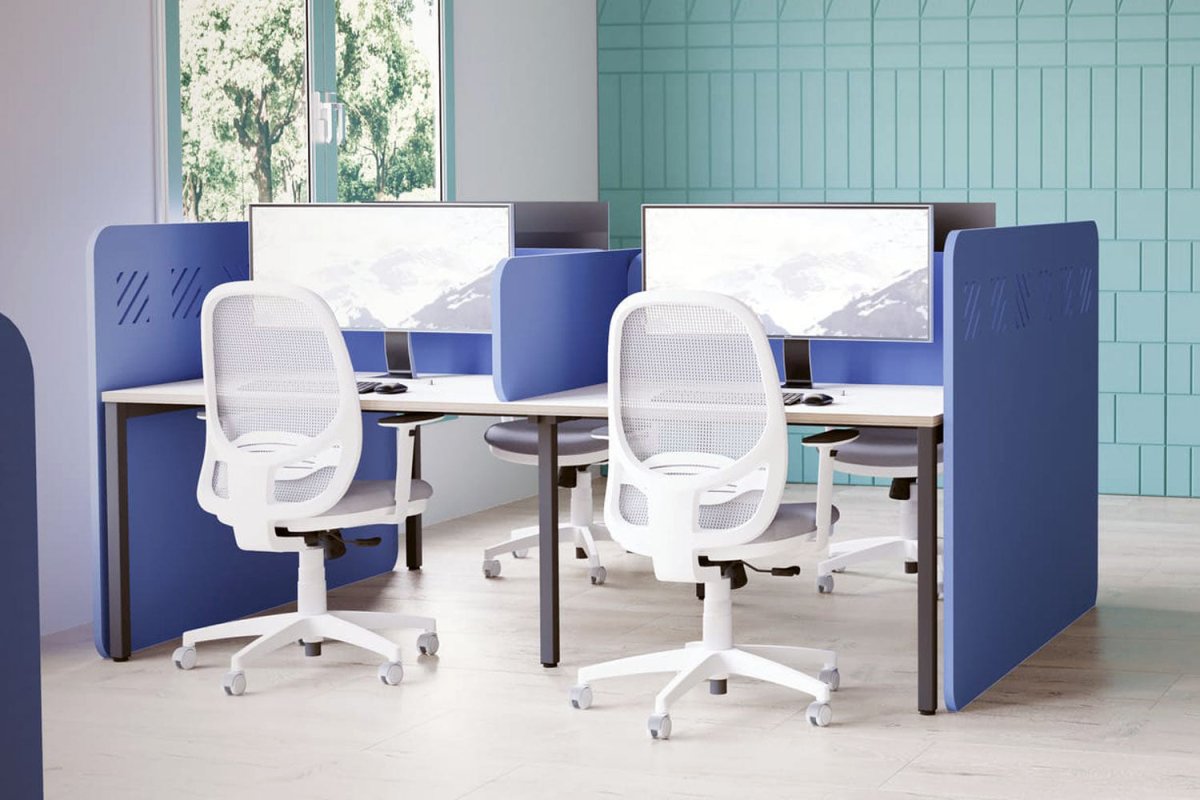
Acoustic Desk Solutions
All Products

All Products
Branded /Logo

Branded /Logo
Colourful Chairs
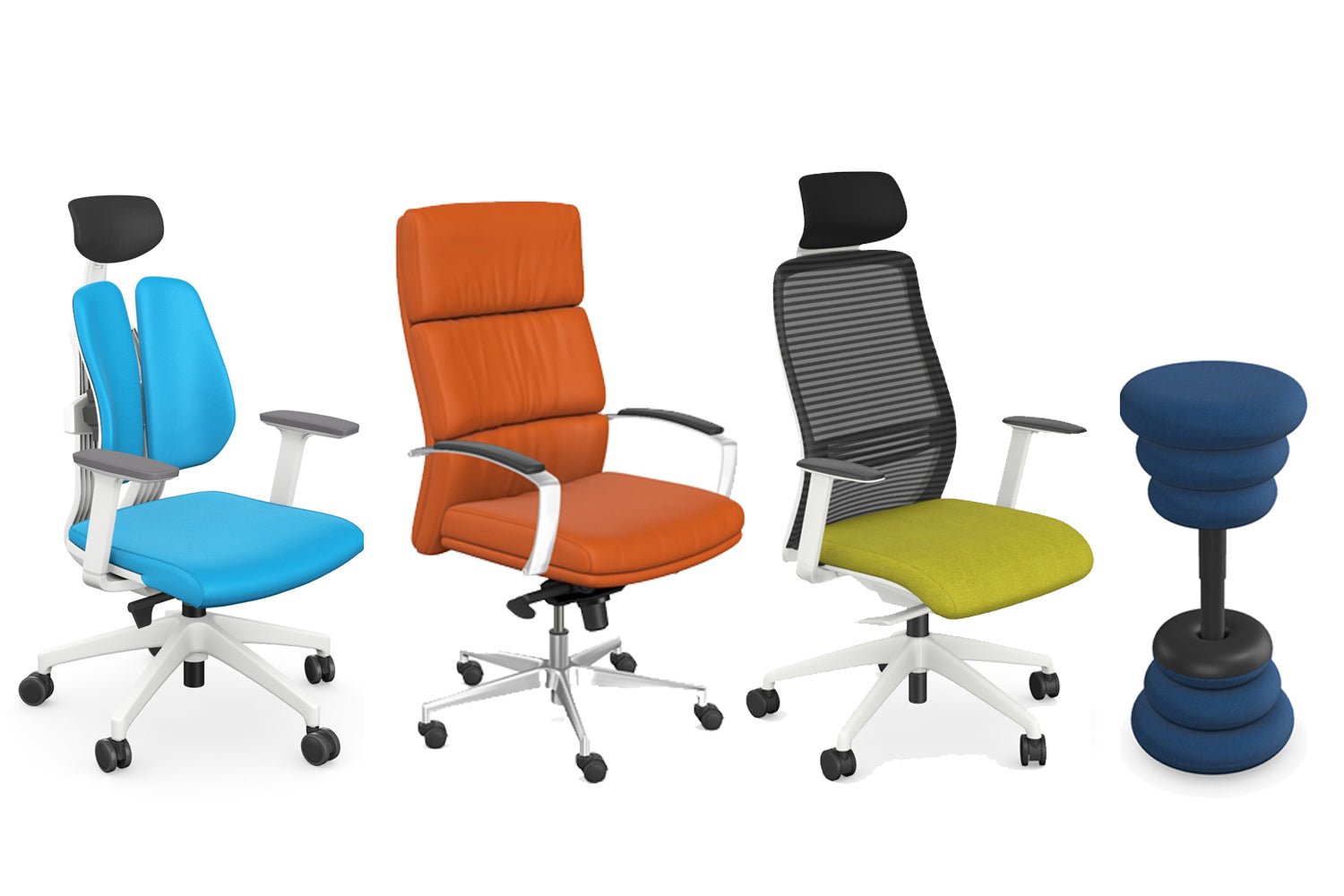
Colourful Chairs
Colourful Filing Cabinets
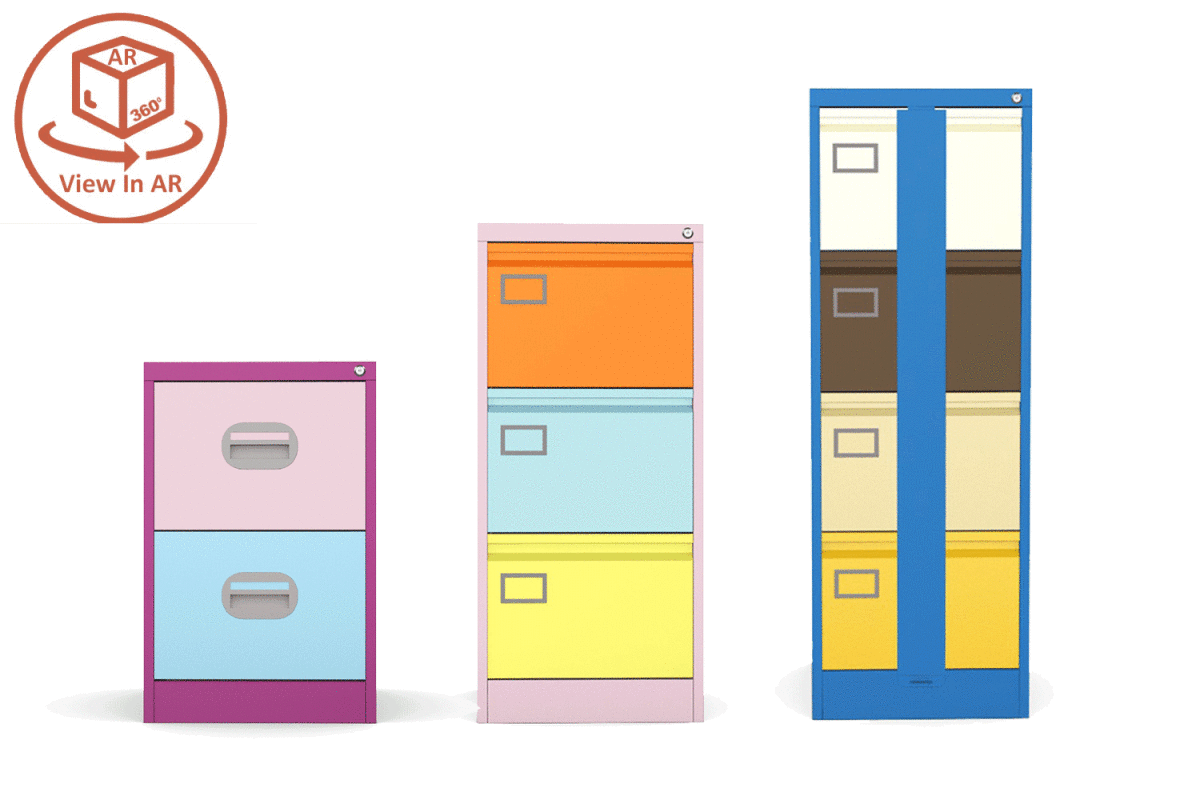
Colourful Filing Cabinets
Colourful Storage
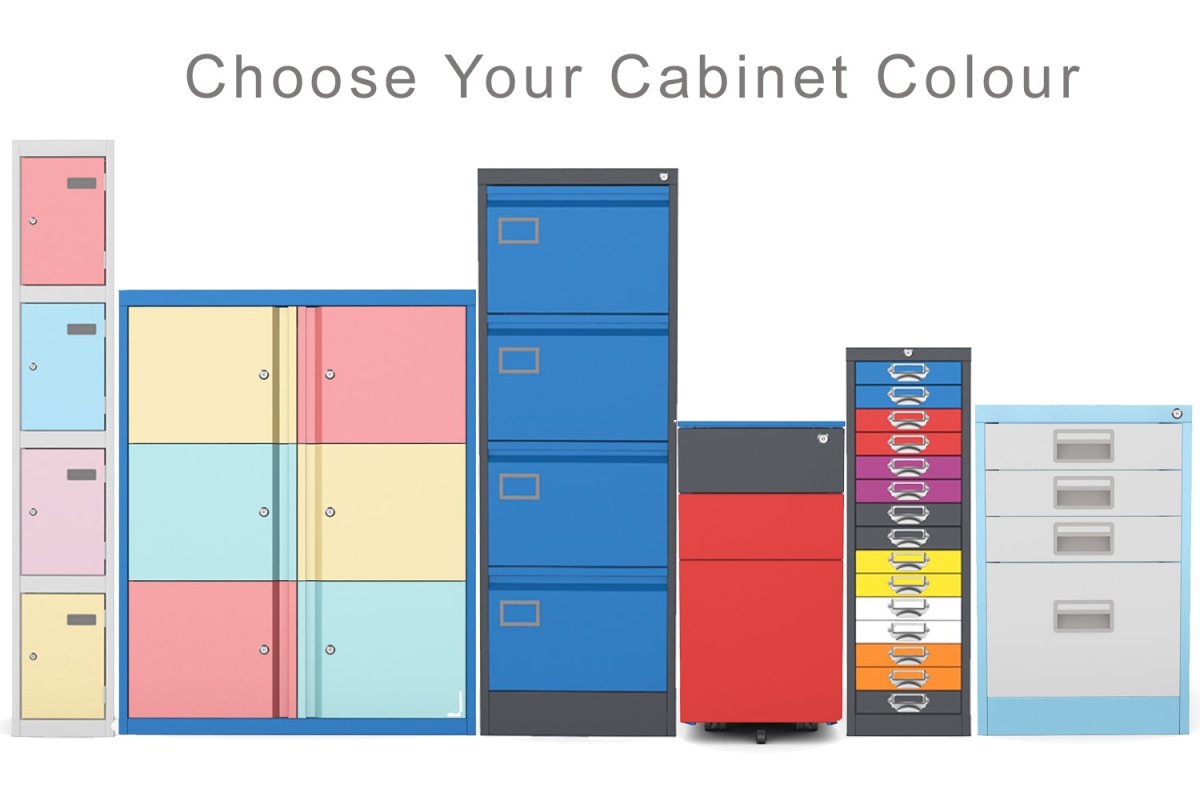
Colourful Storage