
Last Updated: November 12, 2026
Quick Summary
A universal cable tray is a shallow basket fixed to the underside of the desktop that carries your power strip, monitor leads and charger cables as one bundle. It stops cables stretching and snagging as an adjustable desk rises and falls, because the bundle moves as a single unit with one or two leads running to the floor in a controlled loop of slack.
- Measure the clear space under the desktop and note where the frame crossbars sit before choosing a tray.
- Clamp-on trays need no drilling but grip poorly on slim round legs or angled crossbars.
- Screw-mounted trays suit a 25mm top panel best and leave holes if removed.
- Check the tray's drop height against the desk's lowest position to avoid fouling the floor.
- Add roughly a hand's length of spare cable travel beyond the desk's highest point.
Table of Contents
- Why a Universal Cable Tray Solves Adjustable Desk Cable Chaos
- Choosing the Right Under-Desk Cable Tray for Your Desk
- Clamp-On Cable Tray for Desk Frames vs Screw-Mounted Trays
- Standing Desk Cable Management: Planning Cable Slack and Movement
- Height-Adjustable Desk Cable Management: Compatibility Checklist
- Universal Cable Trays for Adjustable Desks: Comparison Table
- Common Mistakes, Maintenance and Troubleshooting
- Next Step: Order Your Universal Cable Tray from THATSMYOFFICE
- Frequently Asked Questions
Why a Universal Cable Tray Solves Adjustable Desk Cable Chaos
A universal cable tray for adjustable desks is a shallow basket fixed to the underside of the desktop, carrying your power strip, monitor leads and charger cables as one bundle. These trays are useful because they solve a problem every sit-stand desk owner meets within a week: cables that were tidy at sitting height become a hanging mess the moment the desk rises.
The movement problem: what happens to cables when the desk goes up and down
Cables do not break because they are heavy. They break because they are pulled, repeatedly, over thousands of tiny movements.
Picture a standard setup: monitor lead, laptop charger, desk phone, lamp, all running from the desktop to a floor socket.
Do this twice a day for a year and the strain shows: plugs work loose, insulation wears where it rubs a crossbar, and connectors fail where they bend.
A tray changes the physics.
Choosing the Right Under-Desk Cable Tray for Your Desk
Start with the desk, not the tray. Measure the clear space under the desktop, note where the frame crossbars sit, and check whether a control box or motor housing eats into the mounting area.
The Universal Under Desk Cable Basket is designed to attach to the underside of the desk and keep cables off the floor and out of sight.
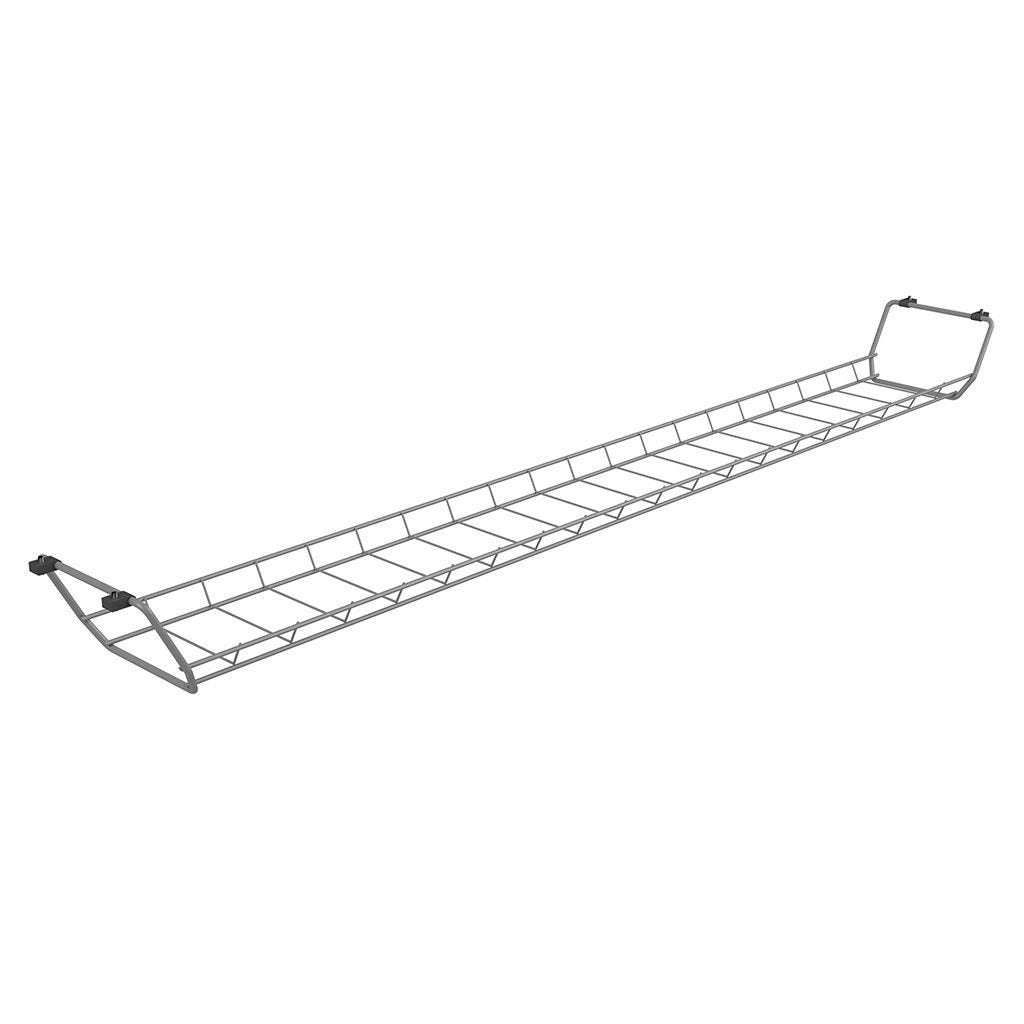
Tray dimensions, capacity and load limits
Three measurements decide fit:
- Width: the tray should be narrower than the desktop, with room to clear the frame legs
- Depth: deep trays hold a power strip plus a monitor brick; shallow trays suit cables only
- Drop height: how far the basket hangs below the top, which matters if the desk lowers close to a drawer unit or the floor
On load, be conservative. A tray carrying a six-way power strip, two laptop chargers and a monitor lead is doing real work. Stay under the manufacturer's stated capacity, and never hang a monitor arm clamp from a cable tray.
Power strips, sockets and ventilation
A metal mesh or perforated steel tray lets heat escape; a sealed plastic box does not. If your power strip has a brick adapter, leave a finger's width of air around it and avoid coiling cables tightly against the transformer.
Route the power strip so its switch faces the front or side. You will thank yourself the first time you need to isolate the desk without crawling underneath.
Clamp-On Cable Tray for Desk Frames vs Screw-Mounted Trays
Clamp-on trays grip the desk frame or crossbar with a bracket and need no drilling.
Clamp-on trays are a flexible option in general, but their grip depends on the frame. A slim round leg or angled crossbar gives a clamp little to hold, and a poorly seated clamp can shift as the desk moves.
The Universal Desk Cable Basket - Impulse / Evolve / Air comes with fixing brackets and self-tapping screws and is recommended for Impulse, Evolve or Air height-adjustable desking.
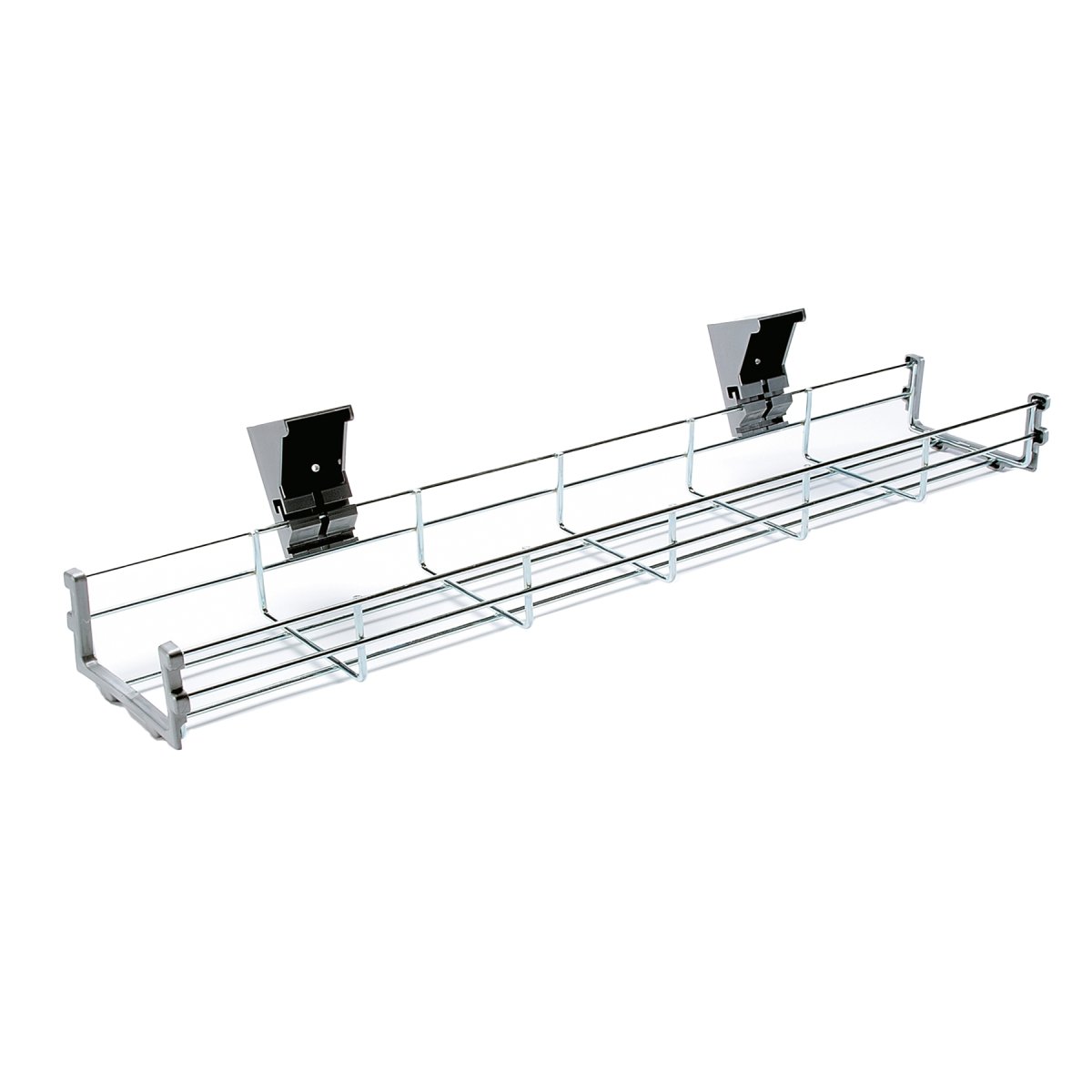
Step-by-step installation for each mounting type
Screw-mounted tray:
- Lower the desk to its minimum height and unplug the power strip.
- Turn the desk on its side, or work underneath with a torch and a second pair of hands.
- Hold the basket against the underside and mark the bracket holes with a pencil, checking the tray sits square to the desk edge.
- Drill pilot holes sized to the screws, no deeper than the top panel thickness; a depth stop or tape on the drill bit prevents breakthrough on a 25mm top.
- Fix the brackets with the supplied self-tapping screws, checking the tray sits square. Tighten until firm, then stop; over-tightening crushes the honeycomb core of a thin top and the screw will not hold.
- Route cables into the basket, secure them with cable clips, and refit the power strip.
- Raise and lower the desk through its full range before you plug anything back in.
Clamp-mounted tray:
- Unplug the power strip and clear the frame area.
- Test-fit the clamp on the crossbar and check the tray clears the motor housing. The jaw should sit on a straight section of tube, not on a weld, joint or cable entry point.
- Tighten the clamp by hand, then a quarter turn with a tool. Over-tightening dents thin frame tubing; if the clamp has a rubber pad, check it sits flat against the tube rather than riding on an edge.
- Load the tray and check for movement as the desk rises. A clamp that shifts by more than a few millimetres under load will work loose; add a second clamp or move to a screw-mounted tray.
- Add a cable clip at each end so the bundle cannot slide along the basket.
Watch out: fixing a tray where it fouls the desk's lowest position is a common installation error. A tray that clears at standing height can hit the floor at sitting height. Measure the tray's drop below the top against the gap between the underside of the desk and the floor at the lowest setting, allowing for any drawer unit or pedestal.
Which tray style suits which desk
- Telescopic trays extend to match the desk width and suit wide height-adjustable frames where a fixed tray would leave cables unsupported at the ends. They cost more and add a sliding joint that needs checking for rattle.
- Deep baskets carry a power strip plus monitor bricks and suit desks where a control box or motor housing eats into the mounting area. Check the drop height against the desk's lowest position.
- Mesh trays let heat escape and suit power strips with brick adapters, but small cable ties can catch on the mesh edges; use clips rather than ties.
A common pattern is to combine a shallow basket under the desktop with a spine or flexible conduit for the vertical run, keeping heavy items supported and the moving section controlled.
Standing Desk Cable Management: Planning Cable Slack and Movement
Good standing desk cable management comes down to one number: how much slack each floor-bound cable needs to cover the desk's full travel without going taut at the top or pooling at the bottom.
Find your desk's height range. A frame such as the Levanta Av8 Height Adjustable Desk Frame 120 To 180cm Wide gives you the range to work from.
Testing cable slack across the full height range
Run the desk from its lowest to its highest position three times with everything plugged in and watch the cables, not the desk.
- At the top: no cable should be straight and tight. If it is, add slack.
- At the bottom: no loop should touch the floor or catch a castor.
- Mid-travel: nothing should rub against a crossbar or the motor housing.
If a cable pulls tight at any point, stop. Move the tray, lengthen the run, or reposition the floor socket. Repeated tension is what kills connectors.
Height-Adjustable Desk Cable Management: Compatibility Checklist
Before you buy any tray, work through this list. It takes five minutes and prevents most returns. Each line tells you what to measure and what to do if the answer is no.
- Desktop width and depth measured, with at least 50mm clearance each side. Measure the underside of the top, not the floor footprint, and keep the tray inboard of the frame legs. If clearance is under 50mm, choose a narrower tray rather than forcing a fit.
- Frame crossbar position and shape noted (round, square, angled). A clamp needs a straight, parallel section; a screw-mounted bracket needs a flat panel area clear of crossbars. If the crossbar sits where you want the tray, move the tray forward or back rather than clamping to the crossbar itself.
- Motor housing and control box located so the tray does not foul them. Measure the gap between the housing and the nearest frame leg; if it is narrower than the tray depth, the tray will not sit flat.
If any line is a no, the tray is the wrong one, not the desk. The two lines that most often fail are the lowest-height check and the motor housing clearance, because both are invisible at standing height.
Measuring around frames, motors and crossbars
A universal tray is universal only in the sense that it fits a range of desks, not every desk. The obstructions that catch buyers out are consistent:
- Crossbars close to the front edge leave no flat panel for a screw-mounted bracket. If the distance from the front edge to the crossbar is less than the tray depth, fit the tray further back.
- Motor housings on one side make a centred tray sit at an angle. Offset the tray or choose a narrower basket that clears the housing.
- Cable entry points and grommets can sit where a clamp would go. Route cables through the grommet first, then position the tray so cables enter the basket without a sharp bend.
Measure once with the desk at standing height and once at sitting height. The clearances change as the frame moves, and a tray that fits at one height can foul at the other.
Universal Cable Trays for Adjustable Desks: Comparison Table
Here is how our trays compare on the points that decide fit.
| Tray | Price | Mounting | Best for | Watch out for |
|---|---|---|---|---|
| Air Universal Deep Cable Tray | £48.00 | Attaches to desktop | Height-adjustable and standard desks | Check drop height at lowest setting |
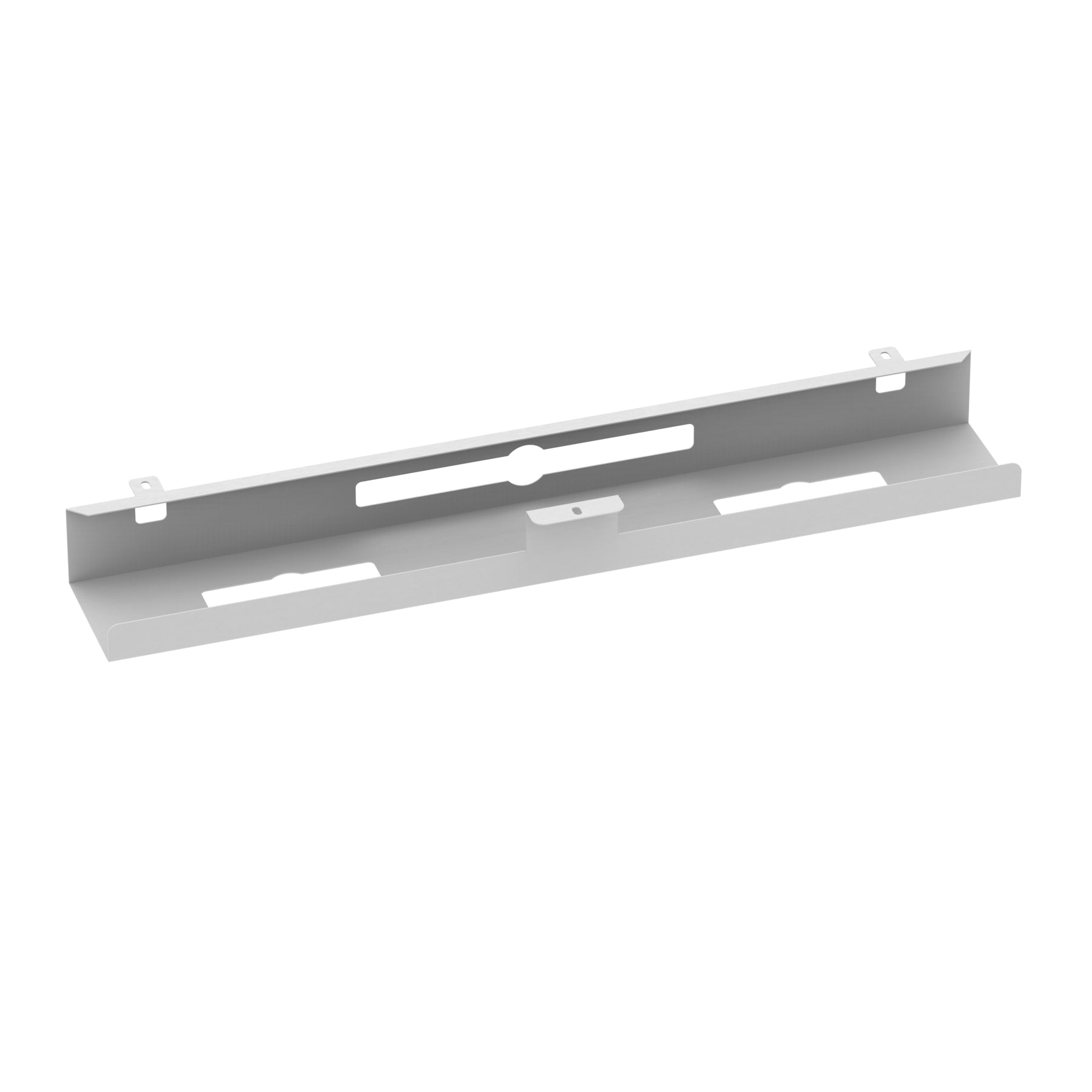
| Universal Under Desk Cable Basket | £44.00 | Screw-mounted | Simple, low-cost tidy-up | Cables only, not heavy adapters |
| Universal Desk Cable Basket - Impulse / Evolve / Air | £74.00 | Brackets and self-tapping screws | Impulse, Evolve or Air frames | Suits 25mm top panels |
| Leap Cable Slinky Tray | £20.00 | Desk accessory fit | Leap sit-stand desks | Confirm frame compatibility first |
Price
The Air Universal Deep Cable Tray attaches directly to the desktop without limiting desk height adjustability and is suitable for both height-adjustable and standard desks. If you want to see the full specification, the Sit Stand Desk Air Universal Deep Cable Tray page lists the dimensions and fitting details.
Common Mistakes, Maintenance and Troubleshooting
The mistakes repeat. Cables routed too tight, trays fitted without checking the lowest desk position, power strips jammed against a transformer with no airflow, and clamps overtightened onto thin tubing.
Maintenance is minimal but worth doing. Every few months, unplug the strip, lift the cables out, and check for chafing where they pass over metal edges.
If the desk starts catching on something at a certain height, the tray or a cable loop is the likely culprit.
Next Step: Order Your Universal Cable Tray from THATSMYOFFICE
Cable chaos on a sit-stand desk is a design problem, not a tidiness problem, and a tray that fits properly solves it in an afternoon.
THATSMYOFFICE has over 30 years of experience in office furniture, and optional professional installation services are available. Flexible purchasing options, including outright buy or lease, are offered.
Get started with THATSMYOFFICE and give your adjustable desk the tidy, safe cable setup it deserves. If you want to see the wider range first, the best standing desk for office teams guide is a good place to compare frames.
Ready to sort the cables under your desk for good?
Frequently Asked Questions
Will a universal cable tray fit any adjustable desk?
Most universal trays fit desks with a flat underside and at least 25mm of clear space for mounting. Check the tray's minimum and maximum width against your desk frame and crossbars. Clamp-on models need a lip no thicker than the clamp opening, while screw-mounted trays need a solid top panel. Measure before ordering and pick a tray slightly narrower than your desktop for a clean fit.
How much cable slack do you need for a height-adjustable desk?
Allow enough slack for the desk's full travel plus a small safety margin. If your desk moves from 655mm to 1255mm, that is 600mm of travel. Route cables in a loose loop or use a cable spine so they extend and retract without tension. Test by raising and lowering the desk through its full range before you finalise ties or clips.
Can a cable tray hold a power strip and bulky adaptors?
Yes, provided the tray is deep enough and rated for the load. Check the internal depth and the manufacturer's load limit. A deep tray keeps a power strip and adaptors clear of the floor. Leave space around the strip for ventilation and avoid covering sockets.
Is a clamp-on cable tray better than a screw-on tray?
Clamp-on trays install in minutes without drilling and suit rented or shared spaces. For height-adjustable desks, both work if fitted to the underside of the desktop rather than the frame.








0 comments