
The Foundation of a Productive Workday
Every hour an employee spends in an uncomfortable or poorly adjusted chair chips away at their focus and wellbeing. Musculoskeletal disorders linked to poor seating cost UK businesses millions in lost productivity each year — yet the fix often starts with a single piece of furniture. Research consistently shows that proper ergonomic seating reduces physical strain, allowing workers to concentrate on their tasks rather than on discomfort.
This guide equips procurement managers and facilities directors with the knowledge to choose chairs that truly support their teams. We cover the essential ergonomic features, explain how to evaluate durability and long-term value, and share practical tips for achieving the right fit across a diverse workforce. Along the way, we introduce two tools that simplify the buying process: the ability to visualise furniture in your own space using augmented reality, and a full-service design, delivery, and installation model that removes the guesswork from outfitting an office.
Whether your organisation has five desks or five hundred, the sections that follow will help you select seating that reduces strain, improves focus, and delivers strong returns on your investment.
Why Ergonomics Matters in the Workplace
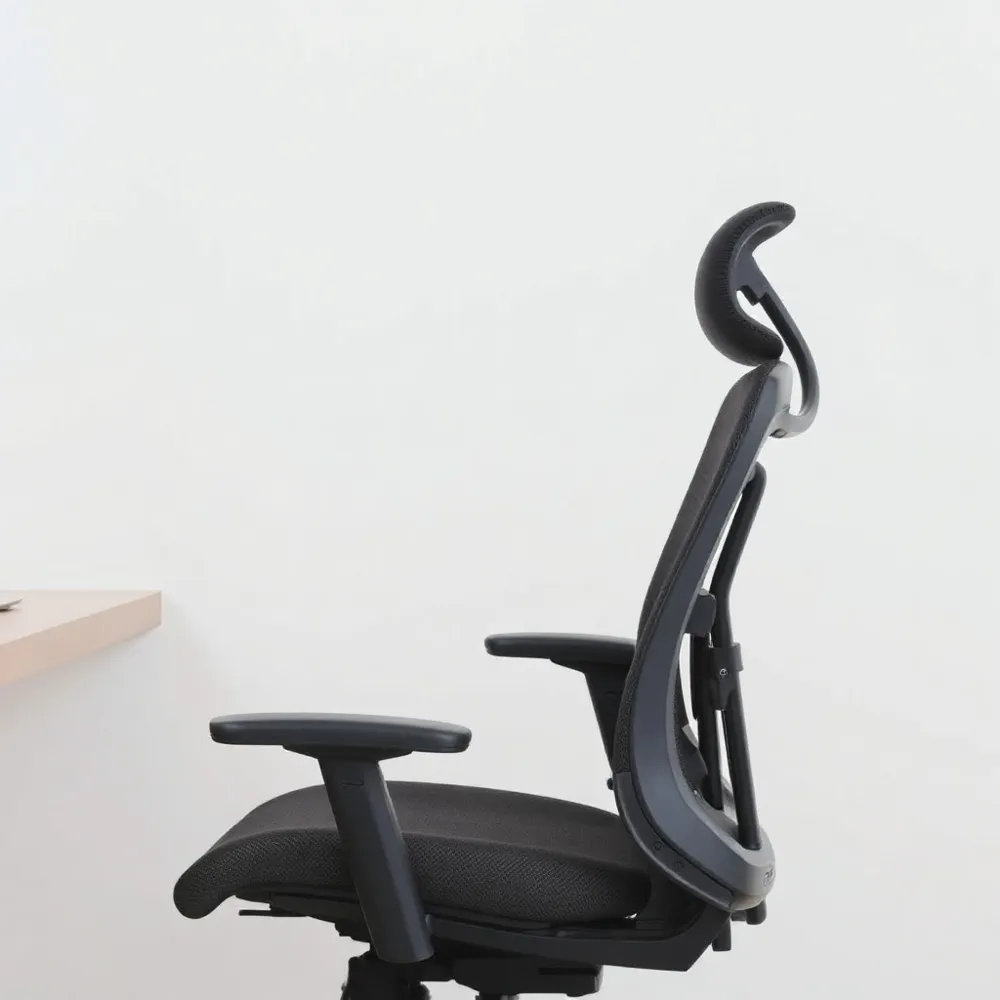
Ergonomics helps workstations adapt to people, reducing discomfort and supporting better posture.
Key Benefits for Long-Hours Sitting
A well-adjusted chair reduces physical stress on muscles and joints. It also promotes proper spine alignment, helping employees stay comfortable throughout the day. This can lead to fewer absences and improved focus. Organisations that provide adjustable seating with full installation service and competitive bulk pricing can meet team needs quickly and consistently.
Core Adjustments for Every Ergonomic Chair
Seat Height and Depth
The first step in any ergonomic setup is adjusting seat height so your feet rest flat on the floor with thighs parallel to the ground. If the chair is too high, a footrest is essential to maintain circulation and reduce pressure on the backs of the legs. Seat depth adjustment is equally important: there should be a gap of a few centimetres between the edge of the seat and the back of your knees so blood flow is not restricted. The Mayo Clinic recommends this check for any office chair.
Lumbar Support — Height and Depth
A chair’s lumbar support must be adjustable both vertically and in depth to accommodate different torso lengths and maintain the spine’s natural ‘S’ curve. A fixed lumbar curve can be uncomfortable for many users, so look for a mechanism that lets you fine-tune the pressure. The CCOHS guidelines identify adjustable lumbar support as a key feature for preventing lower back strain over long hours.
Armrest Adjustments
Armrests should adjust in height and width (and ideally pivot or slide fore/aft) so that elbows stay close to the body with shoulders relaxed. Properly positioned armrests reduce the weight load on the neck and shoulder muscles. Many premium chairs offer 4D or 5D arms that allow independent movement on multiple axes — a detail worth prioritising when sourcing chairs for teams with varied body sizes.
Backrest Tilt and Recline Tension
The ability to lock the backrest at different recline angles and control the tilt tension lets users shift posture throughout the day without leaving the chair. A responsive tilt mechanism that moves with the body promotes micro-movement, which the Oregon State reference guide links to reduced disc pressure in the lower back.
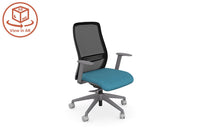
These adjustments — seat height, seat depth, lumbar support, armrest height/width, and recline tension — allow a single chair model to fit a wide range of body types and work preferences. Thats My Office supplies chairs with all these adjustability features, backed by a 360° product view and an AR tool that shows how each chair will look and fit in your specific workspace before you buy. Combined with their full design, delivery, and installation service, procurement teams can equip entire floors with chairs that genuinely suit each employee.
Durability and Long-Term Value
A chair's purchase price is only part of the story. The real measure of value is cost per year of service. A basic chair priced around £150 typically fails within 18 to 24 months, while a well-built ergonomic chair lasts 10 to 15 years under daily use. At £650 for a refurbished premium model, that works out to roughly £54 per year. That same £150 budget chair, replaced every 18 months, costs £100 per year. The more durable chair actually saves money over time.
What Refurbished Premium Chairs Offer
Refurbished premium chairs from established manufacturers deliver commercial-grade frames engineered for 25 years of service, backed by warranties of 12 years or more. A reputable refurbishment replaces foam, arm pads, cylinders, and casters so the chair performs like new at a fraction of the retail price. For organisations equipping multiple workstations, this option provides professional-grade adjustability and materials without the premium price tag.
Materials That Stand Up to Daily Use
Durability starts with the frame and base. Chairs with solid aluminium alloy or steel bases resist bending and cracking under sustained weight. High-density cold-moulded foam retains its shape years longer than low-density foam, which compresses and loses support. Breathable mesh or digital-knit backrests reduce heat buildup and hold their tension, while bonded leather or fabric upholstery must be rated for commercial use to avoid premature wear.
Bulk-Pricing and Organisational Benefits
Buying chairs in volume unlocks further savings. For schools, government agencies, and businesses, bulk-pricing lowers the cost per unit and ensures consistent design and quality across every workstation. It also simplifies procurement logistics and installation scheduling. Thats My Office supplies a complete range of office furniture with full design, delivery, and installation services across the UK, helping organisations secure durable, ergonomic seating at competitive bulk pricing.
Calculating Long-Term Value
| Chair Cost Tier | Typical Purchase Price | Expected Life | Estimated Cost per Year |
|---|---|---|---|
| Basic non-ergonomic | £150 | 18-24 months | £75-£100 |
| Mid-range ergonomic | £400-£600 | 5-7 years | £57-£120 |
| Refurbished premium | £500-£700 | 10-12 years | £42-£70 |
| New premium ergonomic | £1,200-£2,000+ | 12-15 years | £80-£167 |
Warranty length is a strong proxy for expected lifespan. Manufacturers back chairs they expect to last: a 12-year warranty signals commercial-grade engineering, while a 2- to 3-year warranty suggests the frame and mechanisms are designed for lighter use. Organisations that factor these differences into procurement decisions avoid the hidden costs of frequent replacements, installation labour, and employee downtime during chair swaps.
Chairs That Fit Every User and Setting
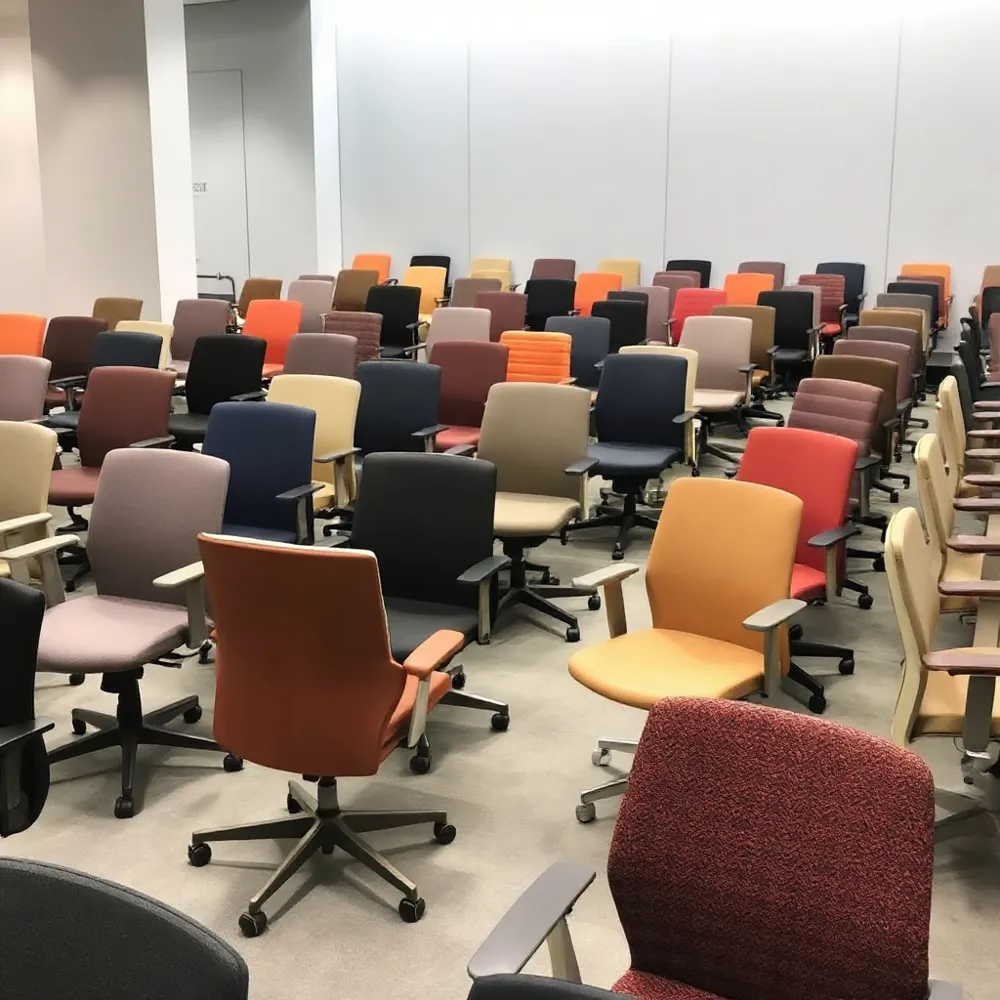
No single chair works equally well in every setting. The demands of a private office, a collaborative open-plan area, and a home workstation differ in terms of features, durability, and aesthetic. Procurement managers and facilities directors need to match chair capabilities to the specific tasks and users in each zone.
Matching Features to Work Contexts
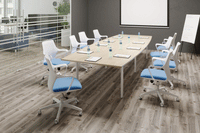
For intensive task work — roles involving eight or more hours at a screen — the priority is full adjustability: seat depth slider, four-way armrests, adjustable lumbar support, and a responsive recline. The Mayo Clinic notes that armrests should allow arms to rest gently with elbows close to the body and shoulders relaxed. In collaborative spaces, a lighter chair with a swivel base and rolling casters, adequate lumbar support, and a lower profile may be more practical, as workers move between desks and meeting areas frequently. Home offices often benefit from chairs that offer basic adjustability along with visual appeal and floor-friendly casters.
Accommodating Taller and Larger Users
Chairs with limited seat depth or weight capacity can cause discomfort for taller or heavier employees. A suitable chair should have a seat depth slider that allows a gap of a few inches between the seat edge and the back of the knees, as recommended by the Ergonomics and Design Reference Guide. Look for models with a solid aluminium or steel base and a weight capacity of at least 300 lbs. For users 6'2" and taller, chairs with a taller backrest and deeper seat pan — such as those offered in larger frame sizes — can provide the necessary support. Thats My Office stocks a range of chairs that include these extended specifications, with the 360° product view allowing buyers to confirm dimensions against their requirements.
Base Stability and Mobility
A five-point base is the industry standard for stability, reducing the risk of tipping even during active leaning or reaching. Smooth-rolling casters suited to the floor type (carpet or hard floor) allow users to move without straining. Chairs that lack a solid base or use stamped-steel components can fail within 18 to 24 months, whereas commercial-grade chairs with die-cast aluminium or reinforced nylon bases can last a decade or longer.
Breathability and Material Choices
The choice between mesh and upholstered seating affects long-term comfort, especially in warmer environments or spaces without individual climate control. Mesh backrests, like those used in many ergonomic chairs, promote airflow and help regulate body temperature during extended sitting. Upholstered chairs offer a plusher feel and can be specified with high-density foam that resists sagging. Breathable textiles or perforated materials reduce heat buildup, which the WIRED guide highlights as a factor in sustained comfort (WIRED). That’s My Office provides both options across its range, with the augmented-reality feature enabling buyers to see how each material and colour will look in their actual office environment before committing.
Procurement teams responsible for multiple departments or sites benefit from standardising on a few chair models that offer size variants and material options. This approach simplifies training on adjustments, streamlines warranty management, and allows bulk-pricing discounts. With full delivery and installation included, Thats My Office removes the logistical friction of outfitting diverse workspaces with chairs that genuinely fit every user.
Visualising the Perfect Setup with AR
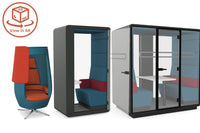
Selecting office furniture from brochures involves significant guesswork. A desk might be the right size on paper, but will it block a walkway or feel cramped next to a meeting pod? Augmented reality (AR) eliminates that uncertainty. Using a smartphone or tablet, facilities managers can project life-sized 3D models of chairs, desks, acoustic panels, and phone booths directly into their actual workspace before placing an order.
This technology allows you to walk around projected furniture, assess spatial fit from every angle, and verify traffic flow — all without moving a single physical item. Experiment with different desk clusters, test whether a modular layout suits your team's workflow, and confirm aesthetic coherence across a full floor plan. The result is a layout that serves operational needs, not a guess based on paper dimensions.
Thats My Office includes this 360° product view and AR feature across its full range of office furniture. Combined with the company's complete delivery and installation service, AR removes the uncertainty from complex procurement projects. Facilities directors can buy with confidence, knowing every piece will integrate seamlessly into their environment from day one.
Complete Support from Design to Installation
Choosing the right furniture is only half the battle. The other half is getting it configured, delivered, and assembled without disrupting your operations. A full-service "design | deliver | install" model gives you a single point of contact for every stage, eliminating the complexity of managing multiple vendors or relying on internal teams to piece everything together. With AR visualisation, you can preview furniture layouts in your actual space before purchasing, ensuring the configuration meets your needs.
DIY assembly of office furniture often leads to errors, wasted time, and safety risks. A misplaced bolt or an unlevelled seat base can void warranties and create long-term hazards. Professional installation teams trained on commercial-grade furniture ensure that every chair, desk, and panel is assembled to manufacturer specifications, preserving warranty coverage and protecting your investment.
Thats My Office provides end-to-end support that includes configuration guidance, logistics coordination, and on-site assembly. Their team handles delivery and positioning so your workspace is ready for use on schedule, without the stress of manual setup. This approach is especially valuable for businesses procuring in bulk, where even small mistakes multiply across dozens or hundreds of workstations.
A cohesive setup also reinforces your brand image. Uniformly assembled furniture with consistent adjustability levels across desks and chairs creates a professional environment that employees and visitors notice. With a single partner managing the entire lifecycle, you avoid the fragmented experience of dealing with separate suppliers, haulage firms, and assembly contractors.
Beyond convenience, full-service installation reduces downtime. Instead of pulling team members away from their core work to build furniture, the process is completed by specialists who can outfit an entire floor in a fraction of the time. For organisations scaling up or relocating, this efficiency translates directly into faster occupancy and earlier returns on the furniture investment.
Additional Ergonomic Essentials for a Complete Workstation
A quality chair provides the foundation, but a truly ergonomic workstation depends on how the rest of the equipment is arranged. The Mayo Clinic recommends positioning the monitor directly behind the keyboard, roughly an arm's length away, with the top of the screen at or just below eye level. This alignment keeps the neck in a neutral position and reduces the forward head posture that contributes to strain.
Keyboard and mouse placement is equally important. Elbows should be bent at roughly a 90-degree angle, with wrists held straight and hands at or slightly below elbow height. Using an external keyboard and mouse with a laptop stand — rather than relying on a laptop's built-in screen and trackpad — helps avoid the cramped posture that leads to wrist and shoulder discomfort.
Supportive accessories fill in the gaps a chair alone cannot cover. A footrest keeps thighs parallel to the floor when the desk height prevents full foot contact. Wrist rests pad sharp desk edges to prevent contact stress on the forearms. Monitor arms free up desk space and allow quick, tool-free height and angle adjustments, making it easy to accommodate different users sharing the same workstation.
Sit-Stand Desks and Micro-Breaks
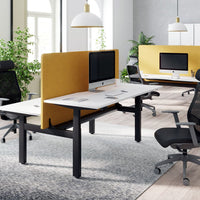
Height-adjustable desks let users alternate between sitting and standing throughout the day, reducing the health risks of prolonged static posture. Even without a sit-stand desk, taking short breaks every 20 to 30 minutes — standing, stretching, or walking briefly — interrupts sustained sitting and improves circulation. For businesses with limited budgets, these micro-break practices cost nothing and can produce meaningful reductions in fatigue and discomfort.
Quick Wins for Smaller Budgets
Not every organisation can equip an entire floor with premium adjustable furniture at once. Simple, low-cost changes — adjusting chair height and lumbar support, repositioning the monitor, adding a gel wrist rest, or using a rolled-up towel as lumbar padding — can deliver immediate improvements. Coupling these adjustments with a brief training session on proper workstation setup ensures employees know how to use what they already have. Over time, these quick wins build the case for larger investments in ergonomic seating and desking.
Making the Smart Investment: ROI of Ergonomic Furniture
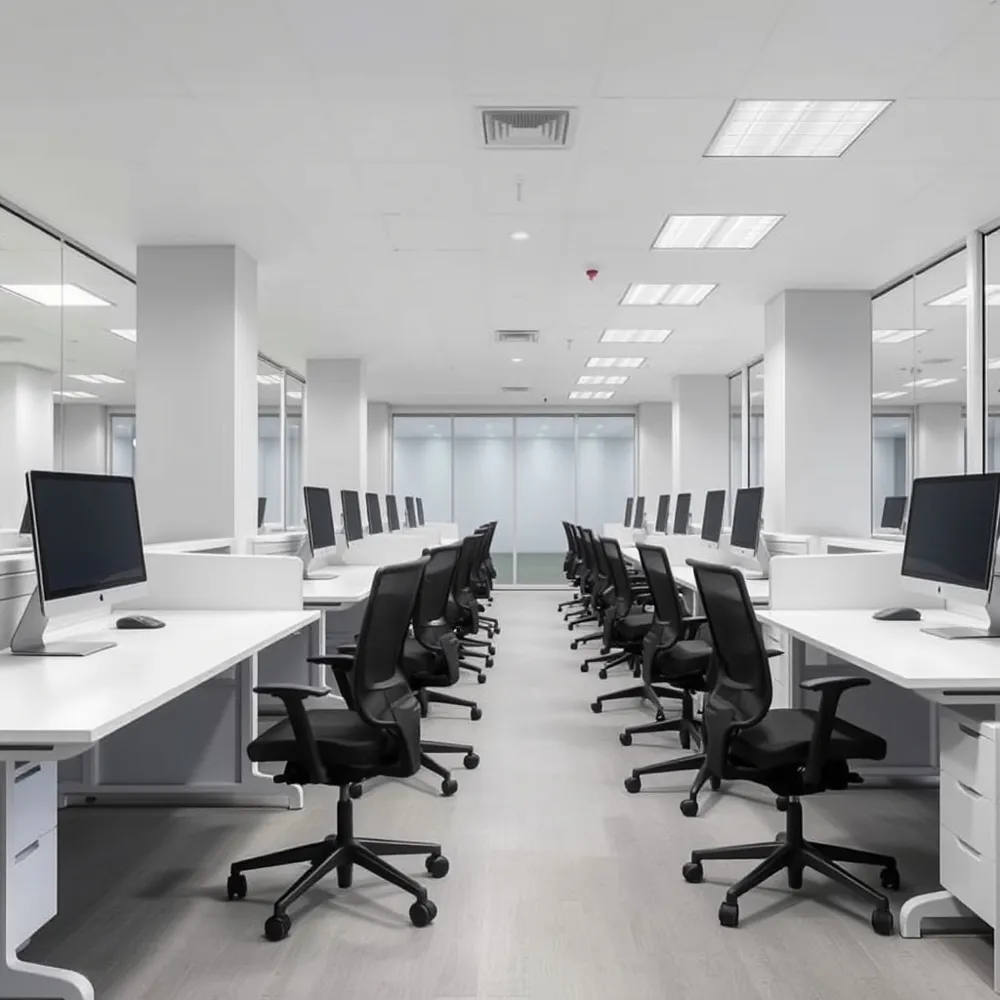
Procurement managers often weigh upfront furniture costs against operational budgets. Yet the financial case for ergonomic seating becomes clear when you factor in reduced absenteeism, lower insurance claims, and measurable productivity gains.
Reducing Absenteeism and Workers' Compensation Claims
Musculoskeletal disorders remain one of the most common workplace health issues. In the UK, over half a million workers reported work-related musculoskeletal conditions in 2023/24, according to the Health and Safety Executive. Each case can mean weeks of sick leave and higher employer insurance premiums. Ergonomic furniture directly addresses the root cause of these injuries. An ergonomic focus in the workplace serves as an injury prevention measure that can lead to reduced sick leave and long-term cost benefits for businesses regarding healthcare and compensation.
A NIOSH follow-up study cited in ergonomics research found that lost or restricted workdays dropped from 610 to 190 per 100 workers after five years of ergonomic improvements—a reduction of over 50%. Over 60% of CFOs in an OSHA-cited survey reported that each dollar spent on injury prevention returns two dollars or more through lower claims and higher productivity.
Productivity Gains That Offset the Investment
Well-designed workstations do more than prevent injury—they improve output. The Institute for Work and Health reported that ergonomic equipment can boost productivity by up to 17%. BOSTONtec recorded an 18% faster cycle time and a 27% lean-process gain after optimising work heights and reach zones. For a team of 20, even a modest productivity lift translates into thousands of pounds in recovered working time each year.
Employees who are free from back pain, neck strain, and wrist fatigue can concentrate for longer periods and make fewer errors. Providing employees with sufficient workspace and equipment that fits their physical characteristics significantly reduces the risk of accidents and absenteeism while boosting overall productivity, as described by ergonomics experts.
How Quickly Does Ergonomic Furniture Pay for Itself?
The payback period for ergonomic furniture is surprisingly short. Consider a department of 20 seats equipped with ergonomic chairs and sit-stand desks at a total cost of £10,000. If a 25% reduction in MSD-related absence recovers 40 lost days at £200 per day, the savings of £8,000 cover 80% of the investment within 18 months. Many organisations see full payback within two years.
Compare ongoing costs over time: a basic chair that fails after 18 months costs roughly £100 per year, while a well-built commercial-grade chair lasting over a decade with proper refurbishment can cost as little as £54 per year—and provides superior back support that keeps employees healthier.
Employee Engagement as a Hidden Return
Participatory-ergonomics programs that let workers shape their own workspaces consistently report higher morale and stronger engagement. Involving staff in equipment trials and providing choice—such as the range of chair sizes and materials available from That's My Office—demonstrates a commitment to individual wellbeing. The result is lower turnover, reduced recruitment costs, and a workplace culture that attracts and retains talent.
Comparing the Costs and Benefits
| Factor | Without Ergonomic Investment | With Ergonomic Furniture |
|---|---|---|
| Annual chair cost (per seat) | £100–£150 (fails in 18 months) | £54–£120 (lasts 10–15 years) |
| Lost workdays per 100 workers | 610 days | 190 days after 5 years |
| Productivity improvement | Baseline | 17–18% gain reported |
| MSD-related absence savings | None | £8,000 on £10k investment in 18 months |
| Workers' comp cost per claim | High (based on severity) | Reduced by over 50% |
Seat the Future of Your Workforce
Choosing the right chair is a strategic investment in health, productivity, and retention. With AR visualisation tools that let you see furniture in your actual space before ordering, competitive bulk pricing, and full design-to-installation service, equipping your team is both practical and efficient.
Thats My Office handles everything from configuration to on-site assembly, so procurement managers avoid fragmented sourcing and costly delays. The result: a workplace ready to support your people from day one.



0 comments