
Maintaining a Stable Workspace for Modern Professionals
A stable height adjustable desk is fundamental to maintaining focus and long-term productivity in any office environment. When furnishings sway during routine tasks like typing, it can cause subconscious muscle tension and disrupt the workflow of your team. While even premium equipment can experience minor movement, understanding the root causes allows office managers to address these issues before they impact daily operations.
Wobble often stems from simple environmental factors rather than product defects. Uneven flooring, for instance, is a primary culprit; even a slight variation in carpet thickness can lead to a noticeable rock when the desk is extended to a standing position. While basic office furniture from big-box retailers often lacks the necessary frame rigidity to absorb these vibrations, a professional-grade standing desk engineered with high-tolerance steel columns provides significantly better resistance to sway.
Simple Steps for Immediate Stability
- Audit your connections: Use a hex key to re-tighten all bolts on the frame, as vibrations from daily use can loosen hardware over time.
- Check your surface: Verify that the floor is level. If not, adjust the leveling glides on the feet of the desk to ensure firm, even contact with the floor.
- Manage your load: Place heavy equipment like PC towers directly over the desk legs to keep the center of gravity stable and avoid putting excessive stress on the lifting columns.
- Clear your cables: Ensure there is a 5-10cm service loop in all power and data cables to prevent lift tension during height adjustments.
By prioritizing frame precision and proper installation, facilities managers can ensure the workspace remains a reliable asset. Investing in high-quality furniture that incorporates robust engineering standards helps businesses avoid the constant need for DIY repairs and minimizes downtime. Through careful maintenance and correct setup, your team can enjoy a truly stable environment that supports their health and output.
Professional Standing Desk Stability and Maintenance Guide
- Regularly tightening structural bolts every six months preserves frame integrity and reduces vibrations-induced sway.
- Using a cross-pattern tightening sequence distributes pressure evenly across the desk frame to effectively prevent warping.
- Utilizing leveling glides and a spirit level ensures a stable foundation, which is the most critical variable for performance.
- Hard surface mats on carpeted areas help neutralize compression and allow leveling glides to function correctly.
- Placing heavy PC towers near the desk's centerline significantly reduces torsional stress on the lifting columns.
- Maintaining 5 to 10 cm of cable slack is essential to eliminate lift tension and prevent unwanted frame movement.
- Mounting monitor arms directly above leg columns provides better stability by minimizing leverage on the desk frame.
- Installing shelf brackets at corner junctions acts as a cost-effective, triangular reinforcement to restrict lateral sway.
- Resetting the control box at the minimum height setting helps re-synchronize motors for consistently smooth transitions.
- Applying thread locker fluid to main structural screws creates a resilient, long-term bond against persistent vibrations.
1. Conduct a Thorough Hardware Inspection and Tightening
Incorporating a height adjustable desk into your workplace allows employees to easily switch between sitting and standing, which is essential for maintaining physical comfort and reducing the strain associated with prolonged sedentary work. By facilitating this movement, a high-quality standing desk helps boost alertness and energy throughout the day, directly supporting a more engaged and motivated workforce. These flexible workstations are a practical investment for any modern office, as they help minimise the risk of musculoskeletal issues while encouraging a more dynamic, active working culture. Beyond physical health, the ability to customise your environment contributes to overall wellbeing and sustained focus, making these desks a cornerstone of a productive, modern office design. Ultimately, providing the option to stand helps your team stay refreshed and comfortable, leading to a noticeable improvement in daily performance.
Establishing a routine for hardware maintenance
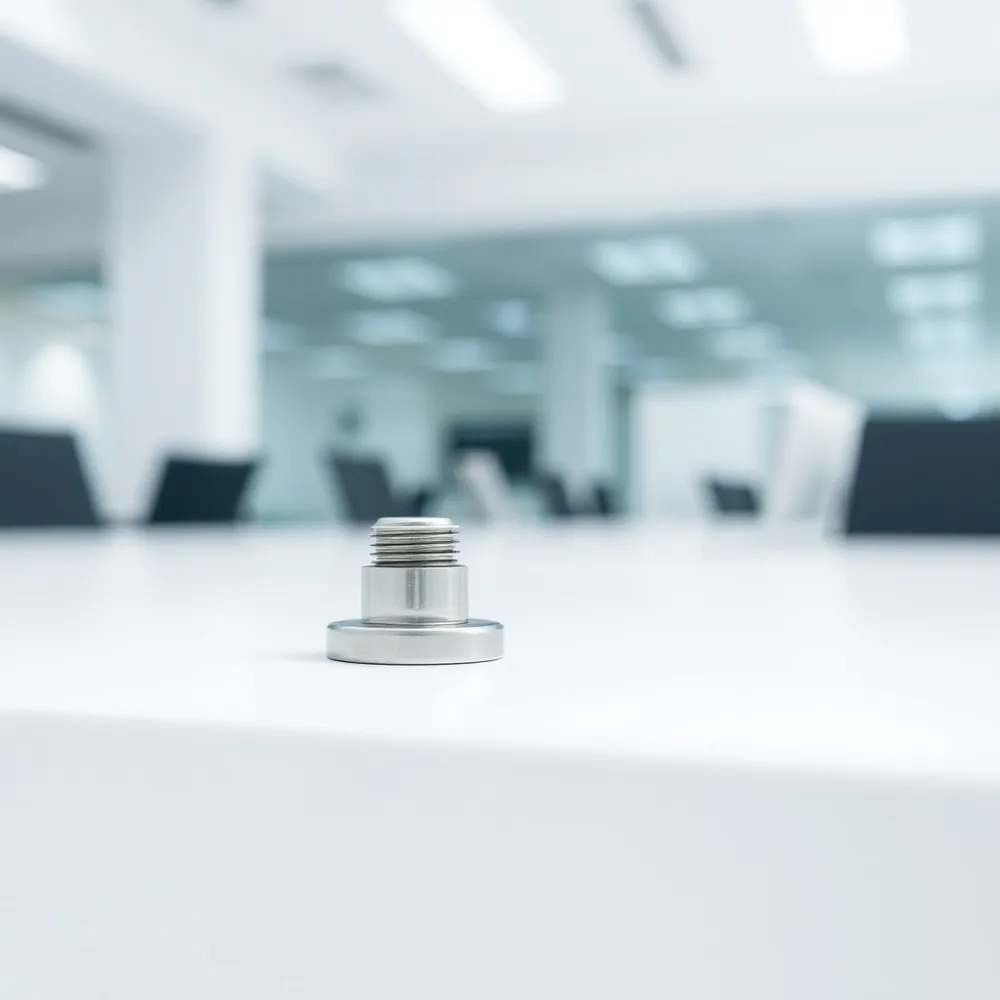
Initial assembly represents only the first step in ensuring long-term workstation performance. Daily operation introduces vibrations from daily use that can cause even factory-tightened hardware to loosen over time, leading to unexpected sway. Facilities managers should establish a recurring schedule to inspect all bolts and fasteners across their fleet of office furniture to preserve structural integrity.
- Perform an initial tightening of all structural bolts 24 to 48 hours after the first installation to account for frame settling.
- Use a cross-pattern or star-shaped tightening sequence to distribute pressure evenly across the frame and prevent warping.
- Schedule a comprehensive hardware check every six months to identify and address any fasteners that have loosened due to standard office vibrations.
- Avoid over-tightening, which can strip threads or damage internal frame components; stick to the manufacturer's recommended fastening guidelines whenever possible.
Thatsmyoffice.co.uk emphasizes the value of professional installation to prevent these common stability issues. By ensuring every connection is secured correctly from day one, you reduce the need for frequent manual adjustments, allowing your teams to remain focused on their work rather than their environment.
2. Level Your Desk Surface for Improved Performance

Level Your Desk Surface for Improved Performance
A stable foundation is the most critical variable when configuring a height adjustable desk. Even the most robust workstation frames will exhibit unwanted movement if the base does not maintain firm contact with the floor. Many professional standing desk models include built-in leveling glides on the feet that allow for micro-adjustments.
- Rotate the leveling glides clockwise or counter-clockwise to ensure each foot is firmly against the floor.
- Use a spirit level on the desktop to verify that the workstation is perfectly horizontal.
- Apply floor shims for extreme surface irregularities where built-in adjustment range is insufficient.
- Consider a hard chair mat on carpeted areas to prevent legs from sinking and to provide a consistent surface for the glides.
Transitioning to a standing desk environment requires a structured approach that prioritises both hardware and habit. Start by selecting a high-quality height adjustable desk that allows users to easily alternate positions throughout the working day. Effective implementation relies on educating staff on proper ergonomics, such as keeping screens at eye level and maintaining neutral spinal posture, to prevent discomfort. Managers should encourage a gradual integration, where team members build up their standing tolerance over time rather than attempting too much, too soon. By viewing this shift as a holistic change in workplace culture rather than just a furniture upgrade, businesses can better support long-term productivity and employee wellbeing.
Correcting Foundation Issues
Hard floors usually provide the most reliable contact for a standing desk, but office environments vary significantly. If your office features thick carpeting, compression can differ under each of the four legs, leading to rocking. While some budget frames suffer under these conditions due to lightweight steel and smaller column diameters, the professional-grade range offered at thatsmyoffice.co.uk is engineered for greater structural integrity in diverse settings. Placing a hard surface underneath the desk feet helps neutralize carpet compression and ensures that the leveling glides can do their job effectively. Always check the tension of your glides after moving or re-adjusting the desk, as structural settling can introduce new imbalances into your setup.
3. Optimise Load Distribution and Gear Management
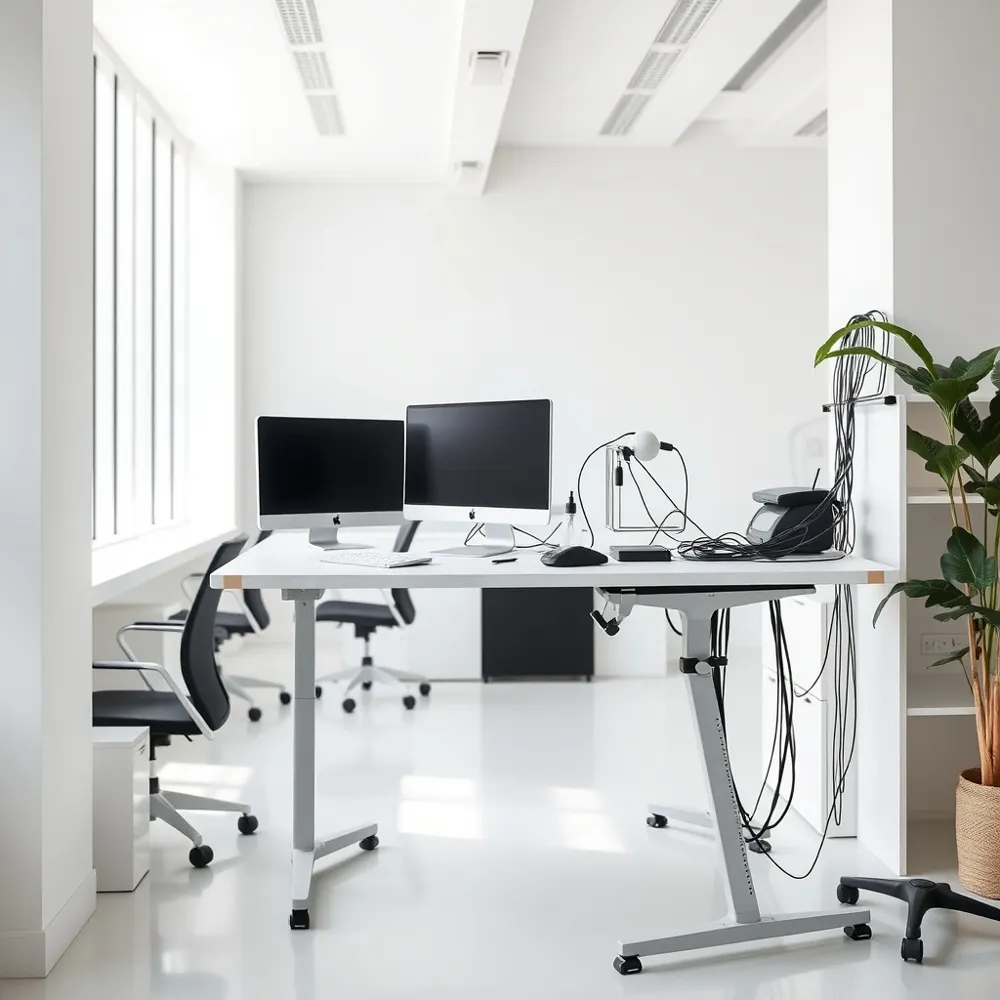
Stability often hinges on how you arrange your equipment on the surface. Heavy items like computer towers should be placed as close to the desk's centerline as possible rather than near the edges. Concentrating significant weight at the periphery exerts uneven pressure on the frame, which can introduce instability or stress the lifting columns. If you frequently need to move your station or adjust its position, That's My Office provides expert guidance on space planning to ensure your furniture setup remains balanced and durable.
Managing Cabling and Peripherals
Many users overlook the impact of taut cables when raising or lowering their desk. This creates lift tension, where cables pull against the frame and destabilize the structure during movement. To mitigate this, always maintain a service loop of roughly 5 to 10 cm of extra slack in all power and data cables. This small buffer prevents equipment from tugging on the desk and ensures a smooth, silent transition between heights.
Monitor placement also plays a significant role in your setup's integrity. While monitor arms are excellent for ergonomics, they act as levers that concentrate weight onto a single point of the frame. If you notice persistent wobble, consider redistributing your screen weight or ensuring the arm is securely clamped exactly over a leg column to minimise physical strain. When you invest in solutions from Lavoro Design, which are available through our standing desks range, getting the right balance becomes much simpler thanks to frame engineering designed for heavy, professional-grade workloads.
| Component | Action Plan | Stability Impact |
|---|---|---|
| PC Towers | Centralize setup | Reduces torsional stress |
| Power Cables | Add 5-10 cm slack | Eliminates lift tension |
| Monitor Arms | Mount above legs | Prevents frame leverage |
4. Apply Structural Reinforcements Using Brackets
When a standing desk experiences lateral movement, creating rigid connection points is a primary solution. Implementing shelf brackets is an effective, cost-efficient method for introducing triangular reinforcement to desk joints. By installing these brackets at critical stress points, you create a braced structure that significantly restricts sway. For the best performance, choose larger brackets, as they possess more surface area to distribute lateral force compared to smaller alternatives.
Integrating Reinforcements Seamlessly
Facilities managers may worry that adding raw hardware could degrade the professional appearance of a workstation. To address this, simply use spray paint to match the brackets to your existing desk frame or office decor. This minor touch ensures that structural upgrades remain discreet. Focusing on joints near the corner junctions of the frame where play might have developed over months of daily use often yields the most immediate improvements in overall stability.
Strategic Considerations for Your Office
When selecting a height adjustable desk for your workplace, prioritising stability and a quiet, reliable motor is key to lasting performance in busy office environments. Facilities managers should also consider the desk's height range and weight capacity to accommodate a wide variety of users and equipment configurations. Beyond the mechanics, look for built-in cable management and add-ons for accessories, which help keep the workspace organised and clutter-free. A desk with programmable memory presets makes switching between sitting and standing simple, encouraging regular use among your team. Finally, always verify the manufacturer’s warranty and support services to guarantee that your investment is protected and easily serviceable as your office needs evolve.
5. Utilise Advanced Hardware and Motor Syncing
When a height adjustable desk exhibits uneven movement or lateral sway, the issue may stem from internal motor misalignment rather than a simple mechanical fault. To address this, many power-adjustable systems can be reset by lowering the desk to its minimum height setting, held for several seconds to allow the control box to re-synchronize the columns. That's My Office provides expert guidance on these setups, ensuring that users can maintain smooth transitions without the jittery, uneven lift cycles that often plague entry-level alternatives.
Upgrading Hardware for Increased Rigidity
Over time, persistent vibration from daily tasks can cause standard factory screws to back out slightly. To prevent this loosening, applying a small amount of thread locker fluid to main structural screws during assembly creates a resilient bond that resists vibrational movement. Furthermore, for those looking to improve the structural integrity of an existing standing desk, replacing standard 5mm or 6mm hardware with 8mm bolts can provide significantly higher torque strength and a more secure connection between the foot plates and the leg columns.
Identifying When Replacement is Necessary
While proactive maintenance can resolve many stability issues, some problems arise from fundamental engineering limits in budget-grade frames. If a desk continues to exhibit significant sway despite proper leveling and hardware reinforcement, it may indicate worn glides or an undersized steel structure that cannot be effectively repaired. That's My Office offers professional consultation to identify these structural deficiencies and can recommend high-quality, stable alternatives such as the Lavoro Design standing desks for environments requiring long-term reliability and heavy lifting performance.
| Advanced Stability Step | Targeted Outcome | Benefit to User |
|---|---|---|
| Motor Reset | Syncs lifted columns | Uniform height movement |
| 8mm Hardware Swap | Increases torque load | Reduced frame vibration |
| Thread Locker Fluid | Prevents screw loosening | Permanent structural bond |
Long-Term Stability for a Productive Future
Routine maintenance, such as checking bolt tension and verifying a level surface, provides a necessary baseline for a functional height adjustable desk. Facilities managers should implement these checks biannually to mitigate the wear that leads to instability. If persistent sway continues despite these interventions, it may indicate that the frame lacks the necessary steel thickness or tight manufacturing tolerances found in professional standing desk solutions. Investing in high-quality systems ensures that teams operate with equipment designed for durability. Prioritising proactive ergonomics ultimately supports a more consistent and productive workplace environment.





0 comments